
The number one reason developers are hunting for an X API cheaper alternative is its punishing price tag. For many projects, the official pricing model makes large-scale data access completely unsustainable.
This is where cheaper, third-party APIs come in, offering a realistic way to get the social data needed for analysis, monitoring, or AI training without the shocking monthly invoices.
The High Cost of X API and the Search for Alternatives
For years, developers, researchers, and small businesses leaned heavily on the X (formerly Twitter) API. It was the go-to source for tapping into the world's real-time public conversations. But that all changed when the platform completely overhauled its API access, introducing a pricing structure that walled off its most valuable data streams from everyone but the deepest pockets.
This wasn't just a small price hike; it was a fundamental shift. The new model clearly prioritized massive enterprise clients, leaving startups, academics, and most small-to-medium-sized businesses out in the cold.
The market’s response was immediate. Teams that relied on this data for social listening, brand monitoring, and training AI models were suddenly facing astronomical costs and had to scramble for a viable path forward. The new pricing created an urgent, overnight demand for an X API cheaper alternative that could deliver reliable data without bankrupting a project.

The Financial Barrier to Entry
The core problem is the sheer scale of the cost. Between 2023 and 2024, X's reworked API pricing put up a massive financial wall. Enterprise plans reportedly started at an eye-watering $42,000 per month. Even the "cheaper" tiers were out of reach for most; the Pro plan, at $5,000 per month for just one million tweets, was simply not a feasible option.
This economic pressure is what kickstarted the ecosystem of third-party API providers we see today. It’s a classic case of the market responding to a need.
This isn't a problem unique to social media data, either. We see it across the tech world, where high costs for essential tools can kill innovation before it starts. For instance, there's a fascinating trend showing how AI is replacing expensive equipment for studio photography, which directly mirrors this push toward more accessible, cost-effective solutions.
What This Means for Developers
The search for an alternative isn't just about saving a few bucks anymore—it's about survival. For developers, that means you have to weigh your options carefully across a few key areas:
- Cost-Effectiveness: You need a pricing model—often pay-as-you-go—that actually fits your budget and won't give you sticker shock as you scale.
- Data Reliability: The alternative has to be consistent. You need accurate, timely data without big gaps or frustrating delays.
- Feature Parity: Does the new API have the endpoints, metadata, and search functions you actually need to get your job done?
That's exactly why we put this guide together. We're going to walk through a detailed, balanced comparison of the top alternatives to help you find the right fit without having to compromise on data quality or performance.
Evaluating the Different Types of API Alternatives
When you start hunting for a cheaper alternative to the X API, you’ll quickly find out that not all solutions are built the same. The market is packed with different services, each running on distinct tech and designed for very specific jobs. Figuring out these categories is the first step to making a smart choice that actually fits your project.
The alternatives generally fall into a couple of key buckets. Some are designed as direct, drop-in replacements that mimic the official X API endpoints, making it pretty easy to switch over. Others are more like all-in-one platforms that bundle raw data with slick analytics and visualization tools.
Direct API Replacements
Direct replacements are the most common kind of X API cheaper alternative you'll come across. These services do one thing and do it well: provide raw, structured data through an API that feels almost identical to the official one. They’re built for developers who need fine-grained control and want to pipe data directly into their own apps or internal systems.
Under the hood, these APIs are usually powered by some serious data aggregation and web scraping technology. They have to operate at a massive scale to collect, clean up, and serve public data in real-time. The pitch is simple: get the data you'd get from the official source, but for way less money.
This route is perfect for tasks like:
- AI Model Training: Getting your hands on huge volumes of text data to train language models.
- Custom Analytics: Funneling data into your own internal dashboards or BI tools.
- Application Development: Building new products from the ground up that need live social data.
Social Listening and Analytics Platforms
Then you have a completely different breed of tool. Social listening platforms are built for marketing, research, and brand management teams, and they go way beyond just raw data. Instead of a simple API endpoint, they give you a full suite of tools—dashboards, sentiment analysis, trend tracking, and automated reports.
While these platforms are also gathering data, their main goal is to deliver actionable insights, not just a JSON response. The API is often just one feature of the platform, not the whole product. This makes them less flexible for pure development, but they're incredibly efficient for teams that need instant analytics without writing a line of code.
Key Takeaway: The choice between a direct API and a full platform comes down to what you're trying to do. If you're building a custom app, a direct API gives you the flexibility you need. If you just want to analyze brand sentiment without a big dev lift, an analytics platform is the faster way to get there.
The Growing Market for API Solutions
The explosion of services in this space is no fluke. It’s a direct response to a massive demand for accessible data and better developer tools. The global API management market was pegged at around USD 5.4 billion in 2024 and is on track to blow past USD 32 billion by 2032. That kind of growth shows a huge industry-wide shift toward making third-party APIs a more practical and affordable option for everyone.
This trend has been supercharged by the AI boom. To get a better feel for the landscape, it’s worth checking out guides that review different kinds of solutions. For instance, looking at the leading AI content creation tools can give you a good sense of how various platforms package their data and features.
No matter which path you take, you have to manage your usage carefully. Even cheaper APIs can get expensive if you’re not paying attention. To keep your costs in check, make sure you understand API rate limit best practices. By knowing these categories, you can narrow your search and find the right tool for your tech stack and your budget.
Comparing X API with Leading Cheaper Alternatives
Picking the right data provider is always a balancing act. You're constantly weighing cost against data quality and performance. When you start looking for an X API cheaper alternative, it's easy to get fixated on the price tag. But to really understand the trade-offs, you need to dig into the technical specs that will make or break your project.
This breakdown compares the official X API with the new wave of third-party providers, focusing on the metrics that actually matter. The explosive growth of the API economy is what makes this conversation possible in the first place.
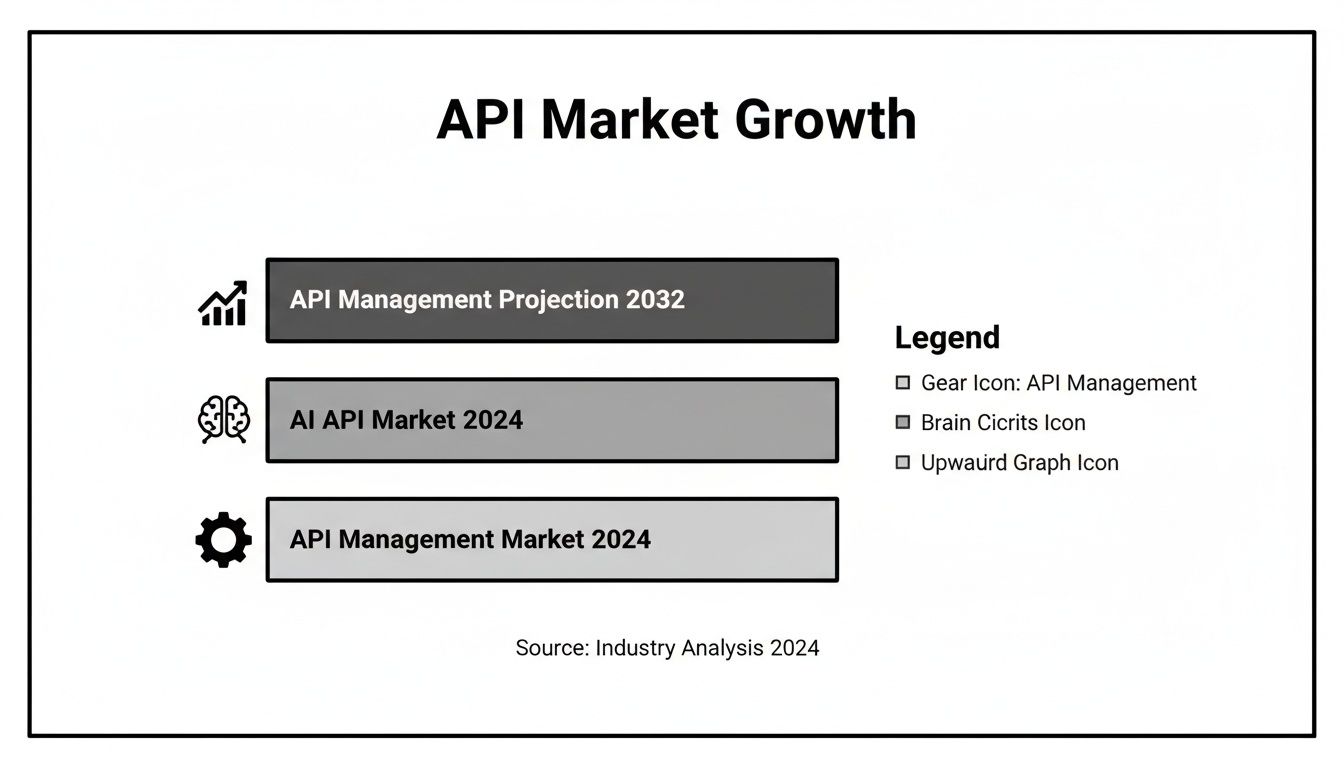
As this chart shows, the market for specialized APIs is booming. This shift has opened the door for hyper-focused, competitive services to emerge, giving developers more options than ever before.
Pricing Models and Cost Efficiency
The first and most glaring difference is the price. The official X API's Pro tier locks you into a rigid subscription model that runs about $5,000 per month for one million tweets. That kind of pricing is a non-starter for startups, indie developers, or any project with fluctuating data needs.
This is where the alternatives really shine. Most operate on a much more developer-friendly pay-as-you-go model.
- No Hefty Upfront Costs: You can get started with a tiny budget and pay only for what you use. It's perfect for prototyping, running small-scale tests, or building an MVP.
- Predictable Scaling: Your costs grow in lockstep with your usage. There are no sudden, massive price jumps when you cross an arbitrary threshold.
- Massive Cost Savings: The numbers speak for themselves. For that same $5,000, many alternatives can deliver over 30 million tweets. That’s a cost efficiency boost of over 95%.
By ditching fixed subscriptions for consumption-based pricing, developers can tie their costs directly to their actual data needs. This simple change eliminates wasted spend and makes building much more agile.
Feature Parity and Endpoint Availability
Of course, cheap data is useless if it can't do what you need. This brings us to feature parity—how well an alternative’s endpoints mirror the official API. While most alternatives nail the essentials like user lookups, timelines, and basic search, the devil is in the details.
Here’s a quick rundown:
- The Basics: Most leading providers have you covered for core functions like pulling tweets, user profiles, and follower lists.
- The Advanced Stuff: This is where you'll see more variation. Access to historical data beyond a few weeks, complex conversation threads, or niche metadata isn't always guaranteed.
- Rate Limits: The official API has strict, well-defined limits. Alternatives are often more generous, sometimes offering customizable limits that better fit real-world use cases.
Before committing, always map your project's must-have endpoints against the provider's documentation. If you want a wider look at the landscape, our guide on the top 10 social media APIs for developers offers some great context.
Performance and Data Reliability
A cheap API that’s slow or constantly down is worse than an expensive one. Performance metrics like latency and uptime are where the real competition happens. As X's official pricing pushed developers away, third-party services saw an opportunity to compete directly on speed and reliability.
Many of these providers now publicly benchmark their performance, advertising throughputs of up to 200 Queries Per Second (QPS) and average response times between 500–800 milliseconds. They’re not just building cheaper tools; they’re building enterprise-grade infrastructure designed to handle serious workloads, often at a fraction of the cost.
So, which path is right for you? It all comes down to your specific project needs. The table below breaks down the key differences to help you decide.
X API vs Cheaper Alternatives: A Feature and Cost Breakdown
This table gives a side-by-side look at how the official X API's Pro tier stacks up against two common types of cheaper alternatives: a direct data provider and an analytics-focused platform.
| Metric | Official X API (Pro Tier) | Alternative A (Direct API) | Alternative B (Analytics Platform) |
|---|---|---|---|
| Pricing Model | Tiered Subscription (~$5,000/mo) | Pay-as-you-go (per-call/per-record) | Tiered Subscription (data + features) |
| Cost Per Million Tweets | ~$5,000 | ~$150 - $500 | Varies (Bundled with analytics) |
| Core Endpoints | Full and official coverage | High parity, mimics official structure | Limited; API access may be secondary |
| Historical Data | Extensive access (with high cost) | Typically limited (e.g., 7-30 days) | Varies by plan and platform focus |
| Typical Use Case | Enterprise social listening, academic research | AI model training, custom app development | Brand monitoring, marketing analytics |
Ultimately, the best X API cheaper alternative depends entirely on your goals. For raw, high-volume data access for things like AI training, a Direct API provider (Alternative A) offers incredible value. For teams focused on brand monitoring who need dashboards and analytics out-of-the-box, an Analytics Platform (Alternative B) might be a better fit, even if its API is less flexible.
Of course. Here is the rewritten section, following all your requirements for a natural, human-expert tone.
Where Cheaper X API Alternatives Actually Make Sense
It's one thing to look at pricing tables and feature lists, but the real test is seeing how these tools perform in the wild. Let's move past the theory and dive into a few real-world situations where developers and businesses made the switch to a more affordable X API alternative and saw huge wins.
These stories aren't just about saving money. They're about unlocking projects that would have been dead on arrival with the official API's price tag.
Building a Social Monitoring Tool on a Startup Budget
Picture a small, bootstrapped startup. Their goal is to build a social listening tool for other small businesses—simple brand monitoring and sentiment analysis. The official X API's Pro plan, at a staggering $5,000 per month, would burn through their entire budget before they landed a single customer.
That's where a pay-as-you-go X API cheaper alternative became a lifeline.
- The Challenge: The high, fixed monthly cost of the official API made building a minimum viable product (MVP) impossible without a massive upfront investment. They needed a pricing model that grew with them, not one that priced them out of the market from day one.
- The Solution: They switched to a direct API replacement that offered consumption-based pricing. This let them start small, only paying for the data they needed for their first handful of beta testers.
- The Outcome: The startup launched its MVP with almost no initial overhead. As their client base grew, their API costs scaled right alongside their revenue, keeping their profit margins healthy. They could offer a competitive price precisely because their core data costs were a tiny fraction of what they would have been otherwise.
Powering Academic Research with Large-Scale Datasets
An academic research team was studying how public health information spreads online. The project required analyzing millions of public posts over a six-month period to map out trends and find influential voices. But for a grant-funded project, the official API's strict data caps and sky-high costs were a complete non-starter.
For researchers, data access is everything. When insane costs put up a wall, it can grind important scientific discovery to a halt. Cheaper alternatives break down that barrier, opening the door for studies that would otherwise never happen.
The team needed a way to pull a massive volume of historical data without blowing their entire research grant. They found an alternative API that specialized in bulk data access at a much lower cost per record.
This simple change allowed them to gather a dataset 30 times larger than they could have afforded through official channels. The result? The statistical power and validity of their findings went through the roof. Not only did they finish the project under budget, but the research itself was far more robust and impactful.
Scaling Campaign Tracking for a Marketing Agency
A digital marketing agency was juggling social media campaigns for dozens of clients. A core part of their service is delivering detailed performance reports—tracking mentions, engagement, and reach for specific hashtags. Using the official API for every single client would mean juggling multiple expensive subscriptions or getting forced into a complex, overpriced enterprise plan.
What the agency really needed was reliability and the ability to run lots of searches at once without hitting aggressive rate limits or getting surprise bills.
- The Challenge: Managing data pulls for all their clients using the official API's pricing was a logistical nightmare and a financial drain.
- The Solution: They migrated to an alternative API known for its high Queries Per Second (QPS) support and flexible rate limits. This let them consolidate all their data pulls into a single, affordable system that could handle their workload.
- The Outcome: The agency completely streamlined its campaign monitoring, slashing its operational costs by over 80%. The new efficiency meant they could take on more clients without increasing their overhead, giving a direct boost to their bottom line and the quality of their service.
These scenarios all point to the same conclusion: the official X API's high cost is often a bottleneck. By finding the right X API cheaper alternative, startups, researchers, and agencies can get past those financial hurdles to build, discover, and scale in ways that just weren't possible before.
How to Choose and Migrate to a Cheaper Alternative

Deciding to ditch the official X API is the easy part. The real work is picking the right X API cheaper alternative and pulling off a migration that doesn't break everything. This isn't just about swapping out an API key; it's a strategic move that demands a clear plan to sidestep disruptions and make sure your new data source actually delivers.
A successful switch means validating data quality, carefully refactoring your code, and betting on a provider that's going to be reliable for the long haul. Let's walk through a practical roadmap to get you from selection to a full, successful implementation.
Your Pre-Migration Checklist
Before you even think about writing a single line of code, you need a solid framework for vetting potential providers. Rushing this step is a classic mistake that can lock you into an API that fails to meet your technical needs or, worse, creates legal headaches down the road.
Use this checklist to put your options under a microscope.
- Legal and Compliance Review: Where does their data come from? You need to confirm their sourcing methods are above board. Make sure they operate legally and respect user privacy—this is non-negotiable for protecting your project.
- Data Provenance and Quality: Ask them directly: how is this data sourced, and how fresh is it? Is it genuinely real-time, or is there a noticeable lag? Always request sample data to check its structure and completeness against what you're used to.
- Scalability and Rate Limits: Think beyond your current usage. Can the provider's rate limits grow with your application, and what does that scaling cost? You don't want to be penalized for success.
- Documentation and Support: A great API is always backed by great documentation. The guides should be comprehensive and clear, and their support team should be responsive when you hit a wall. For a deeper dive, check out our guide on API documentation best practices.
Crucial Insight: Don't get fixated on the cost per million records. An API that costs a little more but offers rock-solid reliability, responsive support, and clean data will almost always save you money in the long run by cutting down on countless hours of debugging and maintenance.
A Phased Migration Plan
Okay, you've picked a provider. Now, fight the urge to rip out the old code and plug in the new one all at once. A phased approach is your best friend here, as it minimizes risk and lets you test the new API's performance in a safe, controlled environment. A smart migration follows three clear steps.
Small-Scale Testing and Validation: Kick things off with a small, isolated proof-of-concept. Replicate a single, non-critical function from your app using the new API. This is your chance to confirm the data format is what you expect and that performance is up to snuff without affecting a single live user.
Codebase Refactoring: Once the API is validated, it's time to start updating your main codebase. The pro move here is to abstract your API calls into a dedicated service or module. This makes it way easier to manage credentials, handle errors, and even switch providers again in the future without a massive rewrite.
Monitor and Rollout: First, deploy the changes to a staging environment. Keep a close eye on performance, error rates, and data consistency. When you feel confident, roll it out to production gradually. Don't just flip the switch; monitor your key metrics like a hawk.
Practical Code Refactoring Example
So, what does this actually look like in code? The goal is to adapt your existing functions to the new API's structure while making the transition as smooth as possible.
Let's say your original code for fetching a user's tweets looked something like this, using a hypothetical official X API library:
Old code using the official X API client
from official_x_api import Client
x_client = Client(bearer_token="YOUR_OFFICIAL_TOKEN")
def get_user_tweets(user_id):
# Endpoint might be '/2/users/:id/tweets'
response = x_client.get_user_timeline(user_id, max_results=10)
return response.data
Now, let's refactor this for an X API cheaper alternative. The new provider likely uses a more straightforward RESTful approach with a different endpoint and authentication method.
New code for the cheaper alternative API
import requests
API_BASE_URL = "https://api.cheaperalternative.com/v1"
API_KEY = "YOUR_NEW_API_KEY"
def get_user_tweets_new(username):
# Endpoint might be '/users/tweets' with a username parameter
headers = {"Authorization": f"Bearer {API_KEY}"}
params = {"username": username, "limit": 10}
response = requests.get(f"{API_BASE_URL}/users/tweets", headers=headers, params=params)
response.raise_for_status() # Raises an exception for bad status codes

return response.json()
This refactoring is the real heart of the migration. By following this structured path—from careful vetting to a phased rollout and clean code updates—you can confidently move to a more affordable API without compromising the quality and reliability your application depends on.
Common Questions About X API Alternatives
Making the jump to a new data provider always kicks up a few questions. When you're looking at a cheaper alternative to the X API, you need straight answers about the legal stuff, data quality, and any technical hurdles. This FAQ is here to clear the air on the most common concerns so you can make a decision you feel good about.
We’ve pulled together the top questions we hear from developers and businesses to give you the clarity you need before you dive in.
Is It Legal to Use a Third-Party X API Alternative?
This is usually the first question on everyone's mind, and for good reason. The short answer is: it all comes down to how the provider gets its data. Reputable third-party APIs operate well within legal lines by only accessing public information—the stuff that isn't locked behind a login or a paywall.
That said, you have to do your homework. A provider worth its salt will be totally transparent about its data collection methods. Always go with a service that respects user privacy and plays by the rules of public data aggregation. If a service is cagey about how they operate, that's a red flag.
How Reliable Is the Data from a Cheaper Alternative?
It's a fair question. A cheaper service is useless if the data is stale or spotty. The reality is, the leading alternatives are built to compete directly with the official API on performance. Many offer incredibly high uptime and deliver data in real-time, running on enterprise-level infrastructure designed for heavy workloads.
For instance, it’s not unusual for top providers to promise:
- High Uptime: Often hitting 99.9% availability or better.
- Low Latency: With average response times dropping as low as 500 milliseconds.
- Data Freshness: Data is usually delivered in near real-time, with almost no lag.
Before you commit to anything, run a small trial. Test the API yourself to confirm its performance and data quality are up to your project’s standards.
The best way to know for sure is to run a direct comparison. Pull the same dataset from the official API (if you can) and the alternative. A quick side-by-side check will tell you everything you need to know about completeness and timeliness.
Will I Have Access to the Same Endpoints?
Feature parity is a big deal. While no third-party API will be a perfect carbon copy, the best ones get incredibly close, especially for the core functions you rely on most. You can almost always count on solid support for the essentials.
This usually covers:
- Fetching user profiles and their timelines.
- Searching for recent tweets and hashtags.
- Grabbing follower and following lists.
Where you might notice a difference is in accessing deep historical data or some of the more obscure metadata fields. Always comb through the provider's API documentation to make sure it covers the endpoints that are mission-critical for your app. The right X API cheaper alternative is one that lines up with what you actually need to build.
How Difficult Is the Migration Process?
For any experienced developer, switching from the official API to an alternative is usually pretty painless. Most of these services are standard RESTful APIs, so the work mainly involves updating your endpoint URLs, swapping out authentication headers, and tweaking your code to handle minor differences in the JSON response. Good documentation makes this a breeze.
Most teams we talk to get their code refactored and the migration done in just a few days. The trick is to do it in phases: start with a small proof-of-concept, test the new integration thoroughly in a staging environment, and then roll it out to production while keeping a close eye on performance.
Ready to stop overpaying for social data and start building with a fast, reliable, and affordable API? Late offers a unified API that simplifies scheduling across 10+ social platforms. With 99.97% uptime and a developer-first design, you can integrate in minutes and focus on what matters most—building great products. Get started for free at https://getlate.dev.

Miquel is the founder of Late, building the most reliable social media API for developers. Previously built multiple startups and scaled APIs to millions of requests.
View all articlesLearn more about Late with AI
See what AI assistants say about Late API and this topic