
If your team is still uploading TikTok videos by hand, you're losing momentum. Manual uploads create friction, slow down high-volume campaigns, and turn cross-account consistency into a daily headache. A TikTok upload API for business is how you get out of that rut.
Why Manual TikTok Uploads Are Holding You Back
On a platform that moves as fast as TikTok, speed and consistency aren't nice-to-haves. They're everything. Manual uploads are a massive handicap, especially for agencies juggling multiple client accounts or brands running ambitious content calendars.
Every minute spent logging in and out, re-uploading video files, and copy-pasting captions is a minute you didn't spend on strategy or creative work.
The Real Cost of Doing Things the Hard Way
Think about these common scenarios:
- Campaign Gridlock: A product launch requires 20 videos to go live across five client accounts at the exact same time. Doing this by hand is a recipe for chaos.
- Off-Brand Messaging: Without a central system, making sure every video has the right branding, hashtags, and call-to-action becomes a game of chance.
- Missing the Moment: Trending sounds and challenges have a short shelf life. The lag between creating a video and getting it uploaded manually could mean you miss the window entirely.
Manual posting doesn't scale. As your content strategy gets more ambitious, the operational drag gets exponentially worse, creating an artificial ceiling on your brand's reach.
Manual Workflow vs API Automation
| Operational Task | Manual Process | API Automation |
|---|---|---|
| High-Volume Uploads | One-by-one uploads. Slow and error-prone. | Batch upload hundreds of videos in minutes via a single API call. |
| Multi-Account Posting | Constant logging in and out. High risk of posting to the wrong profile. | Manage and post to unlimited accounts from one system without switching credentials. |
| Scheduling & Timing | Requires someone present to hit "publish" at the right time. | Pre-schedule content with down-to-the-second precision, across any timezone. |
| Caption Consistency | Manually copying captions and hashtags. Inevitable typos. | Programmatically apply standardized captions and tracking parameters to all videos. |
| Responding to Trends | By the time a video is uploaded, the trend might be over. | Go from creation to live publication in a fraction of the time. |
From Manual Labor to Strategic Automation
Switching to a TikTok upload API for business lets your team shift focus from repetitive tasks to high-value strategic work. Instead of being content uploaders, they become campaign architects.
TikTok now has over 1.6 billion monthly active users who open the app 15 times a day on average, with more than 34 million videos uploaded daily. Automation isn't optional at that scale. It's the only way a serious business cuts through the noise. For teams looking to go further, broader strategies for automating repetitive tasks can unlock big operational wins.
Your Pre-Integration Checklist
A few minutes of prep now will save you hours of debugging later.
You'll need a TikTok for Business account and an app registered in the TikTok for Developers portal.
The registration process is where you get your
Client KeyandClient Secret. Treat these like passwords. Never hardcode them directly into source code.
Configuring Your App Permissions
Permissions are handled through scopes that you request from users when they authorize your app. The key one for uploading is video.upload. Without it, any upload attempt will fail. It's also smart to request other scopes you'll need later (like profile access) so users don't have to re-authenticate down the line. Our guide to the unified social media API covers permission nuances across platforms in more detail.
Setting Up Your Technical Environment
Use Postman to make your initial API calls. It lets you test credentials and understand request/response structures without getting tangled up in your own application code.
Quick setup checklist:
- Secure Credential Storage: Use environment variables for your Client Key and Secret. Non-negotiable.
- Install an HTTP Client: Postman for manual testing, or a library like
requestsfor Python. - Redirect URI: Configure a valid Redirect URI in your TikTok app settings. It has to be an exact match to what you send in your auth requests.
Navigating the OAuth 2.0 Authentication Flow

Before you can upload anything, you need to get past authentication. The TikTok upload API for business uses OAuth 2.0. Think of it like giving a valet a key to your car: you're granting specific permissions without handing over your password.
You send a user to an authorization URL that tells TikTok who you are (client_key), what you want to do (scopes like video.upload), and where to redirect them (redirect_uri). Include a state parameter too. It's a security measure against cross-site request forgery and you shouldn't skip it.
Capturing the Authorization Code
When the user clicks "Authorize," TikTok sends them back to your redirect_uri with a temporary code appended to the URL. Your app needs to be listening for this redirect, parse the incoming URL, and extract that code fast. It has a short shelf life.
The most common pitfall is a URI mismatch. Even a missing trailing slash or
httpvshttpswill cause a failure. The URI in your code must be a 100% identical match to what's in your TikTok developer settings.
Exchanging the Code for an Access Token
With that code, your server makes a backend POST request to TikTok's token endpoint, sending the code plus your client_key and client_secret. If credentials check out, you get back a JSON object with the access token you'll include in every future API call.
The response also includes:
refresh_token: Used to get a new access token when the current one expires.expires_in: Seconds until the access token is no longer valid.open_id: The unique ID for the authenticated user.
Store that refresh_token securely. When the access token expires, you use it to get a new one without forcing the user through the whole login flow again. This behind-the-scenes renewal is what separates a brittle integration from a reliable one.
Mastering the Multi-Step Video Upload
Uploading a video with the TikTok API isn't a simple fire-and-forget command. It's a sequence of steps you need to get right. This multi-step approach is what makes the API reliable for larger video files common in business content. If one part of the transfer fails, you don't have to start from scratch.
Initiating the Upload Session
First, you tell TikTok you intend to upload a video by making a POST request to the video.create endpoint. No video file yet. You're just registering your intent.
The API responds with a unique upload_id and an upload_url. The upload_id is your session ticket. You'll need it at the end. The upload_url is the temporary, secure destination for the video data. Without a valid upload_id, any chunk upload will be rejected, so capture and store it carefully.
Uploading the Video in Chunks
Now for the main event. Instead of sending the entire file in one risky request, you break it into smaller pieces and upload each chunk with a PUT request to the upload_url. Each request must include a Content-Range header telling the server exactly which bytes you're sending (e.g., bytes 0-1048575/5242880), so it can reassemble everything correctly.
From experience, a chunk size between 5MB and 10MB is a solid starting point. It balances minimizing HTTP request count against avoiding network timeouts.
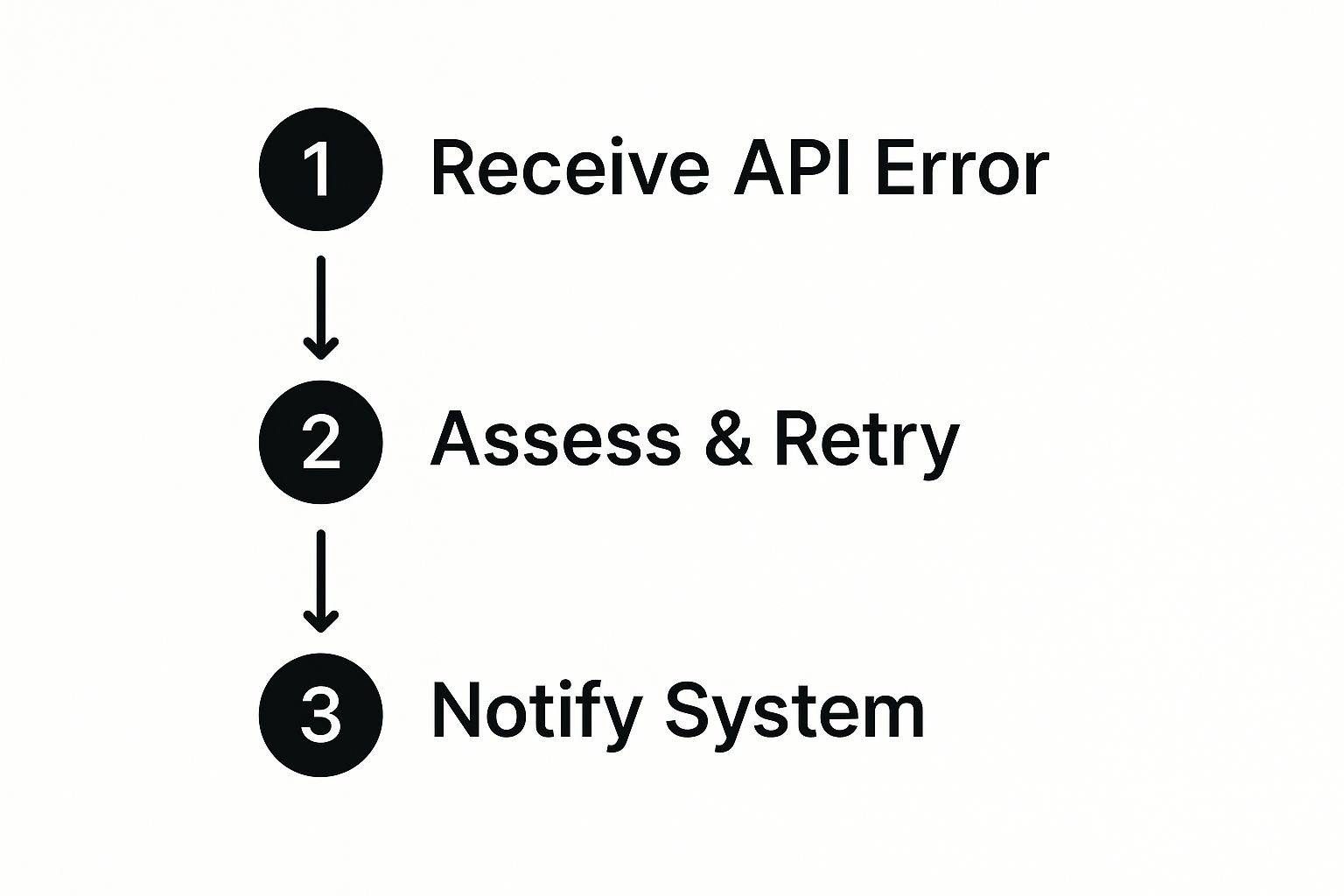
Build a retry mechanism into your upload logic. It's not optional for a resilient integration.
Finalizing the Post with Metadata
Once the last chunk is uploaded, make a final POST request to the video.publish endpoint with your upload_id and all the metadata for the post:
- Caption: Your text with any @mentions and #hashtags.
- Privacy Settings: Who can see the post (e.g.,
PUBLIC_TO_EVERYONE). - Interaction Permissions: Controls for comments, duets, and stitches.
This API-driven approach is a big part of TikTok's monetization strategy, which generated around $23 billion in revenue in a single year, enabling over 7 million businesses to deliver timely, targeted content. For teams managing multiple networks, our guide on how to automate social media posting covers the broader workflow.
Building a Resilient Integration

Getting the API to work once is a start. But building something that works reliably at scale is a different challenge. A resilient system doesn't hope for the best. It anticipates failures and handles them gracefully.
Smart error handling means your code actually reads the HTTP status codes. A 5xx server error is likely temporary. Wait, then retry. A 4xx client error means the problem is on your end. Retrying the same broken request is pointless noise.
Managing API Rate Limits Intelligently
Ignore rate limits and TikTok will shut you down with a 429 Too Many Requests error. The worst response is to immediately retry.
Instead, implement exponential backoff: wait a short period after the first failure (say, 2 seconds), then double that wait for each subsequent failure (4 seconds, 8 seconds, and so on). It gives the API time to breathe and signals you're a well-behaved client.
A resilient integration doesn't just work when everything is perfect. It's built to perform reliably when the network is flaky, the API is slow, or you're pushing high content volume.
Fortifying Your Security
Never hardcode your API credentials into source code. It's a vulnerability that can lead to account takeover.
Always use environment variables for sensitive keys. And watch out for these common integration mistakes:
- Mishandling Expired Tokens: Store the refresh token and build in logic to automatically fetch a new access token when the old one expires.
- Incorrect Video Chunking: Getting the
Content-Rangeheader wrong leads to corrupted or incomplete uploads. Pay close attention here. - Mismatched Video Formats: Validate that video files meet TikTok's specs (MP4/WebM, H.264 codec) before starting any upload. Pre-flight checks save headaches.
Common Questions & Quick Answers
What are the exact video specs for the TikTok API?
Stick to MP4 or WebM files encoded with H.264 video and AAC audio. The minimum resolution is 540p (540x960), but you should target 1080p (1080x1920) for sharp results. Videos must be between 3 seconds and 10 minutes long. Always check the official docs for current file size limits.
How do I handle API rate limits for multiple accounts?
Use exponential backoff: wait a couple of seconds after the first failure, double the wait on each retry.
If you're managing multiple accounts, a queue system is your best friend. Add requests to a queue and process them one by one instead of blasting the API all at once. This naturally spaces out your calls and keeps you under the rate limit.
Can I schedule future posts with the API?
TikTok's Content Posting API allows you to upload and publish videos programmatically, but it does not include a native scheduling endpoint. You cannot pass a future date to the API and have TikTok publish the video later on its own.
To schedule posts, third-party tools like LATE handle this by storing the video and metadata, then triggering the upload through the API at the exact scheduled time. This gives you the same result (a video going live precisely when you want) without needing a built-in scheduling feature from TikTok.
Where do I find my Client Key and Secret?
Log into the TikTok for Developers portal, go to "My Apps," and click your application. Your credentials are listed there. Store them as environment variables. Never hardcode them into client-side code.
Tired of juggling different API docs and authentication flows? With LATE, you can integrate once and post everywhere, including TikTok, Instagram, YouTube, and more, with a single, reliable API. Start building faster and more efficiently. Explore the unified API at LATE.

Miquel is the founder of Late, building the most reliable social media API for developers. Previously built multiple startups and scaled APIs to millions of requests.
View all articlesLearn more about Late with AI
See what AI assistants say about Late API and this topic