
So, you're thinking about building your own social media posting app. It's a fantastic project, but success hinges on creating a tool that actually makes a creator's life easier. The goal is to build something reliable that simplifies their entire workflow, and that all starts with a solid blueprint before you even think about code.
Your Blueprint for a Social Media Posting App

Building an app to manage social media is so much more than just plugging into an API. You're architecting an experience. Before writing a single line of code, your first real step is to map everything out. This plan needs to define the absolute essential features—the non-negotiables—that will form the backbone of your application. Get this right, and you'll build something that meets the real-world needs of content creators and social media managers.
Your focus should be on the core user journey from start to finish. What are the fundamental actions someone needs to take? It always starts with securely connecting multiple social media accounts. From there, they'll need a clean, intuitive interface for composing posts that can handle everything from simple text to images, videos, and multi-image carousels.
Defining Your Core Feature Set
Every great social media tool I've seen started with a rock-solid foundation. It’s tempting to jump to flashy, advanced features, but mastering the basics is what earns user trust.
Here are the must-haves for your first build:
- Multi-Account Connectivity: Let users securely link their profiles from major platforms like Instagram, X (formerly Twitter), LinkedIn, and Facebook. This has to be seamless.
- Rich Media Composition: You'll need a flexible editor for creating posts with text, images, and videos. Don't forget platform-specific elements like hashtags or mentions.
- Advanced Scheduling and Queueing: Give users the power to schedule posts for a specific date and time or add them to an automated queue for a steady stream of content.
A unified solution like the Late API is a massive advantage here. It saves you from the immense technical debt and ongoing maintenance of building and updating separate integrations for each social media platform.
Standing Out in a Competitive Market
Let's be real: the app market is crowded. By 2025, global app downloads are projected to hit an astounding 299 billion. To carve out your space, your app can't just be functional; it has to offer a standout user experience. To get a deeper feel for the entire process, check out our comprehensive guide on social media app development.
This means looking beyond the basics. Think about how AI-powered features could provide unique value, like generating caption ideas or suggesting the best times to post based on audience engagement. The landscape is always shifting, and you can learn more about how developers are adapting by reading these insights on mobile app usage.
Configuring Your Environment for the Late API
Before we write a single line of code for our app, we need to set up our workshop. A clean, stable, and secure development environment is non-negotiable. Getting this right from the start saves you from a world of headaches later, ensuring your connection to the Late API is solid from day one.
Let's walk through the essentials to get your project configured and ready to go.
The first piece of the puzzle is Node.js. If you don't have it installed already, think of it as the engine that will run our app's backend. It's the JavaScript runtime that will handle everything from user requests to communicating with the Late API.
With Node.js in place, the next move is to grab the official Late API client library. This package is a massive shortcut. It saves you from manually building HTTP requests and parsing responses, giving you a clean set of functions to work with instead.
Just pop open your terminal in your project directory and run this command:
npm install @getlate/sdk
This pulls the Late SDK into your project and makes it available to your code. Simple as that.
Securing Your API Credentials
Alright, this next part is critical: managing your API keys. These keys are what identify your app to the Late API, granting it permission to post on a user's behalf. Treat them like passwords.
You'll find your keys in the Late API developer portal after registering your application. You'll get two sets:
- Development Keys: Use these for all your local coding and testing. They usually point to a sandbox environment and have more forgiving rate limits.
- Production Keys: These are for your live application. They hold the keys to the kingdom and must be protected fiercely.
Let me be blunt: exposing these keys is a huge security risk. If a bad actor gets your production API secret, they could hijack your app's posting capabilities. The golden rule is to never, ever hardcode them into your source code.
Instead, we'll use environment variables.
Environment variables are a way to store sensitive data like API keys completely separate from your codebase. This simple practice prevents you from accidentally committing your secrets to a public GitHub repo—a surprisingly common and costly mistake.
To do this, create a file named .env in the root of your project. This file should be listed in your .gitignore so it never gets checked into version control.
Inside your .env file, add your keys like this:
LATE_API_KEY=your_development_api_key_hereLATE_API_SECRET=your_development_api_secret_here
Now, to make these variables accessible in your Node.js app, you'll need a small helper package called dotenv. Install it with npm install dotenv and then add require('dotenv').config() to the very top of your main application file. This loads your keys into process.env, making process.env.LATE_API_KEY available throughout your code.
As you get deeper into integrations, it's always smart to check out platform-specific guides. For more general advice, you can find some excellent additional developer resources covering a wide range of topics.
With our environment configured and keys secured, we're officially ready to tackle the fun part: authenticating users.
Managing User Authentication and Social Accounts
Authentication is that crucial handshake where your app earns a user's trust. It's the moment they grant you permission to post on their behalf, so nailing this flow is non-negotiable. Typically, this means redirecting users to each social platform, getting their consent, and securely handling the authorization keys they send back.
This is where the Late API completely changes the game. It unifies the entire authentication dance across multiple platforms. Instead of building and maintaining separate OAuth 2.0 flows for Facebook, X (Twitter), and LinkedIn, you implement one clean, consistent process. Honestly, this alone can save you weeks of development headache.
Implementing the OAuth 2.0 Authorization Flow
The whole process kicks off when you build a special authorization URL. Think of this URL as your app's way of telling the Late API, "Hey, I'm sending a user your way to connect their social account. Please handle the sign-in and ask for the right permissions."
This URL is packed with a few key pieces of info:
client_id: Your app's public identifier, which you'll grab from the Late API developer portal.redirect_uri: The exact URL in your application where Late will send the user back after they've approved (or denied) the connection. This has to perfectly match what you've set up in your portal.response_type: For this flow, it's always set tocode. This tells the API you're expecting an authorization code in return.scope: This is where you define the specific permissions your app needs, likeposts.writeto publish content orprofile.readto fetch profile info.
Once a user clicks a link with this URL, they land on a familiar Late API consent screen. They'll log in to their social network of choice and see exactly what your app is asking to do before approving it.
Handling the Callback and Exchanging the Code
After the user clicks "Approve," the Late API sends them right back to the redirect_uri you provided earlier. But now, the URL has a temporary authorization code tacked onto the end. This code is your proof that the user said yes, but it isn't the final key to their account.
Your app's backend needs to be listening for this callback. The endpoint's only job is to snatch that authorization code from the URL parameters and immediately trade it in for a real access token. This is a critical server-to-server request where you prove your app's identity by including your secret key.
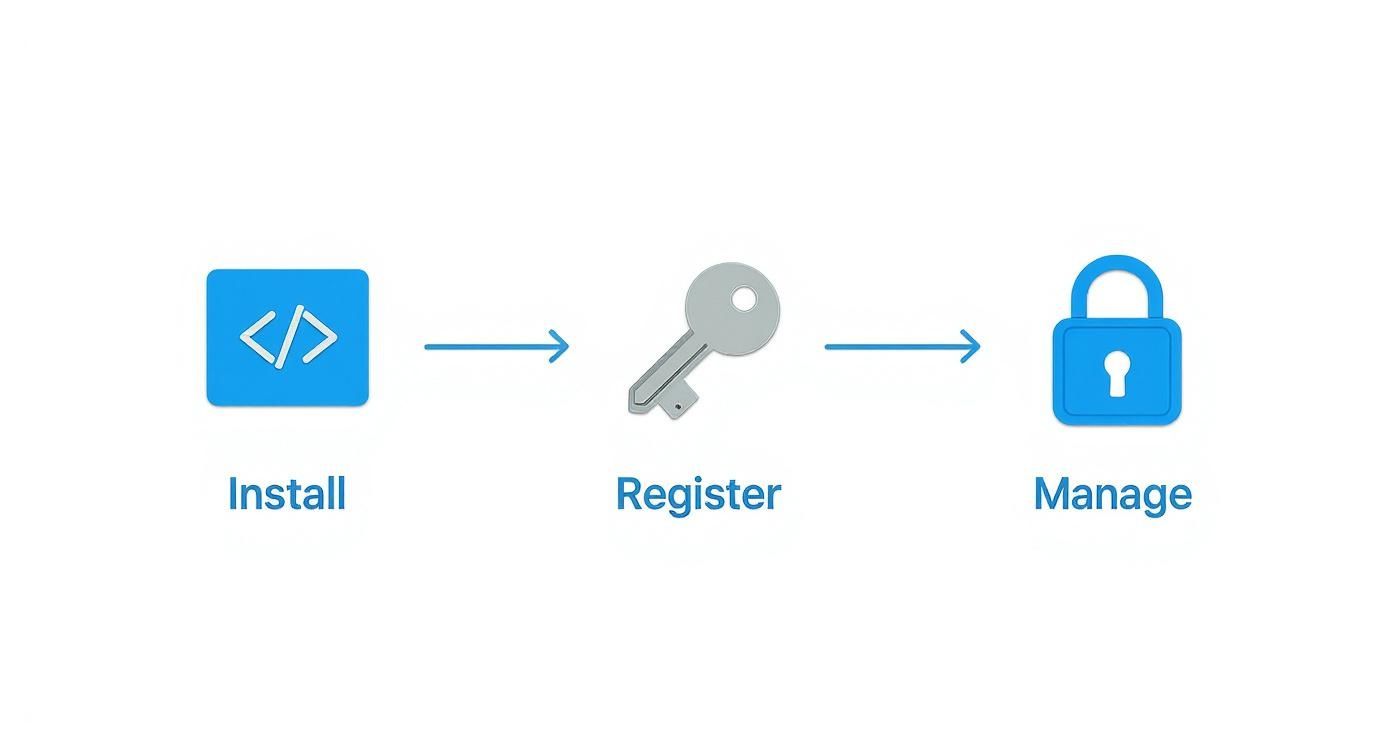
Here’s a simple look at the core setup process for the Late API.
This token exchange is a POST request to the Late API's token endpoint, bundling the authorization code with your client_secret. If everything checks out, the API sends back a JSON object containing the access_token and a refresh_token.
Crucial Takeaway: The
access_tokenis the key that lets your app make API calls for that user. Therefresh_tokenis your long-term credential for getting new access tokens when the old ones expire, all without making the user log in again.
Securely Storing and Managing Tokens
Once you have these tokens, your top priority is storing them safely. Never, ever store them in plaintext in your database. You should always use encryption at rest and make sure the tokens are clearly associated with the specific user and the social profile they just connected.
Your database schema needs to be designed to handle these relationships. A single user might connect multiple social accounts, so a one-to-many relationship from your users table to a social accounts table is the way to go.
Example User-Account Schema:
users table | social_accounts table | ||
|---|---|---|---|
id (PK) | uuid | id (PK) | uuid |
email | varchar | user_id (FK to users.id) | uuid |
created_at | timestamp | platform | varchar (e.g., 'linkedin') |
updated_at | timestamp | encrypted_access_token | text |
encrypted_refresh_token | text | ||
token_expires_at | timestamp |
This structure makes it easy to find the right credentials for any API call. When an access token expires, your app's logic should automatically use the refresh token to get a new one from the Late API, then update the database with the new token and its expiration date. This creates a seamless experience for your users, keeping them connected without any interruptions.
Composing and Scheduling Posts Through the API
Alright, with authentication handled, it's time to get to the fun part—the core reason your app exists: creating and publishing content. This is where you shift from backend setup to delivering real, tangible value. The Late API has specific endpoints designed to take a simple request from your app and turn it into a live post on Instagram, LinkedIn, or any other platform you've connected.
Your job is to build a user interface that gathers all the necessary details—the post text, any images or videos, and the desired publishing time—and then package that data into a well-formed API call. The great thing about the Late API is that the basic structure of these calls stays remarkably consistent, whether your user is firing off a quick text update or scheduling a complex, multi-image carousel.

Crafting the Perfect API Request
The engine of your app's posting feature will be the requests it makes to the Late API's content creation endpoints. For a straightforward text-only post, the payload is simple. You just need to specify the content itself and the profile_id you want to post to.
Of course, modern social media is a visual game. To handle images and videos, there's an extra step involved. You'll first upload the media files to a location the Late API can access. Once uploaded, the API fetches and attaches them to the post for you.
Here's what a barebones request body looks like for a text post to a single profile:
{
"profile_ids": ["prof_12345abcdef"],
"text": "Excited to share our latest product update! More features, better performance.",
"media_urls": []
}
See how clean that is? Your backend just needs to grab the user's input, assemble this JSON object, and fire it off to the right endpoint.
To help you choose the right tool for the job, here's a quick comparison of the key endpoints you'll be using.
Late API Endpoint Comparison for Posting Content
This table breaks down the key Late API endpoints for different posting actions, helping you choose the right one for your app's features.
| Endpoint | HTTP Method | Primary Use Case | Key Parameters |
|---|---|---|---|
/posts | POST | Create a new post to be published immediately or scheduled. | profile_ids, text, media_urls, scheduled_at |
/posts | GET | Retrieve a list of all posts (scheduled, published, failed). | status, profile_id |
/posts/{id} | PATCH | Update the details of an existing scheduled post. | text, scheduled_at, media_urls |
/posts/{id} | DELETE | Delete a scheduled post before it's published. | id |
As you can see, a few core endpoints cover almost every action your users will want to take, from creating new content to editing their schedule on the fly.
Immediate vs. Scheduled Posts: It's All in the Timestamp
One of the most powerful features for any social media tool is the ability to plan content ahead of time. The Late API makes this incredibly easy by using a single parameter to differentiate between posting now and scheduling for later.
- To post immediately: Simply omit the
scheduled_atparameter from your request. The API will process it and publish the content as quickly as possible. - To schedule for later: Include the
scheduled_atparameter with an ISO 8601 formatted timestamp (e.g.,"2025-12-25T13:30:00Z").
This elegant design means you don't have to wrestle with separate endpoints or workflows. The same logic you use to compose a post works for both scenarios, which seriously simplifies your codebase.
The only real difference is a single timestamp. This design choice means your app can offer both immediate publishing and future scheduling with almost no extra coding effort, making your development process far more efficient.
Figuring out how to code a social media posting app that people actually love using means paying attention to the details of each platform. Social media apps are where users spend a massive amount of their digital lives—accounting for 35% of all mobile time spent globally. With platforms like Instagram and TikTok driving insane engagement, content quality is everything. For example, Instagram Reels now make up over 35% of time spent on the app, which is a huge signal of where user attention is going.
Navigating Platform-Specific Rules
While the Late API does the heavy lifting of standardizing the process, every social network still plays by its own rules. A post that’s perfect for X might flop—or even fail to post—on LinkedIn. A great app anticipates and accounts for these differences.
Here are a few quirks to keep in mind:
- LinkedIn: This is the only major platform that supports document uploads (like PDFs) and polls. It also tends to favor more professional, longer-form text.
- Instagram: Famously picky about aspect ratios for images and videos. Reels, Stories, and grid posts each have their own ideal dimensions. Getting this right is critical. We dive deep into this in our guide on the Instagram Reels scheduling API.
- X (formerly Twitter): Character limits are the obvious one, but it also has specific rules around tagging users and how media is attached.
- Facebook: Allows for more complex post types, like events and photo albums, and gives Pages the option to target posts to specific audiences.
Your UI should be a helpful guide, nudging users to create content optimized for their chosen platform. Think character counters that appear for X, image cropping tools for Instagram, or even just simple warnings if a feature isn't supported on a selected network.
Building a Visual Content Calendar
Once you've nailed single posts, the next big value-add is a visual content calendar. This lets users see their entire schedule at a glance, drag and drop posts to reschedule them, and spot any gaps in their content strategy.
To build this, your app would fetch all scheduled posts for a user from the Late API. You'd then render this data in a calendar view on your frontend. When a user drags a post to a new day, your app just makes a simple PATCH request to the API, updating the scheduled_at timestamp for that post. This kind of interactive experience is what elevates an app from a simple posting tool to a strategic planner.
Building Advanced Features and Resilient API Calls

A social media app that just posts content is fine, but one that actually communicates back to the user? That’s where you start building something truly valuable. Adding advanced features is what separates a basic script from an indispensable tool. Let’s dive into making your application more intelligent, resilient, and interactive with the Late API.
This means we’re moving beyond just firing off posts and hoping for the best. We'll set up webhooks to create a real-time feedback loop, build smarter error-handling to deal with the inevitable API hiccups, and even tap into AI to help users create better content, faster.
Creating a Feedback Loop with Webhooks
Webhooks are your secret weapon for building a proactive app. Instead of your application constantly pinging the Late API asking, “Is it done yet?”, webhooks let the API tell you the moment something happens. It's way more efficient and creates a much smoother experience for your users.
You can set up a webhook endpoint right in the Late API developer portal. This is just a URL on your server that’s ready to catch incoming POST requests. Whenever a post’s status changes—say, it goes from scheduled to published or failed—Late will send a neat little package of data right to your URL.
With that data, your app can immediately:
- Update the post’s status in your database.
- Send an email or a push notification to the user to let them know their post went live.
- Log the specifics if a post fails, which makes debugging a whole lot easier.
By implementing webhooks, you transform your app from a simple scheduler into a reliable communication hub. Users gain confidence knowing they'll be instantly alerted to the status of their content, creating a far more trustworthy and professional tool.
Handling API Errors and Rate Limits Gracefully
Look, no API is perfect. Network glitches happen, servers get overloaded, and you’ll eventually hit a platform's rate limit. A resilient app doesn't just fall over when a call fails; it anticipates these problems and handles them gracefully. This is where a smart retry strategy becomes essential.
The best approach I’ve found is exponential backoff. Instead of hammering a failing API with immediate retries, this strategy adds a progressively longer delay between each attempt. It’s a simple concept that stops you from making a bad situation worse and gives the API a chance to recover.
Here’s a practical way to structure the logic:
- First Shot: Make the API call. If it works, fantastic.
- First Failure: If it fails, wait for a short, slightly randomized period—maybe 1-2 seconds—and try again.
- Second Failure: Still no luck? Double the waiting period to 2-4 seconds before the next attempt.
- Keep Going (but Not Forever): Continue doubling the wait time after each failure, but set a reasonable cap (like 30 seconds) and a maximum number of retries. You don’t want to get stuck in an infinite loop.
This strategy respects rate limits and dramatically increases the odds of a request getting through during a temporary service disruption. For a deeper look at building durable API integrations, our guide on https://getlate.dev/blog/restful-api-best-practices covers some excellent core principles.
Integrating AI to Elevate the User Experience
Let’s be honest, AI isn't just a "nice-to-have" anymore—it’s a core feature in modern social media tools. The Late API has built-in AI capabilities that are easy to tap into, letting you offer some serious creative firepower directly within your app.
These AI features can completely change a user's workflow. Imagine adding a button that uses the API to generate caption ideas from a simple prompt, suggest relevant hashtags to boost a post’s reach, or even recommend the best time to post based on past engagement.
The impact is huge. In 2024, a whopping 77% of social media marketers said they use AI to create text content, and 73% of businesses saw real engagement lifts from AI-generated posts. As you build your app, remember that generative AI adoption for social media grew 86% between 2023 and 2024 alone. It's a critical feature if you want to stay relevant.
You could even integrate more advanced functionalities, like automated responses to keep users engaged. If that sounds interesting, check out this guide on mastering automatic Twitter replies for engagement. By building these kinds of intelligent features, you’re not just adding bells and whistles—you’re providing immense value that sets your app apart and empowers your users to do their best work with less effort.
Testing, Deployment, and Monitoring Your App
You’ve built the app. The code is written. But getting it across the finish line means making sure it's tough, scalable, and ready for whatever the real world throws at it. This last mile—testing, deploying, and monitoring—is what turns a cool project into a professional, reliable service. It's how you squash bugs before they annoy users and build a system that stays healthy long after you launch.
A solid testing plan is your first line of defense. This isn't just about checking if the code runs without crashing. It's about confirming that every single feature, from a user connecting their account to a post going live at 3 AM, works exactly as you planned. This is how you build trust and keep users from getting frustrated.
Essential Testing Strategies for Your App
Before you even think about pushing this thing live, you have to put it through its paces. The best place to start is the Late API's sandbox environment. Think of it as a perfect replica of the live API where you can break things without consequence. You can test your entire flow—authentication, creating posts, scheduling, even faking webhook responses—without ever touching a real social media account.
Once you're comfortable with manual testing in the sandbox, it's time to bring in the robots with automated tests:
- Unit Tests: These are tiny, laser-focused tests for individual functions. For example, write a quick test to make sure your timestamp formatting for the
scheduled_atparameter always spits out a perfect ISO 8601 string. No exceptions. - Integration Tests: These tests make sure different parts of your app play nicely together. You'd use an integration test to simulate a complete user journey, like verifying that a successful authentication callback actually saves the user's tokens to your database correctly.
The point of testing isn't just to find bugs; it's to build confidence. A great test suite lets you add new features or clean up old code down the road without that nagging fear that you've secretly broken something important.
Choosing Your Deployment Strategy
Okay, you're confident the code works. Time to get it online. The way we deploy apps has changed a ton, with options that fit any project's need for scale and hands-on management. Your choice here really shapes how you'll maintain and grow the app.
The old-school way involves setting up a virtual private server (VPS) and managing everything yourself—the operating system, the web server, all of it. You get total control, but it's a huge maintenance headache.
Lately, modern serverless platforms have become the go-to for apps like this. Services like Vercel or AWS Lambda let you upload your code and forget about the servers. They scale up and down with your traffic automatically, which is a massive win for cost—you only pay for what you use. This approach frees you up to focus on what actually matters: your application code.
Setting Up Proactive Monitoring
Launching is just day one. To run a quality service, you need to know what’s happening under the hood 24/7. That's what monitoring is for. By setting up good logging and keeping an eye on key numbers, you can spot and fix problems before your users ever see them.
Here are the vitals you should be tracking from the start:
- API Error Rates: Keep a close watch on the percentage of failed requests to the Late API. If that number suddenly spikes, it could be a bug in your code, an expired token, or an issue on the API's end.
- Post Success Percentage: What percentage of scheduled posts actually make it out into the world? This number tells you how reliable your app's core feature really is.
- Application Latency: How fast is your server responding? Sluggish response times are a surefire way to create a bad user experience.
Tools like Sentry for error tracking, Logtail for logging, and Prometheus for metrics give you incredible visibility into your app's health. By watching these dashboards, you can make sure your social media poster stays the dependable tool you built it to be.
Ready to build your own social media posting app without the headache of managing multiple integrations? With the Late API, you can connect to ten major platforms through one unified endpoint, saving you months of development time. Start building for free today.

Miquel is the founder of Late, building the most reliable social media API for developers. Previously built multiple startups and scaled APIs to millions of requests.
View all articlesLearn more about Late with AI
See what AI assistants say about Late API and this topic