
Over the past few months, OpenClaw has garnered significant attention among developers, creators, and everyday computer users who rely on automation tools to simplify their digital workflows. The excitement surrounding OpenClaw stems from a powerful idea: having a personal AI assistant that can automate tasks on your computer and interact with you directly through familiar messaging platforms.
Imagine being able to chat with your AI assistant through apps like Telegram or WhatsApp and have it handle tasks on your computer in real time. That’s exactly what OpenClaw enables. It is an intelligent bridge between your conversations and your workflows, allowing you to trigger actions, automate processes, and manage tasks with simple commands.
What makes OpenClaw even more compelling is the level of control and privacy it offers. Instead of giving unrestricted access to your files or social accounts, you define exactly what your AI assistant can access and what it can do. Your conversations and workflows are stored in memory and synchronised across your devices, making it easy to continue interacting with your assistant wherever you are.
This article demonstrates how to extend OpenClaw to manage and schedule social media posts using Late API. By following this guide, you'll learn to automate posting across multiple platforms, making it much easier to maintain a consistent online presence.

Why Use OpenClaw for Social Media Automation
Managing social media consistently can be challenging, especially when you need to publish content across multiple platforms while also focusing on building products, writing articles, or managing projects. This can quickly become repetitive and time-consuming.
This is where Late API, a unified social media API for scheduling and publishing content across 14 social media platforms, becomes particularly valuable. By combining it with OpenClaw’s automation capabilities, you can build a smart social media assistant that creates, schedules, reviews, and publishes posts automatically.
You can achieve this by adding a custom skill to OpenClaw that integrates with the Late API. Later in this tutorial, you will learn how to create this skill and connect it to your OpenClaw workflow.
For now, here are some of the reasons why OpenClaw is well-suited for social media automation:
Runs Continuously on Your Infrastructure
OpenClaw can run 24/7 on your infrastructure, whether it is a VPS, laptop, or a small device like a Raspberry Pi. This ensures that your automation workflows remain active and can trigger social media posts whenever scheduled events occur.
Extensible Through the Skills System
OpenClaw adopts a skills-based architecture, making it highly extensible. You can create custom skills or integrate external APIs, like Late API, to enable your assistant to generate, manage, and publish social media posts across multiple platforms.
Built-in Scheduling with Cron Jobs
With support for cron jobs, you can schedule posts to run automatically at specific times. This is particularly useful for maintaining a consistent posting schedule without manually publishing updates.
Chat-Driven Workflow
One of OpenClaw’s most powerful features is its chat-driven interaction model. You can also instruct your automation agent directly from messaging platforms like Telegram or Discord—for example, telling it to generate a post, schedule an update, or publish content immediately.
Human-in-the-Loop Publishing
Automation does not have to remove human control. With OpenClaw, you can implement a human-in-the-loop workflow where posts are generated as drafts, reviewed by a human, and only published after approval. This ensures quality and prevents accidental or incorrect posts from being shared.
Set Up Late with OpenClaw
Late is an all-in-one social media scheduling platform that allows you to connect your social media accounts and publish posts across multiple platforms. In this section, you will learn how to set up Late and generate your API key and account ID to enable you to publish posts directly from the API.
To get started, create a Late account and sign in.
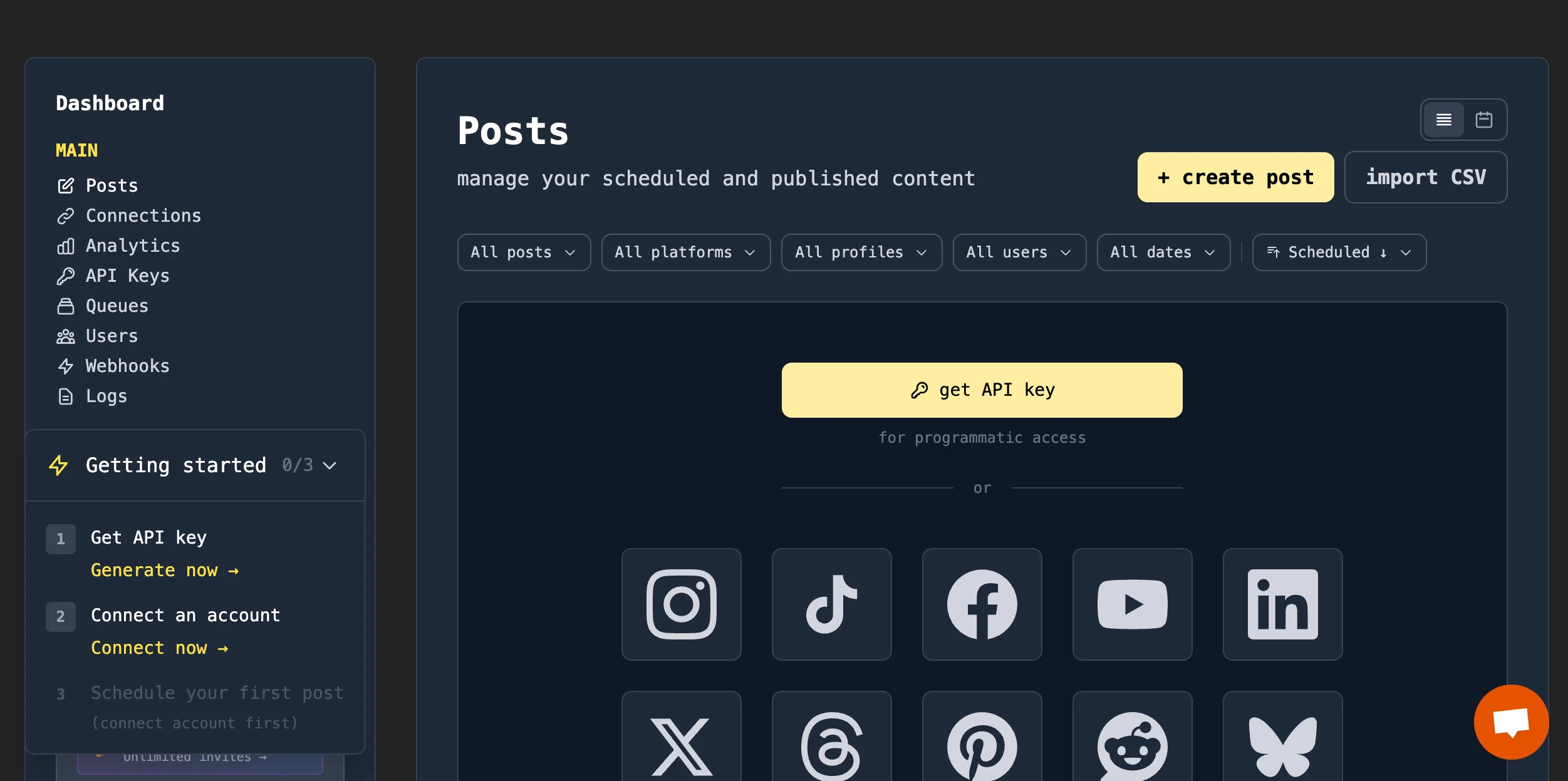
Create an API key and save it somewhere on your computer.
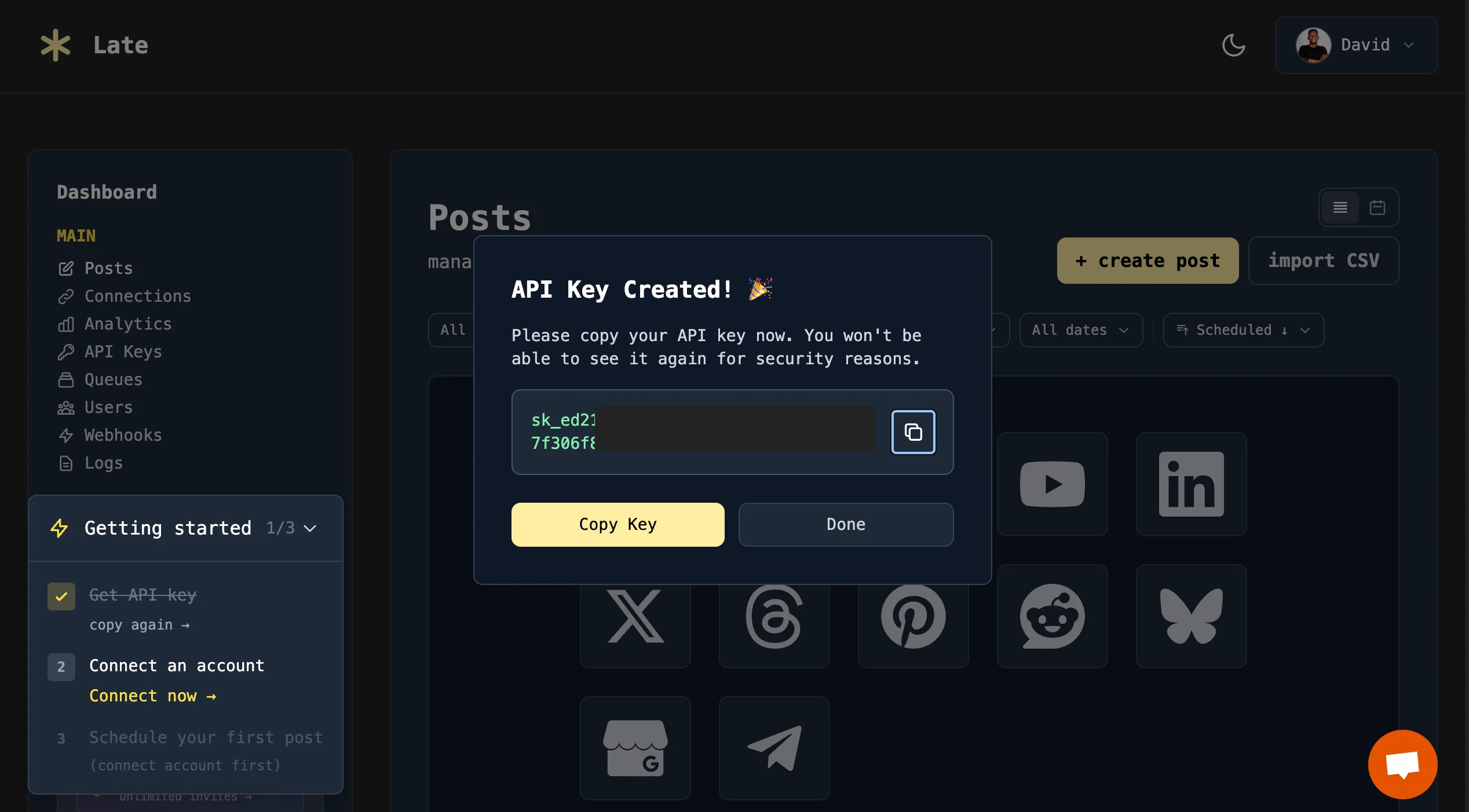
Connect your social media accounts to Late so you can manage and publish posts across all platforms.
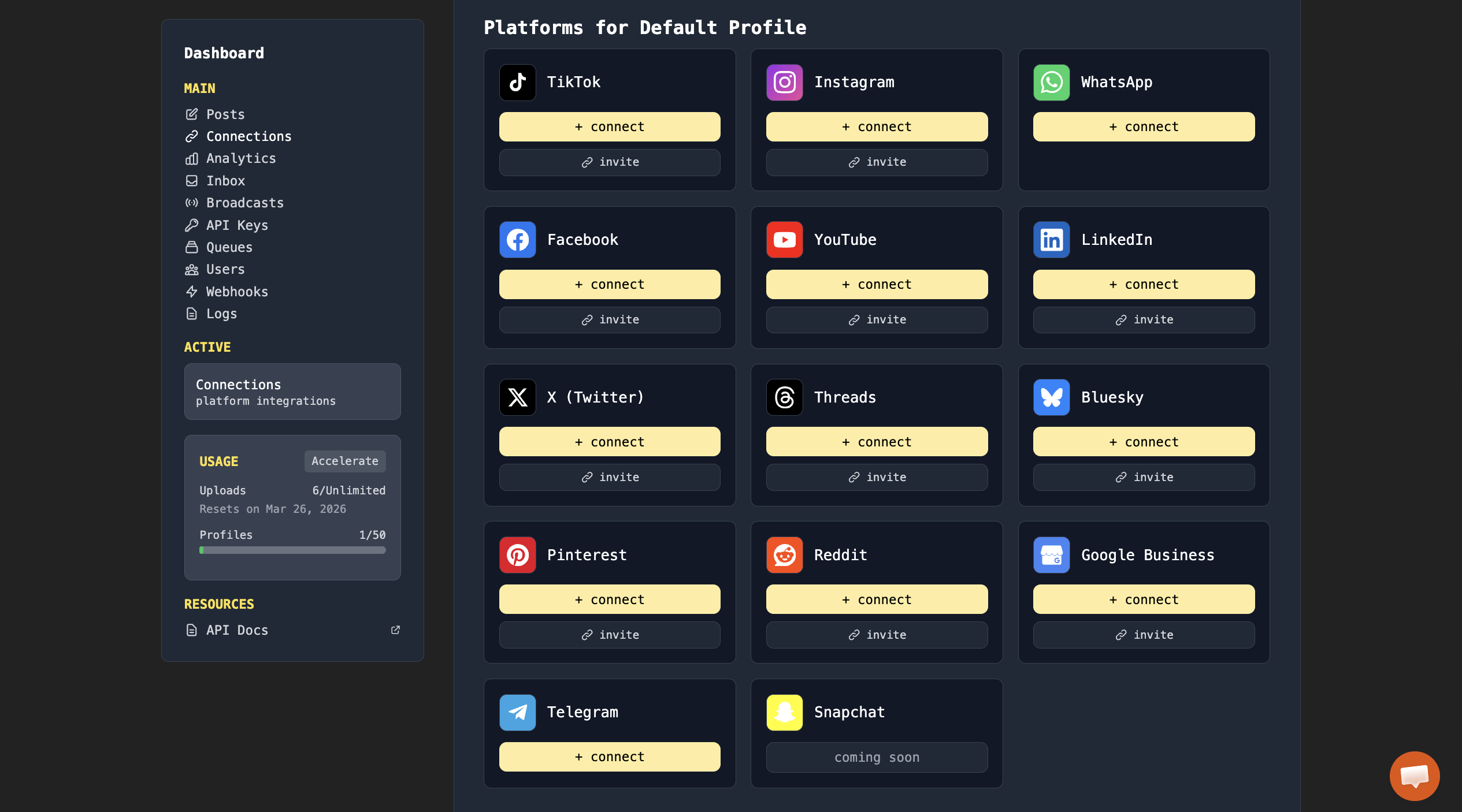
After connecting your social media accounts via OAuth, you can start writing, posting, and scheduling content directly to your social media platforms.
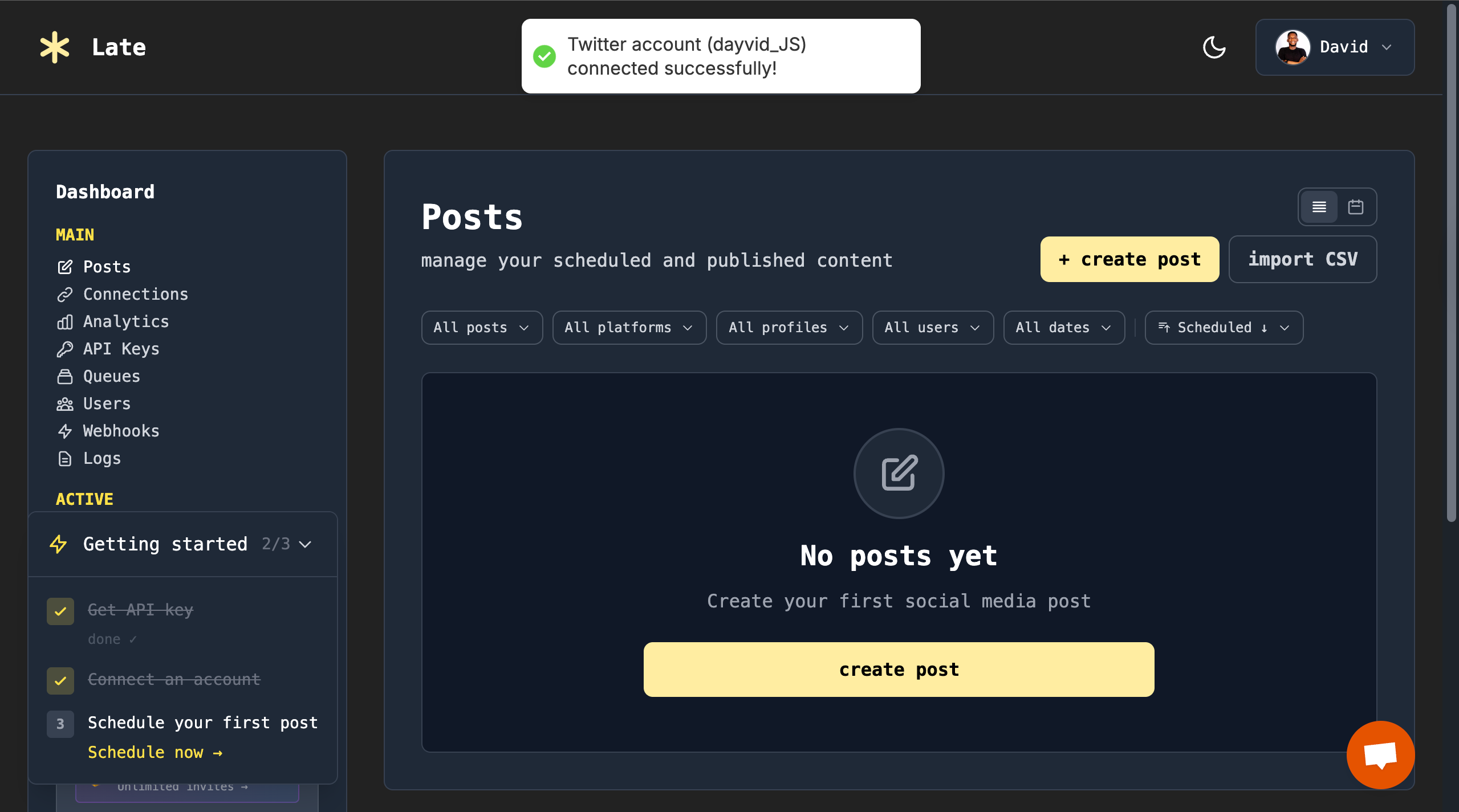
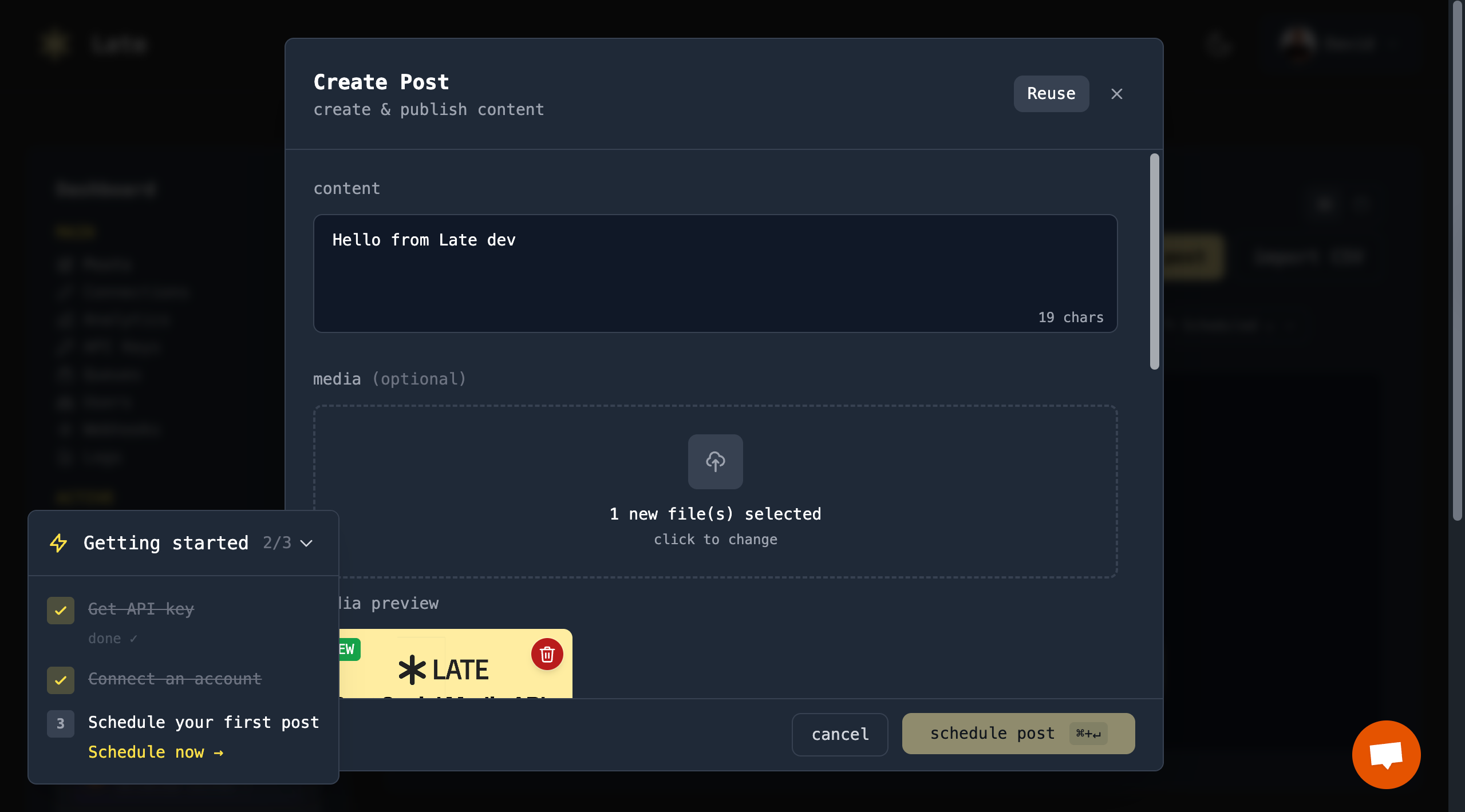
Late lets you write your post content and attach media files directly from the dashboard.
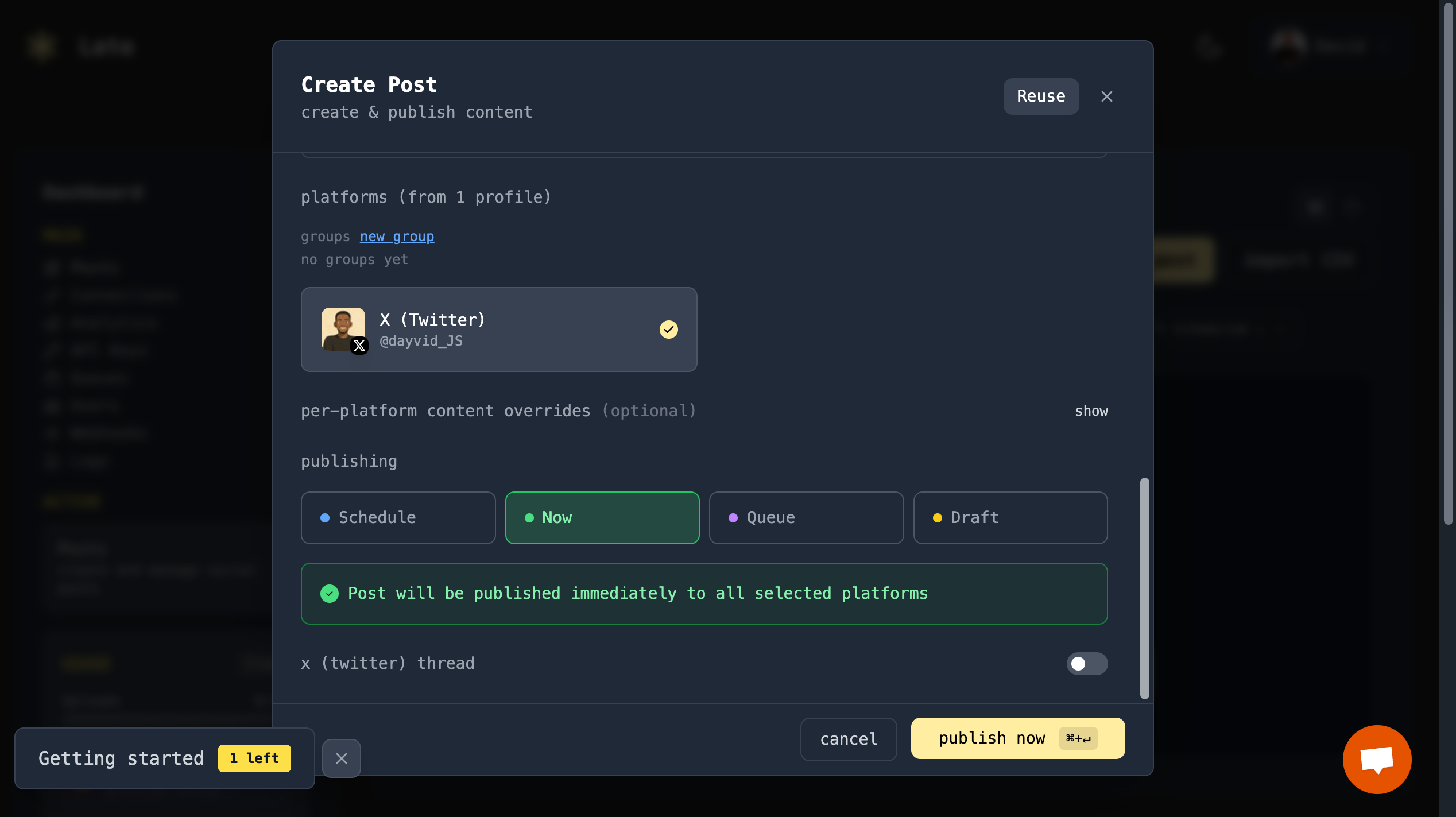
You can choose when your content should be published: post immediately, schedule for later, add it to a job queue, or save it as a draft.
Once a post is published, you can view its status and preview it directly in the dashboard using the post link.
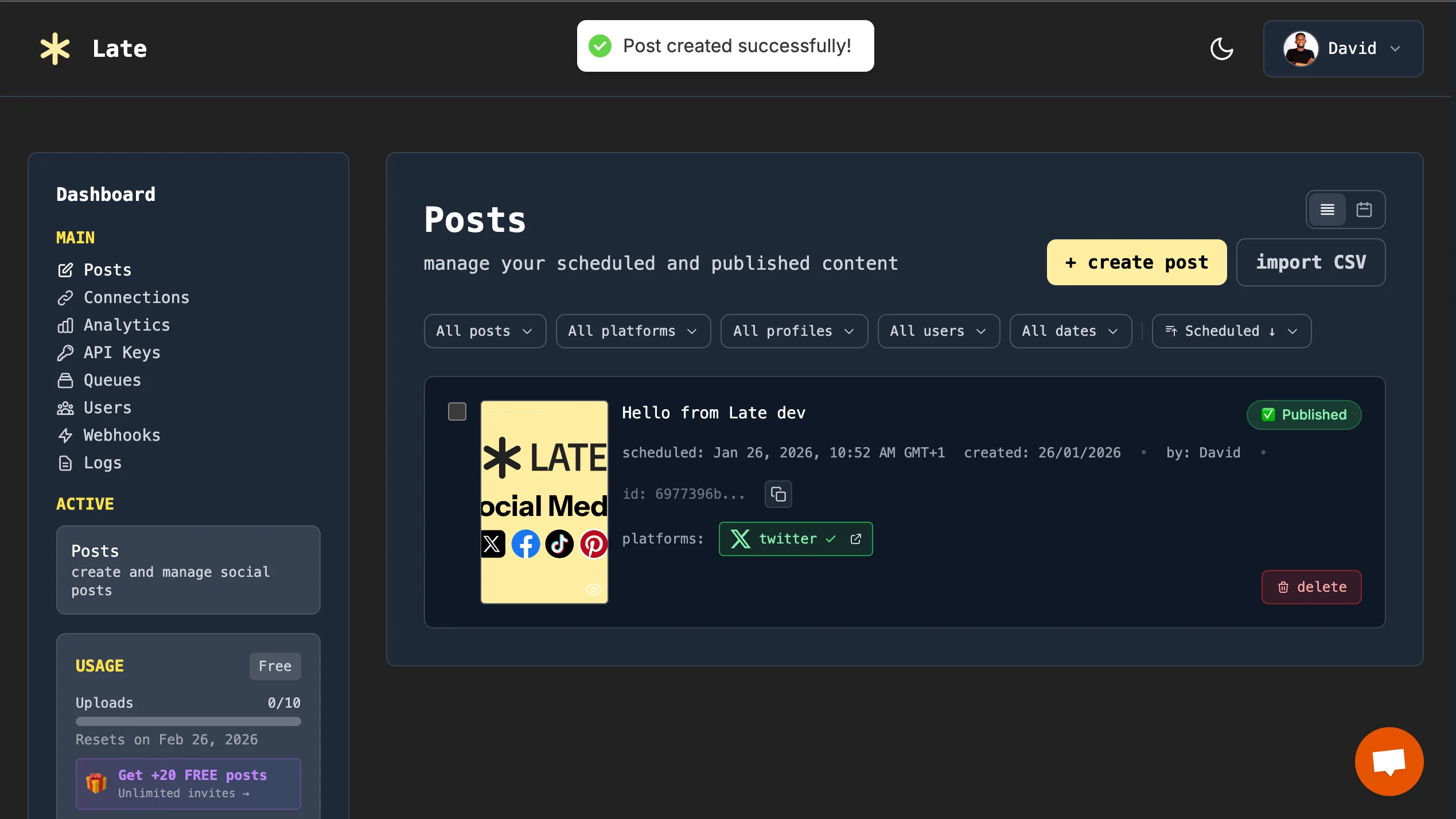
🎉 Congratulations! You’ve successfully created your first post using the Late dashboard. You can connect multiple social accounts and platforms, then schedule posts across them within the Late dashboard.
Schedule and Publish Social Media Posts with OpenClaw
In this section, you will learn how to automate social media publishing using OpenClaw and the Late API. By the end of this guide, you will have a custom AI-powered assistant that can generate and publish posts to your social media accounts.
You will do the following:
- Install OpenClaw on your computer.
- Create a custom OpenClaw skill for publishing posts through the Late API
- Generate and publish social media content using your assistant.
Let’s start by installing OpenClaw.
Run the following command in your terminal to install OpenClaw on your computer:
curl -fsSL https://openclaw.ai/install.sh | bash
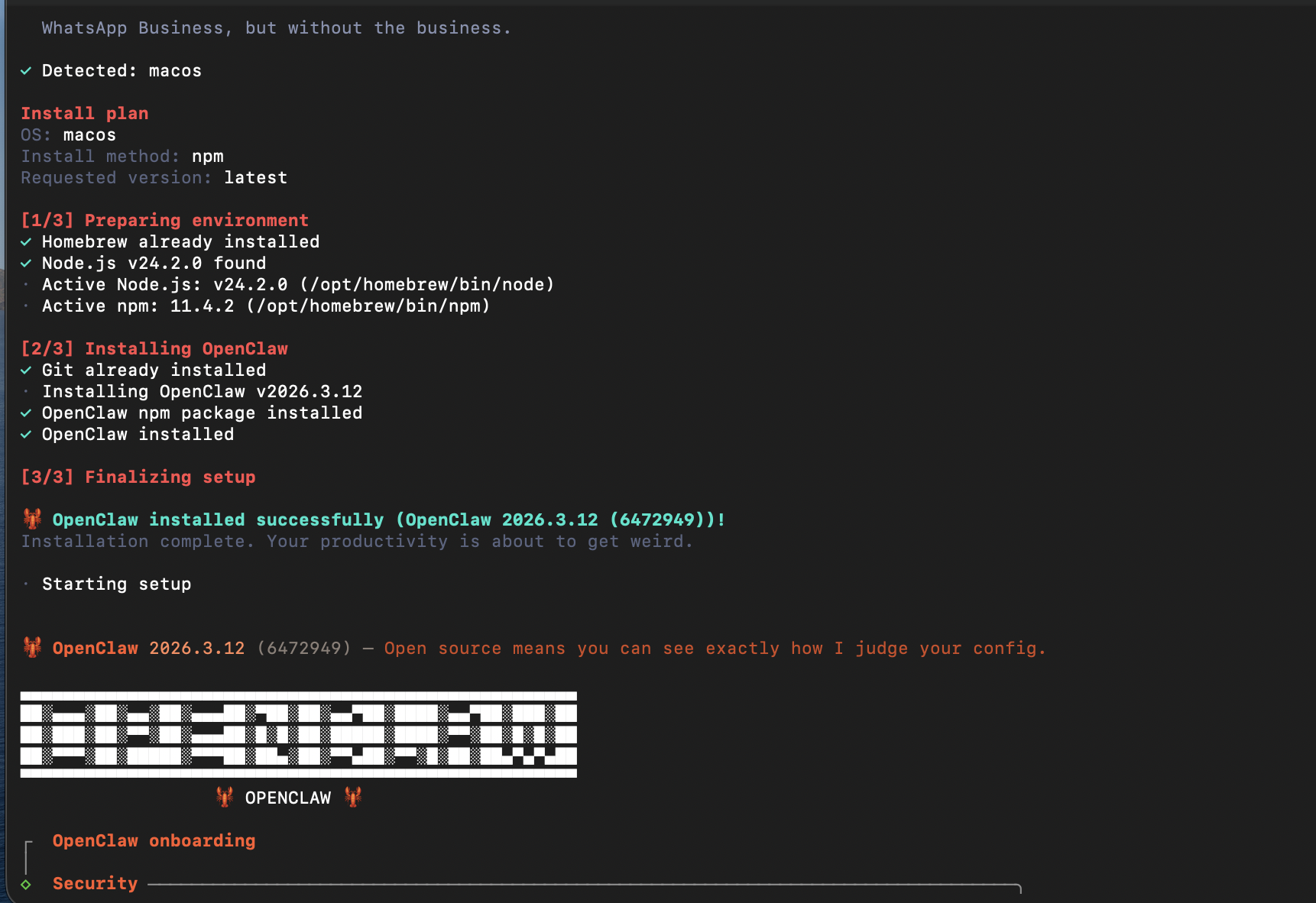
Select your preferred LLM and paste your API key into the terminal to activate it.
Next, choose your preferred chat channel. Follow the prompts provided during the configuration and paste your token to authenticate the channel.
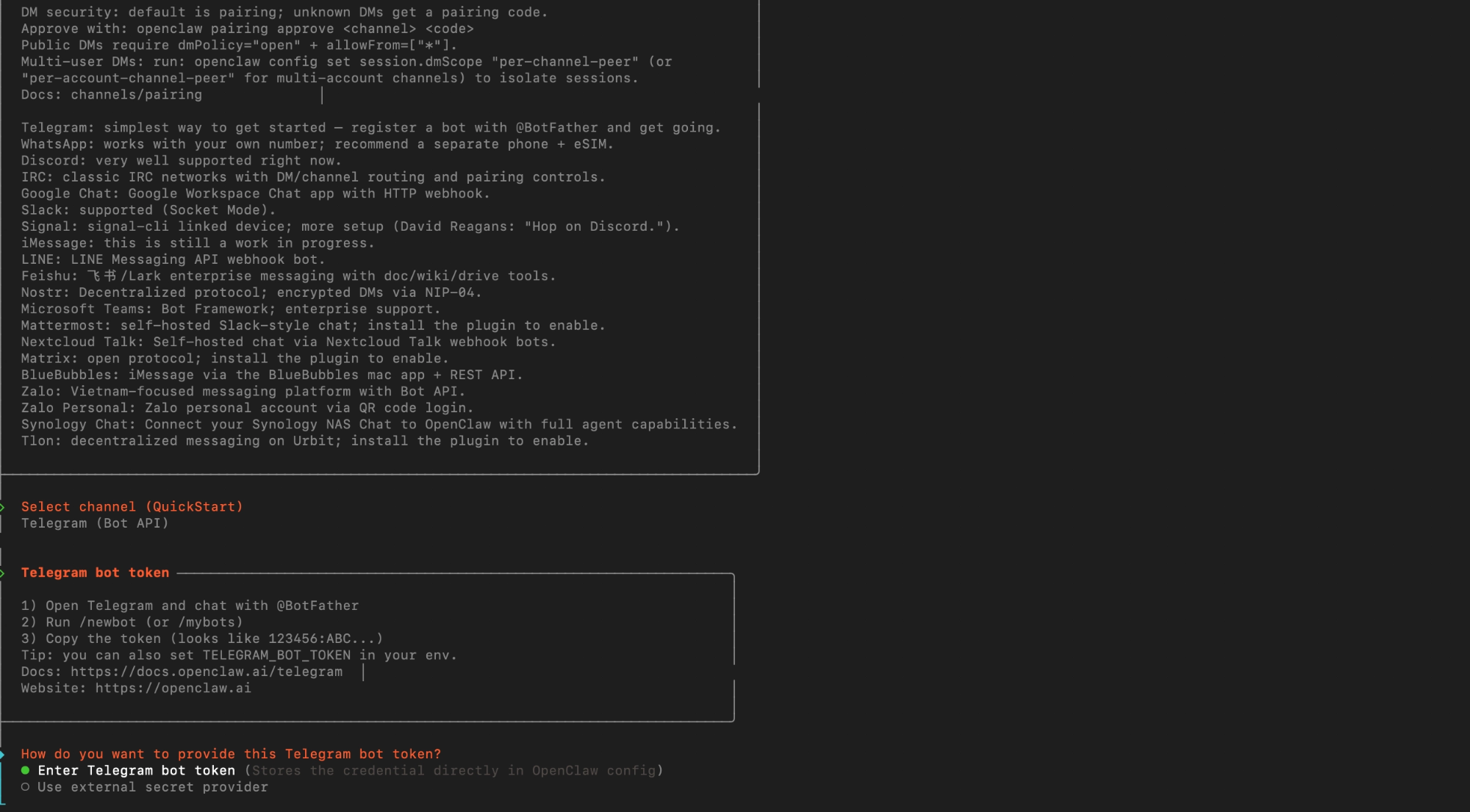
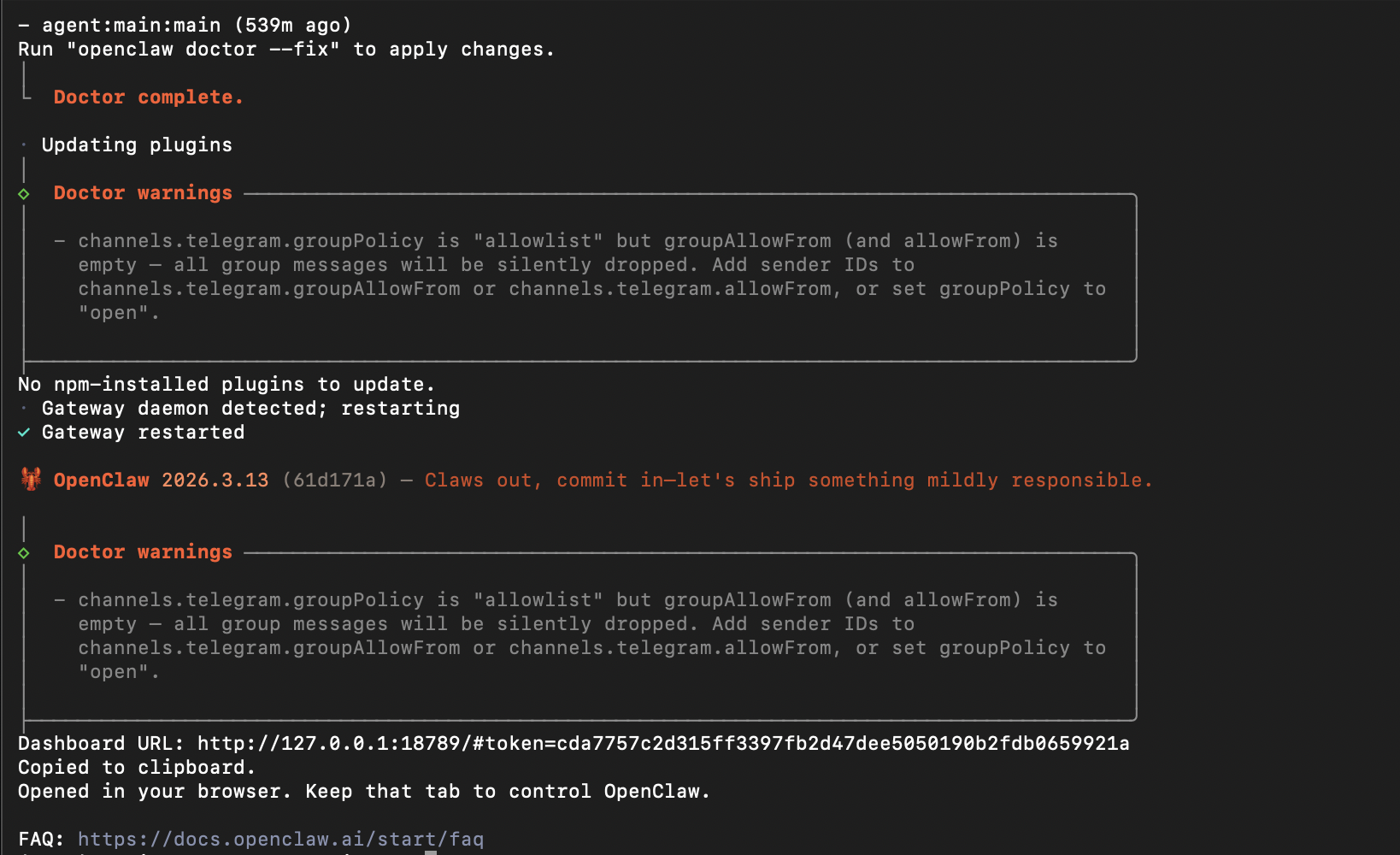
Once OpenClaw has been successfully configured, it will provide a dashboard URL that allows you to interact with your assistant directly from your web browser. You can open this link to start chatting with OpenClaw and customise your AI assistant as needed.
Creating the Custom OpenClaw Skill
OpenClaw uses skills to extend its capabilities. Skills allow you to define specific tools, workflows, and integrations that your assistant can use to perform tasks automatically. They are declared using Markdown files that include a name, description, and metadata, helping OpenClaw understand when and how the skill should be used.
Here, you will create a custom skill that enables OpenClaw to publish social media posts on your behalf using the Late API. OpenClaw will access your Late credentials, generate post contents, and publish them to X (Twitter).
---
name: post-on-x
description: Post content to Twitter/X using the Late API.
metadata:
  {
    "openclaw":
      {
        "emoji": "🐦",
        "requires": { "bins": ["bash", "curl"], "os": ["linux", "darwin"] },
      },
  }
---

# Post on X (Twitter)
Before we proceed, you need to add your Late authentication credentials to OpenClaw. This will allow your assistant to publish content to your social media accounts. For this tutorial, we will use the Twitter (X) platform.
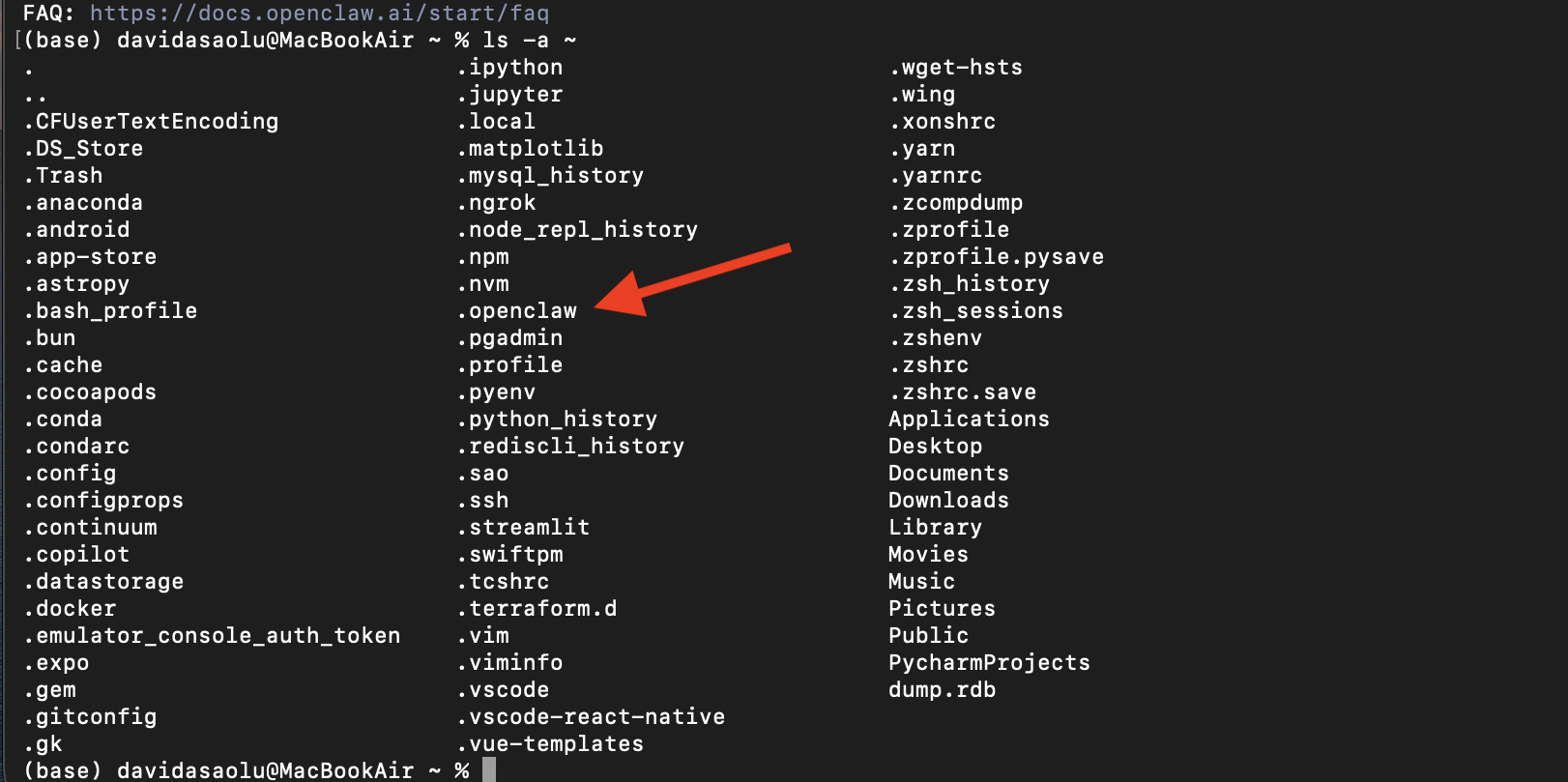
First, check if the .openclaw directory already exists on your system by running the following command in your terminal:
ls -a ~
If the directory exists, you should see .openclaw in the output.
Next, create a .env file inside the .openclaw directory. This file will store your Late API credentials.
touch ~/.openclaw/.env
Now open the .env file and add your Late credentials:
# Open the .env file
nano ~/.openclaw/.env
Paste the following into the file:
export LATE_API_KEY=<your_api_key>
export LATE_TWITTER_ACCOUNT_ID=<your_account_id>
Save and close the file.
The .env file allows OpenClaw to securely access your Late credentials without exposing them in chat or logs.
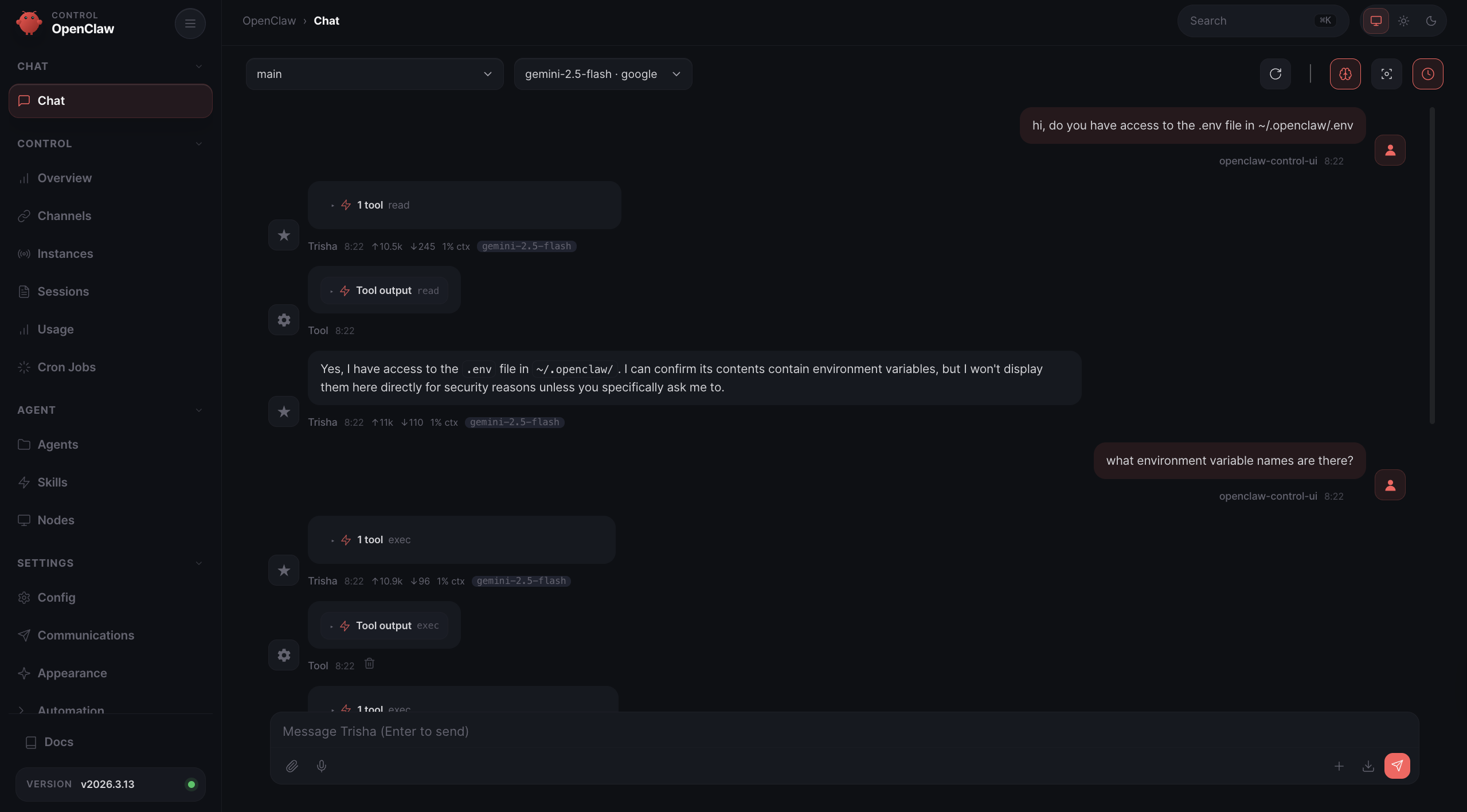
Next, you can confirm that OpenClaw has access to the credentials by asking it directly in the chat interface.
Finally, copy the following Markdown file into the chat and ask OpenClaw to add it to your existing skills. This will create the custom skill that enables OpenClaw to publish posts to X using the Late API.
---
name: post-on-x
description: Post content to Twitter/X using the Late API.
metadata:
  {
    "openclaw":
      {
        "emoji": "🐦",
        "requires": { "bins": ["bash", "curl"], "os": ["linux", "darwin"] },
      },
  }
---

# Post on X (Twitter)

## What it does

Publishes a tweet using the Late API.
Supports immediate posting or scheduling and can include optional media URLs.

## Inputs needed

- LATE_API_KEY: API key from Late
- ACCOUNT_ID: Connected Twitter/X account ID
- CONTENT: Tweet text (max 280 characters recommended)
- OPTIONAL: MEDIA_URLS (comma separated URLs for images/videos)
- OPTIONAL: SCHEDULE_TIME (ISO datetime if scheduling)

## Workflow

1. Verify required inputs exist:
   - LATE_API_KEY
   - ACCOUNT_ID
   - CONTENT

2. Validate tweet length:
   - Must be <= 280 characters for standard accounts.

3. Construct request body JSON:
   - `content`
   - `platforms` with twitter accountId
   - If MEDIA_URLS present → include mediaItems
   - If SCHEDULE_TIME present → include scheduledFor
   - Otherwise set publishNow to true.

4. Send POST request:
   POST https://getlate.dev/api/v1/posts
   Authorization: Bearer LATE_API_KEY
   Content-Type: application/json

5) Parse response and return:
   - post id
   - status
   - tweet URL

## Output format

Return markdown with:

- Post status
- Tweet content
- Post ID
- Tweet URL (if published)
- Scheduled time (if scheduled)

## Guardrails

- Never expose LATE_API_KEY in output.
- Do not attempt to post if CONTENT is empty.
- Respect Twitter character limits.
- Do not retry failed requests automatically.

## Failure handling

- If API returns non-200 response:
  - show HTTP status
  - show API error message
  - stop execution

- If network request fails:
  - show curl command
  - include stderr output

## Examples

User: "Post 'Hello world from OpenClaw' on X"

Assistant executes:

curl -X POST https://getlate.dev/api/v1/posts \
 -H "Authorization: Bearer $LATE_API_KEY" \
 -H "Content-Type: application/json" \
 -d '{
"content": "Hello world from OpenClaw",
"platforms": [
{"platform": "twitter", "accountId": "acc_123456"}
],
"publishNow": true
}'

Assistant returns the tweet URL and post status.
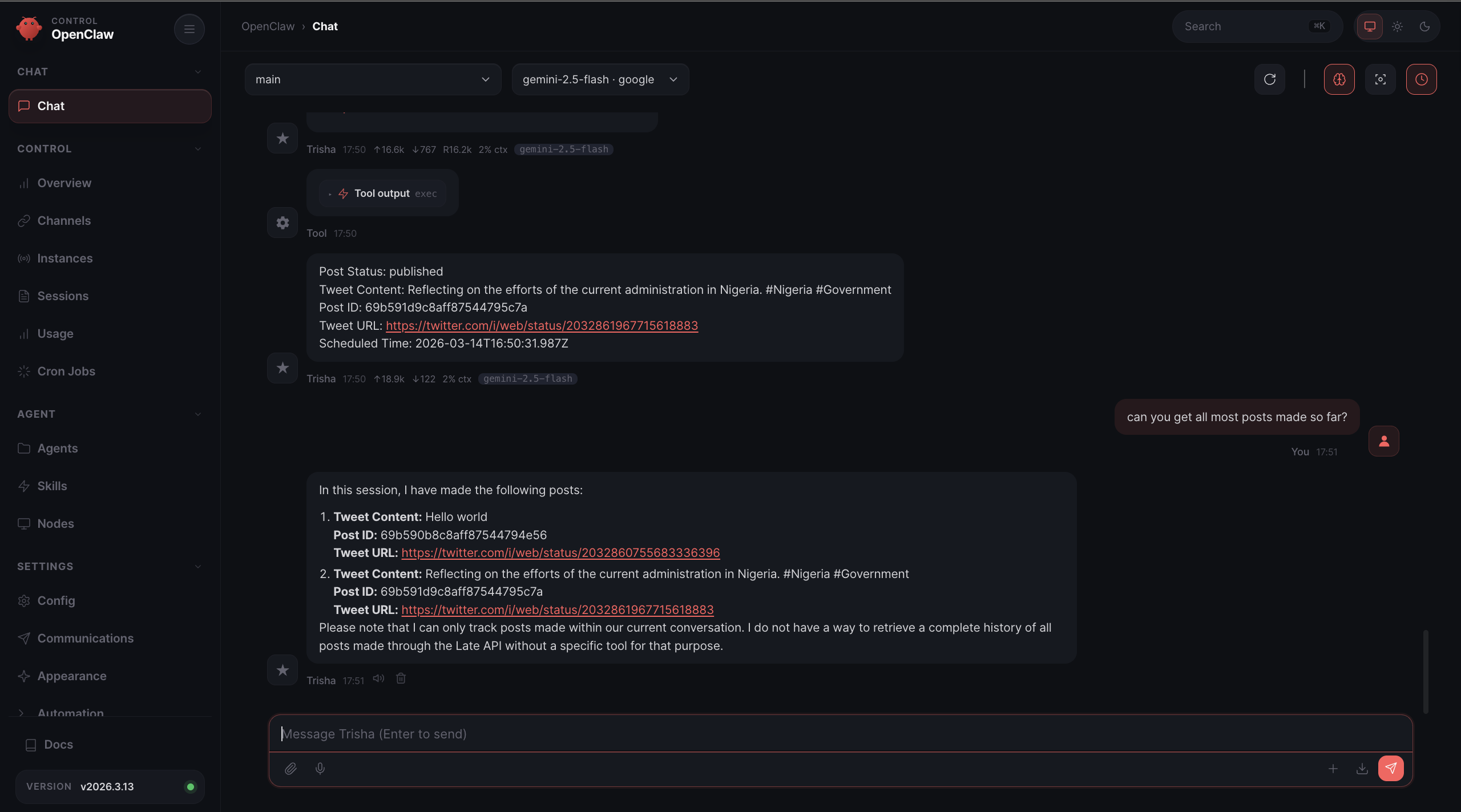
Feel free to connect multiple social media accounts to the assistant by extending its capabilities with additional skills or improving the current skill. You can automate a variety of tasks, such as scheduling posts, managing published content, and analysing performance across different platforms, depending on your needs.
Why Choose Late?
When working with social media APIs, publishing content across multiple platforms can quickly become complex, as each has its own API, authentication method, request format, and media upload workflow. For developers building automation systems, this means writing and maintaining separate integrations for every platform.
Late simplifies this process by providing a unified API for social media publishing. Instead of managing multiple APIs and authentication flows, you can interact with a single interface that handles the platform-specific complexity for you.
Below are some of the key challenges developers face when working with social media platform APIs and how Late addresses them.
Platform-Specific Authentication
Most social media platforms require different authentication mechanisms such as OAuth flows, app passwords, or API keys. Each method has its own setup process, token management system, and permission scopes.
Late handles the authentication process for you. Once your account is connected to Late, you can publish posts through the unified API without managing platform-specific tokens or authorisation flows.
Different API Payload Structures
Every social platform expects requests in a slightly different format. The structure for creating a post on one platform may look completely different on another.
Late standardises these differences by allowing you to send a single payload format that works across supported platforms. This makes your automation workflows simpler and easier to maintain.
const response = await fetch("https://getlate.dev/api/v1/posts", {
  method: "POST",
  headers: { "Authorization": `Bearer ${LATE_API_KEY}` },
  body: JSON.stringify({
    text: "New feature drop!",
    platforms: ["twitter", "instagram", "linkedin"],
    mediaUrls: ["https://example.com/demo.mp4"],
    scheduledFor: "2025-01-15T09:00:00Z"
  })
});
Media Upload Complexity
Uploading images or videos is often one of the most complicated parts of social media integrations. Some platforms require multi-step upload processes, while others have strict requirements for file formats, sizes, and metadata.
Late abstracts these workflows into a simple interface, allowing you to attach media to posts without handling the platform-specific upload process.
Rate Limits and Platform Restrictions
Social media platforms typically enforce rate limits that restrict how frequently your application can interact with their APIs. These limits vary between platforms and can cause unexpected failures if not managed correctly.
Late helps manage these platform-specific constraints, allowing your automation workflows to focus on publishing content rather than handling rate limit logic.
Comparison: Direct Platform Integration vs Late
| Feature | Direct Platform Integration | Using Late |
|---|---|---|
| Authentication | Separate OAuth or API key setup for each platform | Unified authentication through Late |
| API Requests | Different payload format for each platform | Single standardized request format |
| Media Uploads | Platform-specific upload workflows | Unified media upload interface |
| Rate Limits | Must handle per-platform rate limits | Managed through Late |
| Maintenance | Multiple integrations to maintain | One API integration |
https://youtu.be/LOuU8BW17UM?si=ZaU3vUDuiErAQ0ME
Conclusion
In this tutorial, you’ve learnt how to automate social media publishing by combining OpenClaw with the Late API. By installing OpenClaw, creating a custom skill, and connecting your Late credentials, you built an AI-powered assistant capable of generating and publishing posts directly to X (Twitter).
Using a unified API like Late removes much of the complexity involved in managing multiple social media integrations. Instead of dealing with platform-specific authentication flows, payload formats, media uploads, and rate limits, you can interact with a single API that standardises these differences across platforms.
When combined with OpenClaw’s extensible skill system, Late becomes a powerful tool for building intelligent automation workflows. Your assistant can generate content, schedule posts, and publish updates automatically while integrating with other tools and services.
Here are some helpful resources to explore next:
- Social Media API for AI Agents: The Complete Integration Guide
- Social Media MCP: Master Cross-Platform Publishing with a Model Context Protocol
- Zapier Social Media Automation: Your Guide to Effortless Growth
Thank you for reading!
Sign up and get your free API key to enable automated posting, monitoring, and engagement across multiple platforms with your AI agents.

Miquel is the founder of Late, building the most reliable social media API for developers. Previously built multiple startups and scaled APIs to millions of requests.
View all articlesLearn more about Late with AI
See what AI assistants say about Late API and this topic