
LinkedIn offers powerful APIs for developers, but gaining access to its Community Management API is notoriously difficult. The application process is lengthy, approvals are rare, and the high barrier to entry leaves many developers searching for a reliable way to programmatically manage comments, replies, and reactions. This creates a significant bottleneck for SaaS platforms, agencies, and brands aiming to build integrated social media management tools. The challenge is clear: you need the functionality to moderate conversations and engage with your audience at scale, but without spending months navigating a restrictive review process.
This guide explores 12 powerful LinkedIn Community Management API alternative solutions that provide this functionality out-of-the-box. We will compare developer-first unified APIs (like Late, which already has approved access), all-in-one social media suites, and integration platforms. Each option is detailed with its specific capabilities for managing LinkedIn engagement, including screenshots and direct links, so you can bypass the API gatekeepers and start building today.
We'll cover a range of tools tailored for different needs:
- Unified Social APIs: For developers who need a single endpoint to manage multiple social networks.
- All-in-One Platforms: For marketing teams and agencies looking for a complete suite with analytics and scheduling.
- Integration and Automation Tools: For no-code enthusiasts and those looking to connect LinkedIn to other business-critical applications.
Our goal is to provide a comprehensive resource that helps you select the right tool based on your technical requirements, use case, and budget. We will analyze the pros, cons, and key features of each alternative, enabling you to find the most efficient path to managing LinkedIn communities programmatically.
1. Late: The Unified API with Pre-Approved LinkedIn Access
For developers and agencies seeking a robust linkedin community management api alternative, Late presents an exceptionally compelling solution by directly solving the API access problem. While LinkedIn's Community Management API is powerful, it is not available to all users and requires a painful, often unsuccessful, review process. Late acts as your instant alternative because it already has pre-approved access to the Community Management API, allowing you to bypass the entire application headache. This grants you immediate programmatic access to publish and analyze content on LinkedIn Company Pages and personal profiles without waiting months for an uncertain review.
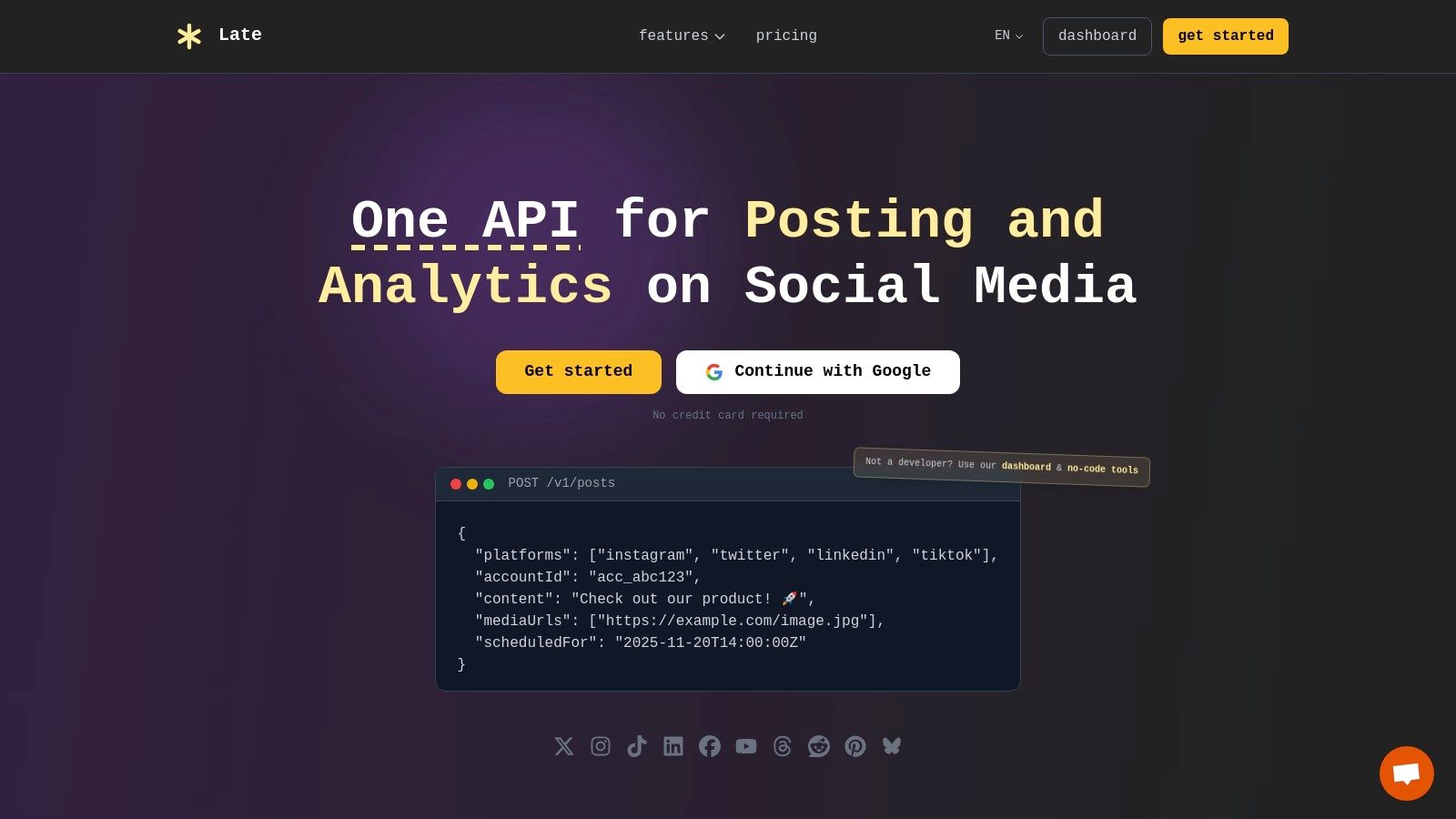
Late’s core offering is its unified REST API, which collapses ten social platforms, including LinkedIn, Twitter (X), Instagram, Facebook, and TikTok, into a single, cohesive endpoint. This architecture saves significant development overhead by removing the need to build and maintain separate integrations for each platform.
Key Features and Use Cases
- Pre-Approved LinkedIn Access: Immediately begin publishing posts, videos, carousels, and polls to LinkedIn without applying for partnership. This is ideal for SaaS platforms, marketing agencies, and internal tools needing reliable LinkedIn integration from day one.
- Unified API for 10 Platforms: Programmatically manage content across all major social networks through one API call. A typical use case involves an agency building a custom dashboard to schedule a client's campaign across Instagram, LinkedIn, and Facebook simultaneously.
- Automatic Content Transformation: The API intelligently adapts content to meet each platform's specific requirements, like character limits, image dimensions, and video formats. This feature is invaluable for cross-posting a single piece of content without manual adjustments.
- No-Code and Low-Code Flexibility: Beyond its REST API, Late provides native integrations with Zapier, n8n, and Make. This empowers non-developers to create powerful automation workflows, such as automatically posting new blog articles from an RSS feed to a LinkedIn Company Page.
Developer Experience and Performance
Late is engineered for reliability and speed, reporting 99.97% uptime and sub-50ms response times. With over 2,000 active developers and millions of posts successfully delivered, it offers a proven, production-ready infrastructure. The platform is also white-label friendly, allowing you to integrate its powerful scheduling and analytics capabilities seamlessly into your own product or client-facing dashboard.
Pricing and Access
Late operates on a freemium model. The free tier includes 10 posts per month, which is suitable for initial testing and small-scale projects. Paid plans are designed to scale with your usage, offering higher quotas for posts and connected accounts. You can explore the various pricing tiers in more detail and learn about LinkedIn API access costs on their blog.
Website:https://getlate.dev
2. Sprout Social
Sprout Social is an enterprise-grade social media management platform that serves as a powerful, UI-driven linkedin community management api alternative. It excels by centralizing interactions through its "Smart Inbox," which fully supports LinkedIn Page comments and, crucially, Direct Messages. This makes it an ideal solution for larger teams requiring sophisticated governance and collaborative tools without direct API access.
Unlike API-first tools, Sprout Social provides a complete, out-of-the-box system with features like automated inbox rules, collision detection to prevent duplicate replies, and comprehensive approval workflows. Its analytics capabilities are particularly robust, offering detailed performance metrics essential for enterprise-level reporting. For developers or agencies looking for in-depth data, exploring options for a dedicated LinkedIn Analytics API can complement the insights gained from platforms like Sprout.
Key Features & Considerations
Sprout Social is built for structure and scale, making it a premium choice with a corresponding price point.
- Pricing: Plans start at $249 per user/month, with a 30-day free trial available. Its per-seat model can become costly for large teams.
- Use Case: Best suited for corporate marketing teams and agencies that need strict moderation controls, detailed analytics, and a unified inbox for multiple brands.
- Pros:
- Reliable and deep integration with LinkedIn Pages, including DMs.
- Advanced team collaboration features (approvals, tasking, collision detection).
- Powerful reporting and analytics engine.
- Cons:
- High per-user pricing makes it less accessible for smaller businesses.
- Advanced features like social listening are often expensive add-ons.
3. Hootsuite
Hootsuite is one of the most established social media management tools, offering a mature and reliable platform that functions as a comprehensive linkedin community management api alternative. Its core strength lies in its unified Inbox, which consolidates LinkedIn Page comments and messages alongside interactions from other major social networks. This centralized approach simplifies community engagement for teams managing multiple channels without needing direct API credentials.
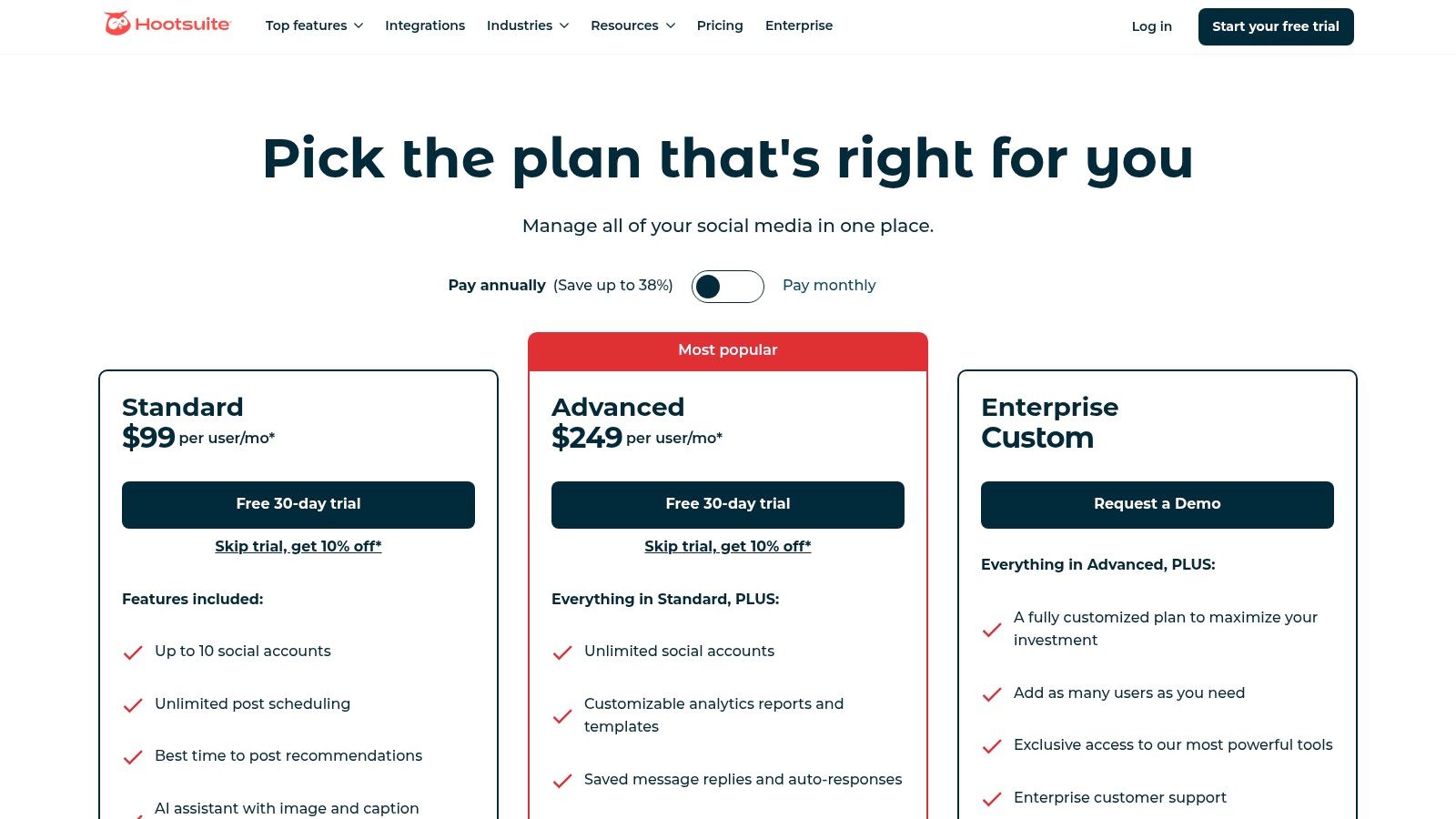
Unlike building a custom solution, Hootsuite provides an out-of-the-box system with features like saved replies, automated message assignments, and integrated analytics. Its customizable "Streams" allow users to monitor specific activities like mentions or keywords, offering a listening capability that complements direct engagement. For developers seeking to integrate similar functionalities into their own applications, understanding the landscape of a Hootsuite API alternative can provide valuable context for building or buying a solution.
Key Features & Considerations
Hootsuite's tiered plans are designed to scale from individual users and small businesses to large enterprise needs.
- Pricing: The Professional plan starts at $99 per month for one user. A 30-day free trial is available for the Professional and Team plans.
- Use Case: Ideal for SMBs, marketing agencies, and enterprise social teams that need a single dashboard for scheduling, engagement, and reporting across numerous social profiles.
- Pros:
- Broad social network support within a single, unified inbox.
- Scalable plans accommodate growth from small teams to enterprise-level.
- Strong ecosystem with a wide array of third-party app integrations.
- Cons:
- Advanced features like in-depth analytics and team assignments are locked behind higher-priced tiers.
- The interface can feel complex for new users due to the sheer number of features.
4. Agorapulse
Agorapulse is a comprehensive social media management tool that functions as a strong linkedin community management api alternative for teams prioritizing inbox efficiency and clear moderation workflows. Its standout feature is a unified inbox that effectively captures both organic and ad comments from LinkedIn Pages, syncing them for centralized management. This makes it an excellent choice for agencies and marketing teams that need to track engagement across paid and organic efforts without building a custom API integration.
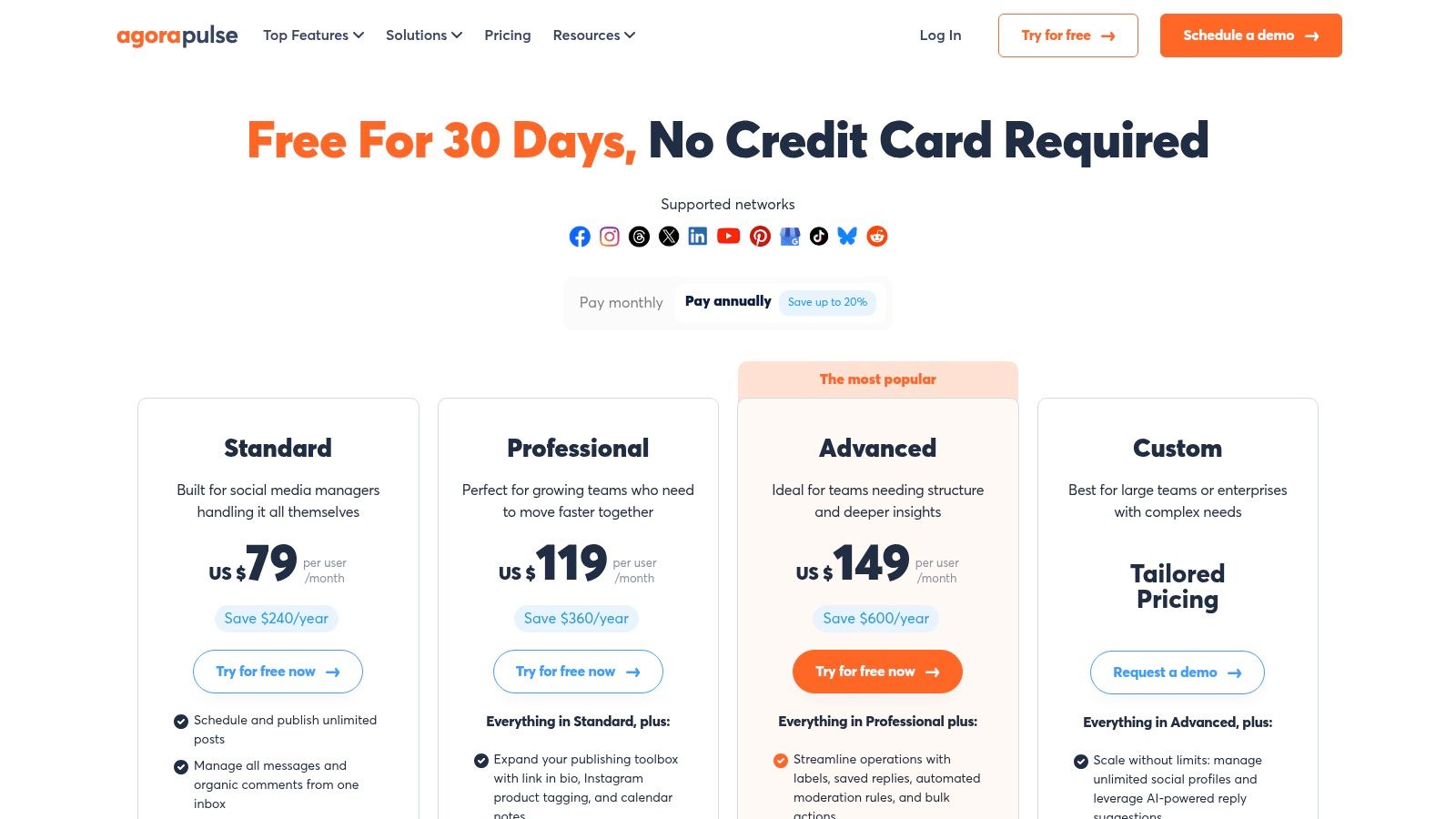
Unlike direct API solutions that require development resources, Agorapulse provides an out-of-the-box system with practical automation. Features like inbox rules for auto-assignment, instant comment translations, and bulk moderation tools streamline community management tasks significantly. Its shared content calendars and robust, agency-friendly reporting capabilities further solidify its position as a tool built for collaborative, results-driven teams. The platform's transparent pricing and generous trial also make it more accessible than many enterprise-level competitors.
Key Features & Considerations
Agorapulse offers a balanced mix of powerful features and a user-friendly interface at a competitive price point.
- Pricing: Plans start at $49 per user/month (billed annually), with a 30-day free trial. The pricing scales based on the number of users and social profiles.
- Use Case: Ideal for small to mid-sized businesses and digital marketing agencies needing a unified solution for publishing, monitoring, and reporting on LinkedIn.
- Pros:
- Manages both LinkedIn organic and ad comments in one inbox.
- Practical automation features and intuitive team collaboration tools.
- Transparent, competitive pricing with a free trial available.
- Cons:
- Moderation actions are subject to LinkedIn's API limitations (e.g., hiding comments is not always possible).
- Comment sync cadence is approximately every 15 minutes, not instantaneous.
5. Buffer
Buffer is a well-known, creator-friendly social media tool that serves as a highly accessible linkedin community management api alternative. It stands out with a clean interface and a dedicated engagement hub that allows users to manage and reply to LinkedIn Page and Profile comments from a single, unified inbox. Its simplicity and affordability make it an excellent choice for individuals, creators, and small businesses needing core engagement features without the complexity of an enterprise platform.
Unlike enterprise-grade systems, Buffer focuses on providing a streamlined, intuitive experience. Its "Engage" feature consolidates comments from LinkedIn, Instagram, Facebook, and more, making it easy to stay on top of community interactions without needing direct API credentials. The platform also includes a helpful AI Assistant for generating content ideas and straightforward analytics to track performance. For a more detailed comparison, you can learn more about Buffer as an alternative and how it stacks up against other tools.
Key Features & Considerations
Buffer’s strength lies in its user-friendly design and transparent pricing, making community management approachable for everyone.
- Pricing: A free plan is available for up to three channels. Paid plans start at $6 per channel/month, offering a scalable and predictable cost structure.
- Use Case: Ideal for solo creators, small businesses, and marketing teams who prioritize ease of use and affordability for managing community conversations.
- Pros:
- Extremely easy-to-use interface and transparent, low pricing.
- Generous free tier supports comment engagement on up to three social channels.
- Consistent product updates and straightforward, no-fuss plans.
- Cons:
- Lacks the advanced governance features (e.g., complex approval workflows) found in premium suites.
- Less suited for large teams requiring granular user permissions and controls.
6. Zoho Social
Zoho Social is a cost-effective social media management tool that operates within the extensive Zoho ecosystem, serving as a practical linkedin community management api alternative for businesses already invested in Zoho's suite. It consolidates interactions from multiple networks, including LinkedIn, into a unified "Streams" dashboard where teams can monitor and engage with comments and mentions. Its key advantage is its seamless integration with Zoho CRM and Zoho Desk, allowing teams to create leads or support tickets directly from social media interactions.
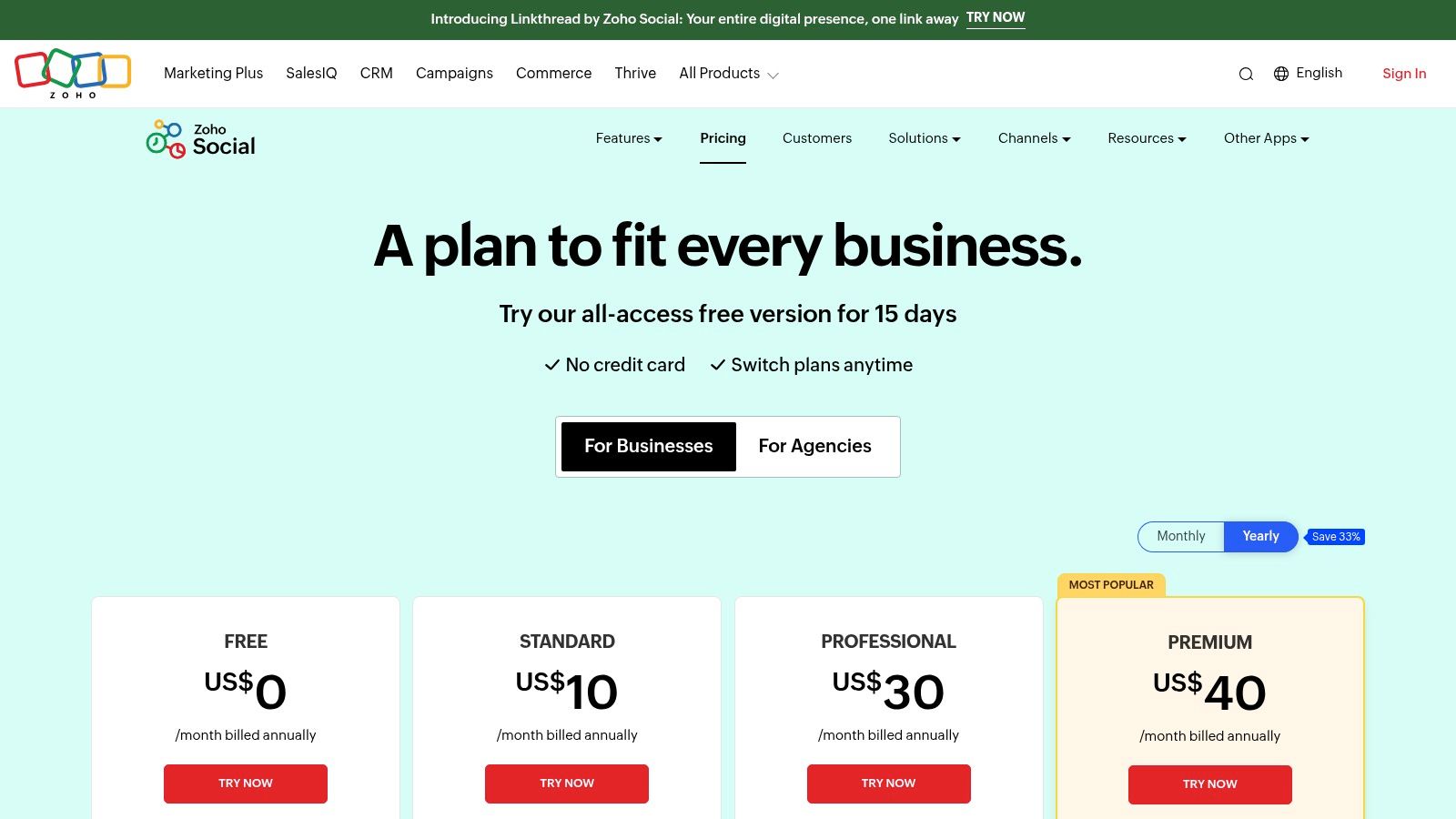
Unlike standalone API solutions that require development resources, Zoho Social offers a complete platform with built-in collaboration features like user roles, approval workflows, and conversation assignments. While it provides a functional interface for managing LinkedIn Page comments, its Direct Message capabilities are constrained by LinkedIn's API limitations. For businesses that need to sync customer conversations from LinkedIn with their sales and support functions, Zoho Social provides a valuable, integrated bridge without complex API work.
Key Features & Considerations
Zoho Social's primary appeal is its affordability and native connection to other Zoho products, making it a strong contender for small to mid-sized businesses.
- Pricing: Offers a free plan for one brand. Paid plans start at a very accessible $15/month for one team member and one brand, with agency plans also available.
- Use Case: Ideal for SMBs and marketing teams already using Zoho CRM or Zoho Desk who want to unify their social media management and customer service workflows affordably.
- Pros:
- Deep, native integrations with the broader Zoho ecosystem (CRM, Desk).
- Highly cost-effective pricing, including a functional free tier.
- Unified inbox and monitoring streams for cross-channel engagement.
- Cons:
- The user interface can feel less intuitive than competitors; some comments require extra clicks to locate.
- LinkedIn DM management is limited due to standard API restrictions.
7. Sendible
Sendible is an agency-focused social media management tool that serves as a practical linkedin community management api alternative. It consolidates LinkedIn Page interactions through two distinct features: a "Priority Inbox" for aggregated, actionable items and "Social Feeds" for real-time monitoring. This dual approach allows teams to efficiently manage comments and replies, assign tasks, and run approval workflows without needing direct API credentials.
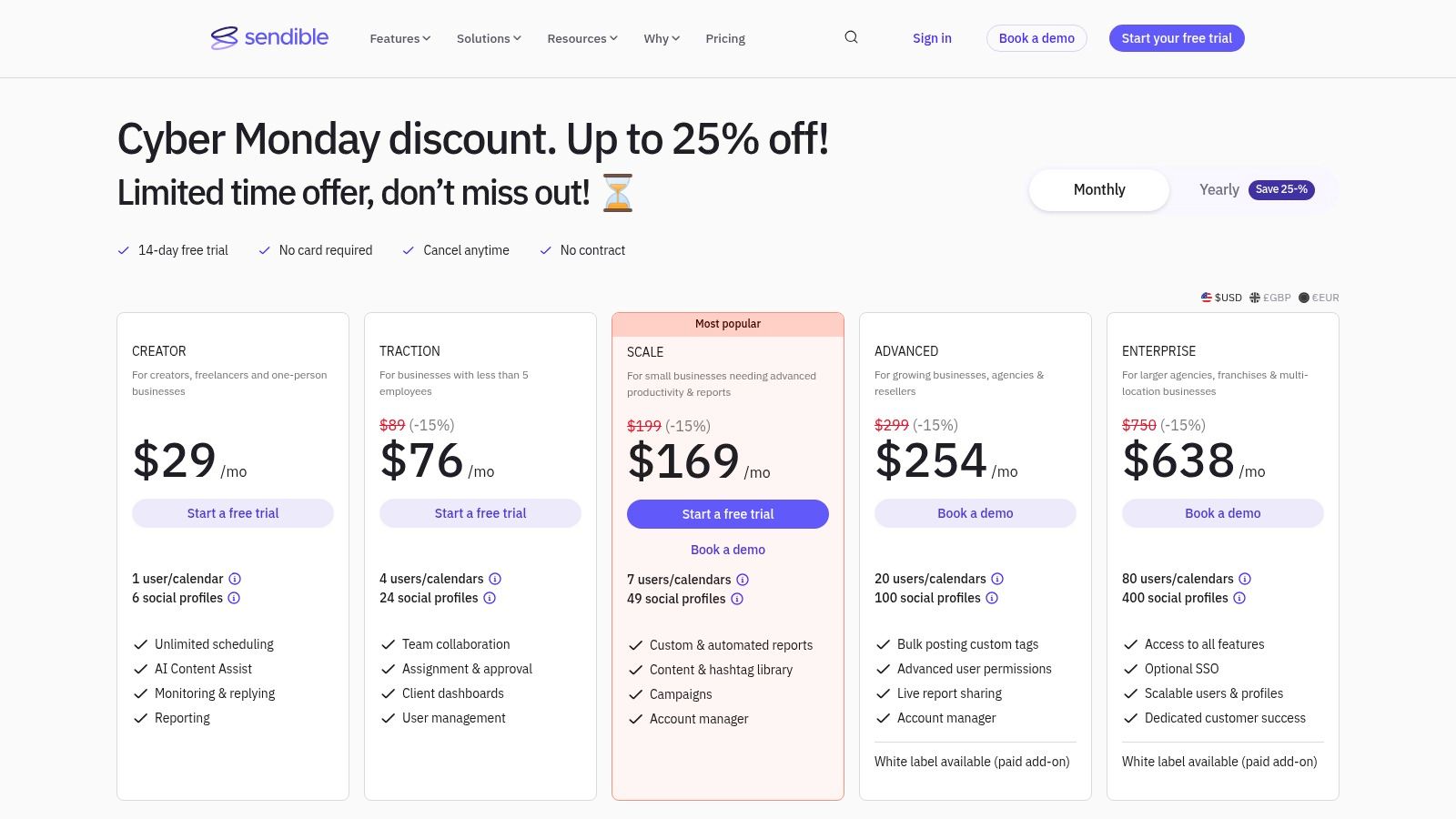
Unlike more enterprise-heavy platforms, Sendible packages its features with a clear focus on agency efficiency. It includes valuable integrations with Canva, Google Drive, and Dropbox to streamline content creation, and its white-label options on higher tiers are a significant benefit for agencies looking to provide a branded client experience. The platform offers a balanced feature set that supports core community engagement activities on LinkedIn Pages effectively.
Key Features & Considerations
Sendible strikes a balance between powerful features and accessibility, making it a strong contender for agencies and growing teams.
- Pricing: Plans start at $29 per month for a single user, with agency-focused plans beginning at $89 per month. A 14-day free trial is available.
- Use Case: Ideal for marketing agencies and SMBs that manage multiple client accounts and require robust scheduling, engagement, and reporting tools with client-facing features.
- Pros:
- Strong client and team workflow features, including task assignment and approvals.
- Clear separation between a triaged Priority Inbox and real-time Social Feeds.
- White-label options and custom reporting are great for agencies.
- Cons:
- LinkedIn personal profile DMs are not supported.
- There can be minor delays before new interactions appear in the Priority Inbox.
8. NapoleonCat
NapoleonCat positions itself as a practical linkedin community management api alternative by focusing heavily on automated moderation and inbox efficiency. Its core strength is a unified Social Inbox that handles LinkedIn comments alongside other major platforms, allowing teams to manage high-volume interactions from one place. The platform is specifically designed to reduce manual labor through powerful, rules-based automation.
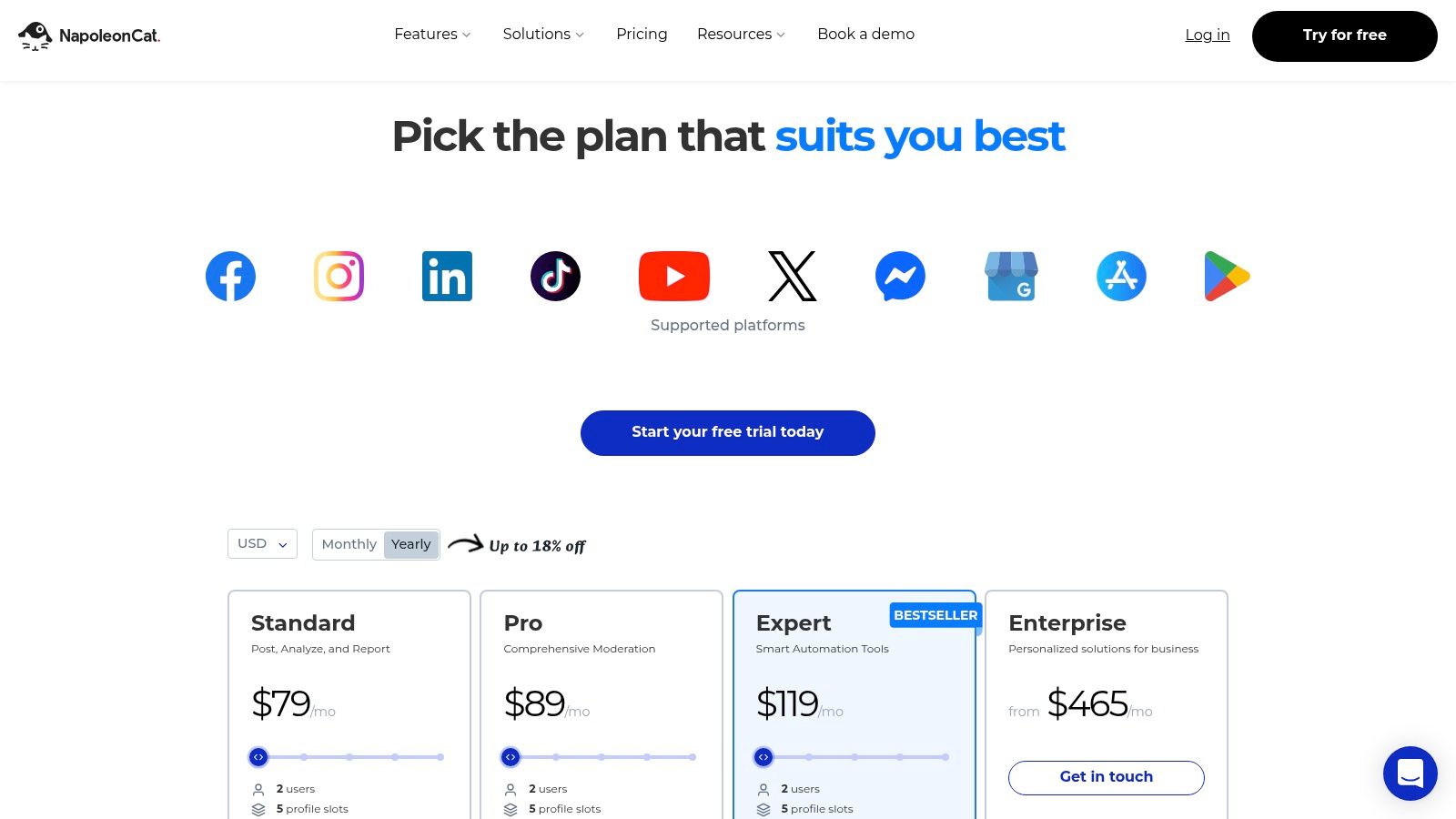
Unlike more generalist platforms, NapoleonCat's auto-moderation feature is its standout capability. Users can set up rules to automatically reply, hide, delete, or flag comments based on keywords, effectively handling spam, repetitive questions, and inappropriate content 24/7. This rules-based approach provides a level of programmatic control over community engagement that is typically only achievable with direct API access, making it a valuable tool for teams without developer resources.
Key Features & Considerations
NapoleonCat is built for efficiency, targeting teams overwhelmed by comment volume and in need of automated assistance.
- Pricing: Plans are customized based on the number of social profiles and users. A 14-day free trial is available to test the features.
- Use Case: Ideal for customer service teams, social media managers, and agencies that need to moderate active LinkedIn Pages at scale and protect brand reputation from spam or harmful comments.
- Pros:
- Robust auto-moderation for LinkedIn comments is excellent for high-volume accounts.
- Short learning curve with a clean user interface.
- Practical automation features significantly reduce manual moderation tasks.
- Cons:
- Full pricing and configuration details are not transparent upfront and require signup.
- The most advanced auto-moderation features are reserved for higher-tier plans.
9. Brandwatch (Social Media Management, formerly Falcon.io)
Brandwatch offers a comprehensive, enterprise-level social media suite that serves as a robust linkedin community management api alternative. Formerly known as Falcon.io, its "Engage" inbox consolidates interactions from multiple channels, including LinkedIn Page comments, into a single, manageable stream. This platform is designed for large organizations that require a deeply integrated stack combining social listening, publishing, and community management with enterprise-grade governance.
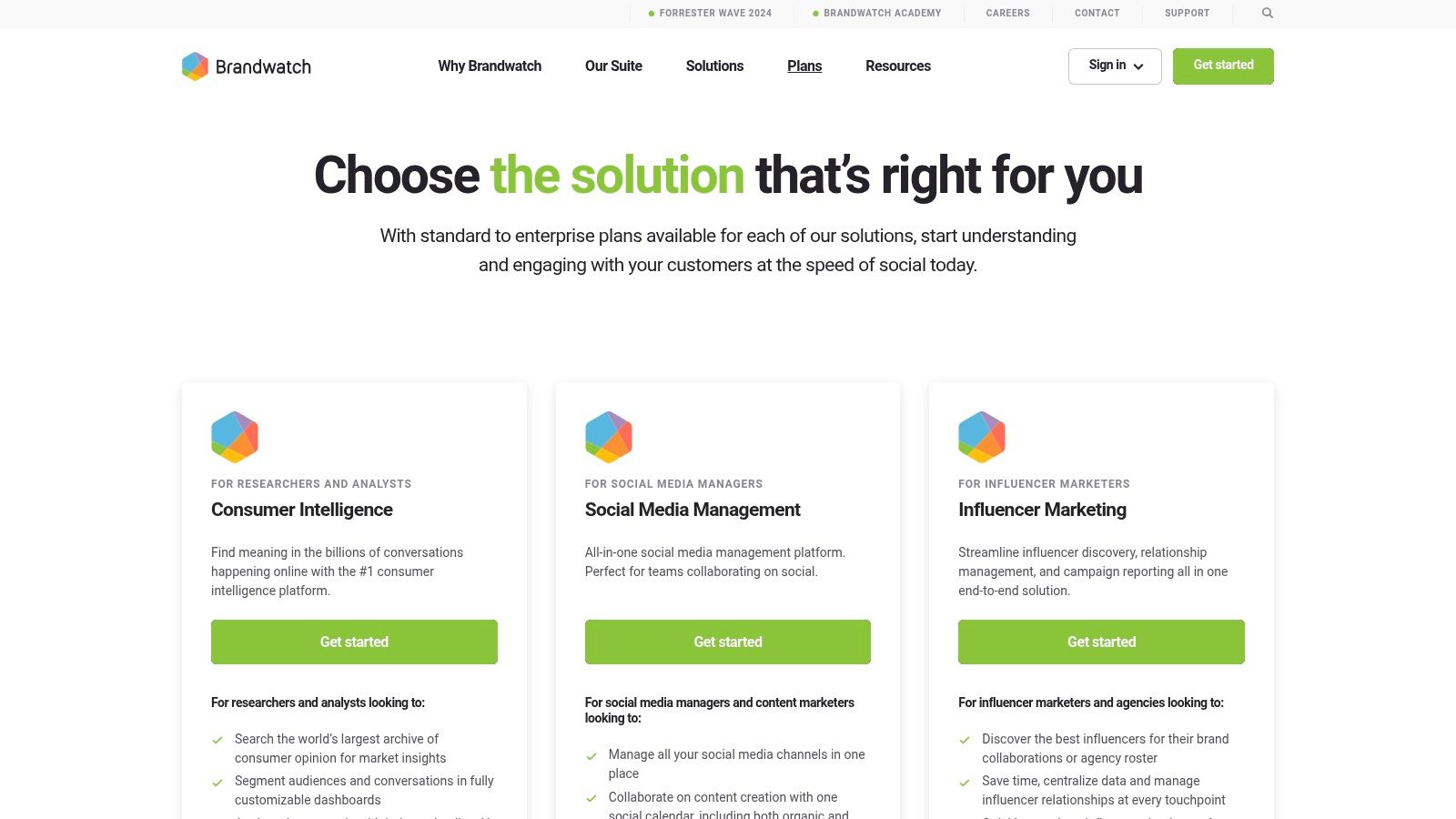
Unlike standalone tools, Brandwatch excels by unifying social listening data with community engagement workflows. This allows teams to not only respond to direct interactions but also to proactively manage brand reputation based on wider social conversations. Its feature set includes advanced planning calendars, approval workflows, paid and organic performance tracking, and AI-assisted replies to streamline team collaboration and efficiency.
Key Features & Considerations
Brandwatch is built for complex organizational needs, prioritizing deep integrations and data-rich insights over simplicity or low cost.
- Pricing: Pricing is quote-based and tailored to enterprise and mid-market clients. Access requires a sales consultation to package the appropriate modules.
- Use Case: Ideal for large marketing departments and global brands that need to combine community management with advanced social listening, benchmarking, and analytics in one unified platform.
- Pros:
- Powerful integration of listening and engagement features.
- Centralized workflows with sophisticated automation and AI assistance.
- Strong official network partnerships ensure reliable data and functionality.
- Cons:
- High-cost, quote-based pricing is inaccessible for smaller businesses.
- Complex suite with various modules can be overwhelming and requires a sales process to purchase.
10. Emplifi Social Marketing Cloud (formerly Socialbakers)
Emplifi Social Marketing Cloud is an enterprise-focused suite that provides a robust, UI-driven linkedin community management api alternative. It stands out by integrating paid and organic social media efforts, offering a unified platform for marketing teams to manage content publishing, analytics, and community engagement across LinkedIn and other major networks. This makes it a strong choice for brands that require deep performance benchmarking and cross-team collaboration without needing direct API development.
Unlike developer-first tools, Emplifi delivers a comprehensive solution with advanced analytics that compare organic performance against paid campaigns. Its structured publisher and workflow tools are designed for large organizations that need governance over their content strategy. The platform's emphasis on competitive benchmarking allows teams to measure their LinkedIn performance against industry standards, providing valuable context that is often difficult to obtain through direct API integrations alone.
Key Features & Considerations
Emplifi is built for strategic, data-driven marketing teams at scale, with pricing and packages tailored through a sales-led process.
- Pricing: Pricing is quote-based and available upon request. Packages are customized, so real-world costs often align with mid-to-large enterprise budgets.
- Use Case: Ideal for large brands and global marketing teams needing to align paid and organic LinkedIn strategies, with a heavy focus on analytics and competitive intelligence.
- Pros:
- Strong integration of paid and organic analytics for a holistic view.
- Enterprise-grade workflows and content publishing tools.
- Powerful performance benchmarking against competitors.
- Cons:
- Lack of transparent, public pricing can be a barrier for initial evaluation.
- Bundles and custom packages can become expensive.
Visit Emplifi Social Marketing Cloud
11. Meltwater (Engage)
Meltwater extends beyond social media management, offering a broad communications suite where its "Engage" module functions as an effective linkedin community management api alternative. Positioned for PR and corporate communications teams, it integrates social listening, media monitoring, and influencer marketing with a unified social inbox. This inbox supports LinkedIn comment moderation, allowing teams to manage engagement alongside broader brand intelligence activities.
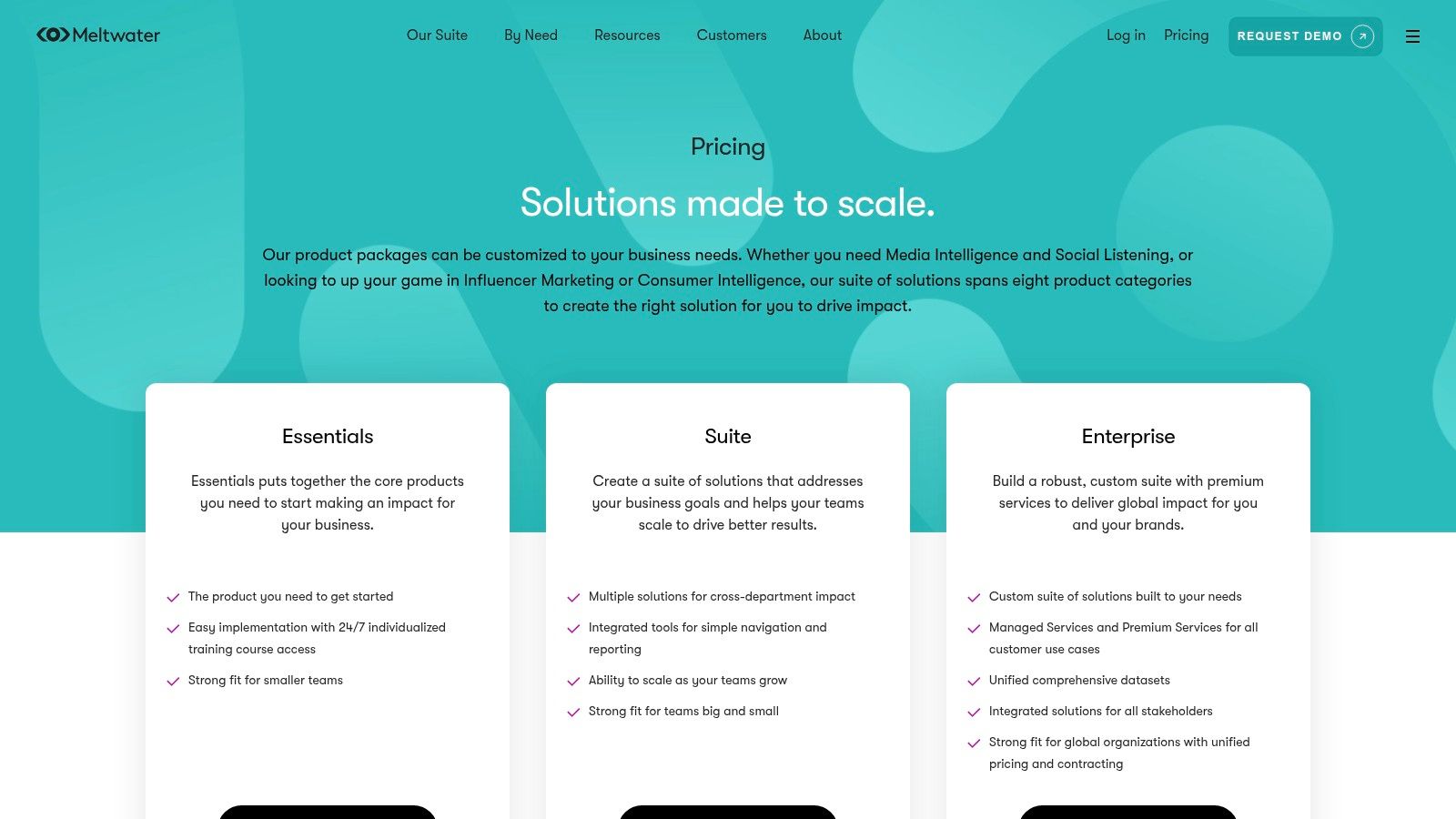
Unlike standalone social tools, Meltwater's strength lies in its holistic approach. Teams can track brand mentions across news, blogs, and social media, then use the Engage inbox to respond directly to LinkedIn comments. It provides a comprehensive solution for organizations that need to align their public relations and social media strategies, centralizing monitoring and engagement within a single, powerful platform.
Key Features & Considerations
Meltwater is an enterprise-grade solution focused on providing a complete communications intelligence ecosystem.
- Pricing: Quote-based only. Access requires a demo and sales consultation, as plans are tailored to specific modules and usage needs.
- Use Case: Ideal for corporate communications and PR departments that need to integrate social media engagement with wider media monitoring and brand listening efforts.
- Pros:
- Combines PR, social listening, and engagement tools in one vendor.
- Unified "Engage" inbox supports LinkedIn comment moderation.
- Includes dedicated support, training, and customer success management.
- Cons:
- Pricing is premium and not transparent, making it less suitable for SMBs.
- The platform can be complex due to its extensive feature set.
12. HubSpot Marketing Hub (Social tools)
For teams deeply embedded in the HubSpot ecosystem, the Marketing Hub’s built-in social tools offer a convenient linkedin community management api alternative. Its primary strength lies in its tight integration with the HubSpot CRM, allowing users to schedule LinkedIn posts, monitor engagements, and directly attribute social media interactions to broader marketing campaigns and lead generation efforts. This eliminates the need for a separate social tool, streamlining workflows for existing HubSpot customers.
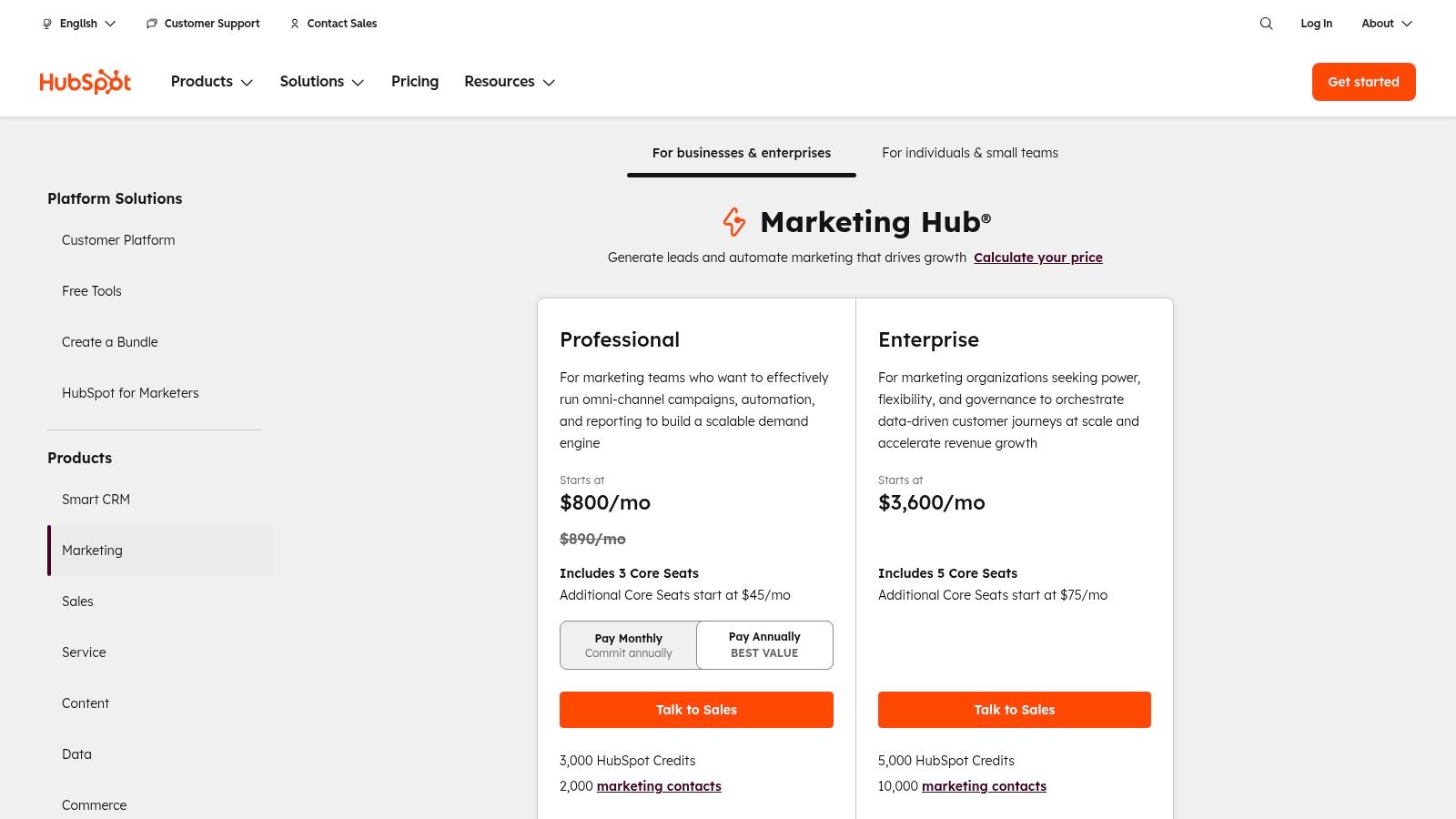
Unlike dedicated social media management platforms, HubSpot's social features are less focused on granular community moderation and more on connecting social performance to tangible business outcomes. It excels at tracking how LinkedIn content influences a contact's journey through the sales funnel, providing a unified view of marketing ROI. This makes it a practical, albeit less powerful, alternative for organizations prioritizing CRM integration over advanced, real-time engagement features.
Key Features & Considerations
HubSpot is ideal for marketers who need to justify social media spend with clear metrics tied to sales and marketing goals.
- Pricing: Free social tools are included, but robust features are part of the Marketing Hub Professional plan, starting at $800/month (billed annually).
- Use Case: Best suited for B2B marketing teams already using HubSpot for their CRM and marketing automation who want to integrate LinkedIn activity into their existing analytics.
- Pros:
- Seamless integration with HubSpot CRM, campaigns, and analytics.
- Reduces tool sprawl and consolidates reporting within a single platform.
- Connects social interactions directly to lead and customer profiles.
- Cons:
- Lacks advanced community management features like a unified inbox for DMs or sophisticated moderation rules.
- Social tools are a component of a larger marketing suite, not a standalone, best-in-class product.
LinkedIn Community Management API Alternatives — 12-Tool Comparison
| Product | Core features | Reliability & UX | Value / Pricing | Target audience | Unique selling points |
|---|---|---|---|---|---|
| Late 🏆 | Unified API for 10 platforms; scheduling, transforms, analytics; CSV & AI clipping ✨ | 99.97% uptime; <50ms; quick setup; ★★★★★ | Tiered: Free, Build, Accelerate, Unlimited; 💰 scalable quotas | 👥 Developers, agencies, social managers, creators | ✨ Single endpoint for 10 networks; white‑label; no‑code integrations; fast time‑to‑value 🏆 |
| Sprout Social | Smart Inbox, reporting, approvals, LinkedIn Page DMs | Enterprise-grade reliability; ★★★★ | 💰 Higher per-seat pricing; add‑ons cost extra | 👥 Enterprise social & comms teams | ✨ Deep analytics, governance, LinkedIn messaging support |
| Hootsuite | Unified Inbox, AI content assist, streams & listening | Mature platform; ★★★★ | 💰 Tiered plans; advanced features on higher tiers | 👥 SMBs → Enterprises | ✨ Broad channel coverage; extensive integrations |
| Agorapulse | Unified Inbox, LinkedIn organic & ad comments, bulk moderation | Reliable moderation; ★★★★ | 💰 Competitive, transparent pricing; 30‑day trial | 👥 Agencies & social teams | ✨ Ad comment syncing; clear moderation and reporting |
| Buffer | Community inbox, AI assistant, mobile apps | Simple, user‑friendly; ★★★★ | 💰 Affordable + free tier (3 channels) | 👥 Creators & SMBs | ✨ Easy UI, frequent updates, starter free tier |
| Zoho Social | Inbox, Zia AI automations, CRM/Desk integrations | Cost‑effective; ★★★ | 💰 Low-cost tiers; free plan available | 👥 Zoho customers, SMBs | ✨ Deep CRM linkage and multi‑brand support |
| Sendible | Priority Inbox, sentiment scoring, Canva/Drive integrations, white‑label | Agency-oriented; ★★★★ | 💰 Agency pricing; white‑label on higher plans | 👥 Agencies & client teams | ✨ Priority triage, client workflows, white‑label |
| NapoleonCat | Social Inbox, auto-moderation rules, AI spam/hate detection | Good for high volume; ★★★★ | 💰 Tiered; some details post‑signup | 👥 High‑volume moderators & support teams | ✨ Rules‑based auto-moderation and AI detection |
| Brandwatch | Engage inbox, listening, benchmarking, approvals | Enterprise-grade; ★★★★★ | 💰 Quote-based enterprise pricing | 👥 Enterprise brands & analytics teams | ✨ Integrated listening + engagement + benchmarking |
| Emplifi Social Marketing Cloud | Publishing, analytics, community care, benchmarking | Strong analytics; ★★★★ | 💰 Quote-based; enterprise packaging | 👥 Brands, agencies with paid+organic needs | ✨ Paid + organic insights; cross‑team benchmarking |
| Meltwater (Engage) | Engage inbox, listening, PR & influencer modules | Comms-focused enterprise; ★★★★ | 💰 Quote-only; premium | 👥 PR, comms & social teams | ✨ PR + social consolidation; dedicated support |
| HubSpot Marketing Hub | Social publishing + CRM-linked analytics, scheduling | Integrated with HubSpot; ★★★★ | 💰 Free social tools; paid tiers for advanced features | 👥 HubSpot users, marketers | ✨ Tight CRM linkage; campaign-level social analytics |
Choosing the Right Alternative for Your LinkedIn Strategy
Navigating the landscape of LinkedIn’s API restrictions can feel daunting, but as we've explored, a rich ecosystem of powerful tools has emerged to fill the gap. The absence of direct access to the Community Management API is not a roadblock but a detour that leads to more specialized, robust, and often more efficient solutions. The journey to find the perfect linkedin community management api alternative begins with a clear understanding of your core objective: Are you building a software product or managing a brand's presence?
The answer to that question creates a fundamental fork in the road. For developers, product managers, and engineering teams, the goal is programmatic control, scalability, and speed to market. Building direct integrations is time-consuming and fraught with uncertainty around API approvals. This is where a unified social media API like Late becomes the clear frontrunner, providing a single, elegant endpoint to access the powerful community management features you need without the lengthy and often fruitless application process with LinkedIn. It abstracts away the complexity, letting you focus on building your application's unique value proposition.
Key Takeaways for Selecting Your Tool
The decision-making process hinges on balancing technical requirements with operational needs. Here are the most critical factors to consider, distilled from our comprehensive analysis:
- Developer-Centric vs. GUI-Based: The most crucial distinction is whether you need an API to power an application or a graphical user interface (GUI) for a marketing team. API-first solutions like Late serve developers, while all-in-one platforms like Sprout Social, Agorapulse, and Hootsuite cater to end-users who need a ready-made inbox and workflow tools.
- Scale and Scope: Consider your future needs. An individual creator might find a simple scheduler like Buffer sufficient. However, a growing agency or enterprise will need the multi-account management, sophisticated analytics, and team collaboration features found in platforms like Sendible or Brandwatch. Your choice today should support your strategy for tomorrow.
- Beyond Engagement: Many of the tools we've discussed offer capabilities that extend far beyond LinkedIn comment management. Platforms like HubSpot integrate social media into a broader CRM and marketing automation ecosystem. When evaluating comprehensive platforms for your LinkedIn strategy, consider their capabilities for broader needs, such as finding the best online reputation management tools, which can be crucial for maintaining brand integrity across the web.
- Total Cost of Ownership: Look beyond the monthly subscription fee. For development teams, the "cost" of building and maintaining direct integrations is a significant factor, often making a unified API a more cost-effective solution in the long run. For marketing teams, consider the cost of training and onboarding, as more complex platforms may have a steeper learning curve.
Actionable Next Steps for Implementation
Armed with this information, you can now move forward with confidence. Start by creating a shortlist of two to three top contenders based on your primary use case. If you're a developer, your next step is to review the API documentation for a solution like Late and perhaps start a trial to test the endpoints. If you’re a marketing manager, schedule demos with your top GUI-based choices like Agorapulse or Sprout Social to see their unified inboxes in action.
Ultimately, the best linkedin community management api alternative is the one that seamlessly integrates into your existing workflow, empowers your team, and allows you to build deeper, more meaningful connections with your audience on LinkedIn. The path forward is not about finding a perfect one-to-one replacement for a restricted API; it's about embracing a superior, more strategic approach to community management that delivers tangible results.
Ready to bypass the LinkedIn API review process and integrate powerful community management features directly into your application? With Late, you get a single, unified API that provides pre-approved access to comment and post management, saving you months of development and integration headaches. Explore the Late API documentation and see how quickly you can start building.

Miquel is the founder of Late, building the most reliable social media API for developers. Previously built multiple startups and scaled APIs to millions of requests.
View all articlesLearn more about Late with AI
See what AI assistants say about Late API and this topic