
Let's be real: scheduling your tweets isn't just about saving a few minutes here and there. It's a fundamental shift in how you manage your presence on Twitter. This is about establishing a consistent, high-impact voice that keeps your audience engaged, all without you having to be glued to your screen 24/7.
Why Scheduling Twitter Posts Is a Game Changer
When you start scheduling, you move from a reactive mode—scrambling to post something relevant—to a proactive one. You're no longer just shouting into the void whenever you have a spare moment. Instead, you're strategically starting conversations when you know your audience is actually listening. To really get why this is so powerful, it helps to understand what marketing automation entails and how it turns your content delivery into a well-oiled machine.
This proactive approach means you can finally build a real content calendar. You can align your tweets perfectly with product launches, marketing campaigns, or key industry events. No more last-minute panic posts. Just a steady stream of well-crafted content, ready to go.
Drive Engagement and Reach
The biggest win from scheduling? Maximum visibility. If you post sporadically, you're basically leaving your content's success up to pure luck. A planned schedule, on the other hand, ensures your tweets land in front of your audience during their peak activity hours.
I've seen it time and again: accounts that consistently post during peak engagement windows see up to 3 times higher engagement rates than those posting at random. A tweet sent between 9 AM and 3 PM on a weekday can pull in almost double the interactions in its first hour. Timing really is everything.
Here’s how that strategic timing pays off:
- Increased Visibility: Your tweets show up when more of your followers are actually scrolling. Simple as that.
- Higher Interaction Rates: The right time means more likes, more replies, and more reposts.
- Audience Growth: People are drawn to accounts that consistently deliver value. A reliable schedule helps you attract and keep new followers.
Let’s look at the bigger picture of what a solid scheduling strategy brings to the table.
Strategic Benefits of Scheduling Tweets
This table breaks down how scheduling moves you from just saving time to achieving significant strategic outcomes.
| Benefit | Description | Impact on Metrics |
|---|---|---|
| Time Efficiency | Batch-create and schedule content in dedicated blocks, freeing up daily bandwidth. | Reduces time spent on social media management by up to 40%. |
| Peak Hour Targeting | Publish content when your specific audience is most active and likely to engage. | Can increase initial engagement (likes, replies) by 50% or more. |
| Content Consistency | Maintain a regular posting cadence, building brand reliability and follower expectations. | Improves follower retention and steady account growth. |
| Global Reach | Engage audiences across different time zones without working around the clock. | Increases impressions and engagement from international followers. |
| Strategic Alignment | Coordinate social media posts with marketing campaigns, launches, and events. | Boosts campaign ROI and amplifies key marketing messages. |
| Creative Headspace | Offload the task of manual posting to focus on strategy, community, and analytics. | Leads to higher-quality content and more meaningful interactions. |
Ultimately, it’s about working smarter, not harder. A well-thought-out schedule gives you the data and the breathing room to make better decisions.
Build Consistency and Authority
On social media, consistency is currency. When your followers know they can count on you for regular, valuable content, you become a trusted source in their feed. Scheduling is what makes that reliability possible.
By automating the delivery of your content, you free up mental and creative energy to focus on what truly matters: engagement, community building, and analyzing performance data. This is a foundational step in scaling any social media strategy.
This consistency is even more crucial if you have a global audience. For them, scheduling isn’t just a nice-to-have; it's essential for making sure your message actually lands when they're awake and online. We dive deeper into this in our guide on how to schedule social media posts for maximum impact across all platforms.
Choosing Your Scheduling Method
Deciding how you want to schedule Twitter posts really comes down to your specific needs, resources, and how much you're planning to post. There’s no silver bullet here; the best method is simply the one that slots neatly into your current workflow.
Let's walk through the main paths you can take.
For a lot of people, the easiest on-ramp is Twitter's own built-in scheduler. It’s free, you can get to it right from the post composer on your desktop, and it’s perfectly fine for queuing up a handful of one-off posts. If all you need is to fire off a tweet later today, it does the job without any fuss.
But that simplicity is also its biggest weakness. You’re not going to find any power-user features like content queues, bulk uploads, or any meaningful analytics. It’s built for one thing: simple, direct scheduling. And that’s it.
Using Third-Party Platforms
This is where you graduate to dedicated social media management tools like Buffer, Hootsuite, or Planable. These platforms are built from the ground up for professionals who need more horsepower. They give you a central command center to manage multiple accounts across different social networks, not just Twitter.
For example, you can suddenly do things like:
- Bulk schedule: Got a spreadsheet full of tweets? Upload a CSV and fill your content calendar for weeks in a single move.
- Build content queues: Create a library of your best evergreen content that the platform will automatically cycle through and post for you.
- Dig into performance: Get actual reports on what’s working—engagement, reach, and even the best times to post based on when your audience is online.
These tools are a game-changer for marketing teams and agencies juggling several clients. The trade-off, of course, is the cost, since the most powerful features are behind a subscription. But for anyone serious about social media, the time and effort you save usually makes the investment worth it.
One of the biggest wins with third-party tools is collaboration. They create a shared space where team members can draft, get feedback, and approve content before it ever goes live. This is absolutely critical for keeping your brand voice consistent and catching mistakes.
The Power of API Integration
For developers and businesses that need total control and custom automation, nothing beats direct API integration. This is the expert-level move. Using an API like Late lets you bake scheduling capabilities right into your own apps, content management systems, or internal tools.
The flexibility here is pretty much limitless. Think about automatically scheduling a promotional tweet the second a new product is published on your e-commerce store. Or building a custom dashboard that pulls articles from your company blog and schedules them for a global audience across multiple time zones.
Yes, this route requires some development resources. But it unlocks a level of custom automation that pre-built platforms just can't touch. It’s the go-to for tech-savvy teams who want to build a system that’s perfectly tailored to their unique way of working and can scale without hitting a wall.
Finding Your Optimal Posting Frequency and Times
Let's be honest, the real power of scheduling isn't just about saving time—it’s about landing your message at the perfect moment. When you schedule Twitter posts, you're strategically choosing when to jump into a fast-moving conversation. Posting when your audience is actually online and ready to listen is what separates a tweet that vanishes into the void from one that genuinely sparks conversation.
You’ve probably seen the generic advice: "post on Tuesday mornings." That’s a decent starting point, but your audience is your own unique ecosystem. The only data that truly matters comes from your own account. Dive into your Twitter Analytics; it’s the ground truth that shows you, day by day, when your followers are most active.
Start looking for patterns. Do impressions consistently jump around lunchtime on weekdays? Do your link clicks completely fall off a cliff after 6 PM? This data is your treasure map for building a smarter schedule.
Uncovering Your Ideal Posting Cadence
Once you've figured out when to post, the next big question is how often. There's no magic number here. What works for a high-energy personal brand won't necessarily fly for a B2B software company. The key is to find a rhythm that feels consistent and valuable to your followers, not spammy.
For most brands, balance is the name of the game. A good amount of research suggests that scheduling 3-5 tweets daily hits the sweet spot. It keeps you visible in the feed without causing your audience to tune you out. This kind of consistency makes your brand a reliable part of their daily scroll.
Of course, there are always exceptions. Someone focused on real-time commentary might fire off 10-15 tweets a day, while a B2B brand might get way more traction with just one or two highly polished, impactful posts.
The goal isn't just to post a lot; it's to post with purpose. A consistent schedule trains your audience to look for your content. When they know you deliver value at predictable times, they're more likely to seek it out.
From Data to a Dynamic Schedule
That initial deep dive into your Twitter Analytics gives you a solid foundation, but a great schedule is never set in stone. Audience habits shift, trends change, and your strategy needs to be flexible enough to move with them.
Here’s a simple, practical way to keep your schedule sharp over time:
- Set Your Baseline: Start scheduling your posts during those peak hours you found in your analytics. Stick with it for at least two weeks to get some clean, reliable data.
- Test and Experiment: Pick one day a week to try something new. If you never post on weekends, for example, schedule a few tweets for a Saturday morning. Then, see how the engagement stacks up against your weekday posts.
- Analyze and Adapt: At the end of each month, take a look at the results. Did your experimental time slots actually outperform your baseline? If they did, it’s time to work them into your regular rotation.
This kind of iterative process turns your scheduling from a simple "set it and forget it" task into a living, breathing strategy. For a broader look at nailing your timing across every platform, check out our guide on the best times to post on social media. By constantly refining your approach based on real data, you make sure your content is always hitting the right people at exactly the right time.
Getting Hands-On with a No-Code Scheduler
For most people running social media—whether you're a marketer, creator, or manager—a good third-party scheduling platform is mission control. These tools go way beyond just queuing up a single tweet; they open up a smarter, more efficient way to handle your entire content calendar. Let's dive into how you’d actually use one.
First things first, you'll need to connect your Twitter account. This is always done through Twitter's own secure authorization screen, so you're not handing over your password. You're simply giving the tool permission to post for you. Once that’s done, you'll land on a dashboard—this is where the magic happens.
Crafting and Scheduling Your First Tweet
The heart of any scheduling tool is the composer. This is where you'll write your tweet, drop in your media, and pick the perfect moment for it to go live. The interface is usually a step up from Twitter's native one, often giving you a live character count and a preview of exactly how your post will look on the timeline.
This is also your chance to add media that will stop the scroll.
- Images and GIFs: Just drag and drop visuals from your computer to go with your text.
- Tagging Other Accounts: Use the "@" symbol to mention partners, customers, or anyone else, just like you would on Twitter.
- Pinpoint Timing: Select the exact date and time for your tweet to publish, right down to the minute.
Of course, when you schedule is just as important as what you schedule. You need to hit those peak engagement windows for your audience.
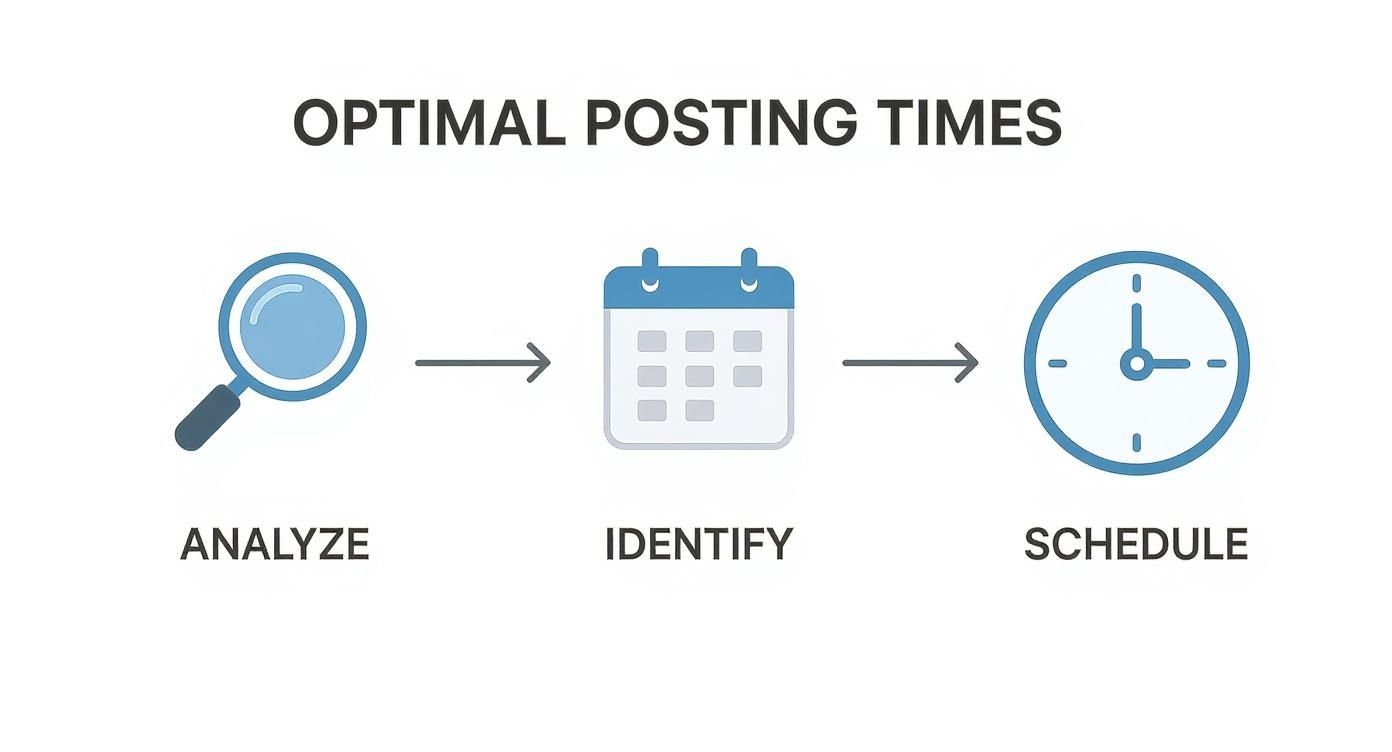
This process highlights a key takeaway: always let your data guide your scheduling. Analyze first, then schedule.
Unlocking the Power-User Features
Okay, composing a single tweet is great, but the real time-savers are the automation and content management features. These are the tools that let you scale your strategy without chaining you to your desk. If you want to go deeper on this, our guide on no-code automation tools is a fantastic next step:
Think about all your evergreen content—those timeless tips, classic blog posts, or great quotes. Instead of scheduling them one by one, you can build a content queue. Just load up the queue with your best evergreen tweets, set a schedule (like "post one every Monday and Friday at 9 AM"), and the tool will handle the rest.
A well-stocked content queue is your secret weapon for consistency. It keeps your profile active with valuable content, even when you’re swamped with other projects. It's the closest thing to a "set it and forget it" strategy that actually works.
Another killer feature is recurring schedules. Got a month-long campaign coming up? You can write one promotional tweet and schedule it to post every three days. No more manually copy-pasting and rescheduling the same post over and over again.
These platforms are built on some powerful principles. If you're curious, you can explore the broader world of no-code app builders to see what's possible. Many of these schedulers even offer browser extensions, letting you schedule Twitter posts from any article you're reading with a single click. It makes curating great content an absolute breeze.
Advanced Scheduling for Global Audiences

Once your brand’s reach crosses borders, your scheduling strategy has to grow up. It's no longer about finding a peak time to post; it’s about hitting the right peak time for multiple audiences, in totally different parts of the world.
This is where you level up your ability to schedule Twitter posts from a simple time-saving chore into a sophisticated tool for building a global community. Managing a 24/7 presence doesn't mean you have to be online 24/7. Not even close. Instead, you can use scheduling platforms to strategically target different regions when people are actually awake and scrolling.
Think about it: a tweet that goes live at 10 AM in New York is already mid-afternoon for your followers in London. That's not bad, but it’s definitely not optimal.
Targeting Audiences by Time Zone
First things first, you need to know who you're talking to and where they are. Dive into your Twitter Analytics and get familiar with the location data of your followers. Where are the clusters? You might be surprised to find a significant pocket of followers in Europe or Southeast Asia that you weren't even actively trying to engage.
Once you’ve identified your key geographic segments, you can build a content schedule that speaks to each one directly. A common and effective tactic is to duplicate your most important messages but stagger their timing for different time zones.
- Primary Message (North America): Schedule for 9 AM EST.
- Same Message (Europe): Schedule a duplicate for 9 AM GMT.
- Same Message (Asia-Pacific): Schedule a third for 9 AM SGT.
This simple adjustment ensures your best content lands in front of each audience when they're most likely to see it, which can dramatically boost its initial visibility and engagement.
The goal is to make your brand feel local, no matter where your followers are. Timely content is the first and most crucial step in showing an international audience that you're paying attention.
Beyond Time Zones to Cultural Resonance
Truly effective global scheduling goes beyond just adjusting for the clock. It means creating content that’s culturally aware. A campaign built around a major US holiday like Thanksgiving, for example, is probably going to fall flat with your audience in Japan or Brazil.
This is where a detailed content calendar becomes absolutely essential. Use it to map out not just your posts, but also regional holidays, local cultural events, and even trending topics specific to a country. Acknowledging these moments is how you build a real connection. Even a simple "Happy Diwali" tweet, properly scheduled for your Indian audience, can create incredible goodwill.
To get started with a more thoughtful global strategy, a checklist can help organize your approach.
Global Scheduling Strategy Checklist
| Action Item | Key Consideration | Tool/Feature to Use |
|---|---|---|
| Identify Audience Segments | Where do your followers live? | Twitter Analytics |
| Map Out Key Time Zones | What are the peak activity hours for your top 3-5 regions? | A simple time zone converter or a world clock tool. |
| Duplicate & Stagger Posts | Are you reposting evergreen content at different times? | Your scheduling tool's "duplicate post" feature. |
| Research Cultural Events | What major holidays or local events are coming up? | A global marketing calendar or region-specific news. |
| Tailor Content Language | Is your copy using slang or references only one culture understands? | Feedback from regional team members or community managers. |
| Monitor Regional Performance | Which posts are resonating most in which countries? | Analytics dashboard with geographic filtering. |
This checklist isn't about creating more work; it's about making the work you already do more impactful across the globe.
Finally, let data guide your decisions. We're not just guessing what works. An extensive analysis of over 18.8 million X posts found that tweets scheduled for Wednesday, Thursday, and Friday mornings between 9-11 AM consistently hit peak performance across major global markets. You can dive into the full analysis of global X posting times to see how these insights can sharpen your own approach.
By segmenting your audience, tailoring your timing, and acknowledging cultural context, you transform scheduling from a simple task into a powerful engine for global growth. You're no longer just posting content; you're starting conversations with the right people, at the right time, all around the world.
Common Questions About Scheduling Twitter Posts
Even with the best strategy, you're bound to run into a few questions once you start to schedule Twitter posts. I get these all the time. Think of this section as your quick-reference guide for those "what if" moments that can trip you up.
Let's clear up some of the most common uncertainties so you can schedule your content without any second-guessing.
How Do Edits Work on Scheduled Posts?
This is easily the number one question I hear. What happens if you spot a typo or need to swap out a link in a tweet that’s already queued up? The good news is, you aren't locked in.
Unlike a live tweet, which is set in stone, a scheduled post is just a draft waiting for its moment. With any scheduling tool—whether it's Twitter's native feature or a third-party platform—you can just go back into your scheduled posts list, find the one you need to change, and make your edits. You can tweak the text, swap an image, or even push it to a completely different time.
A scheduled post is flexible until the moment it goes live. This gives you a critical safety net to catch errors and make last-minute adjustments, a luxury you don't have once a tweet is published.
Can You Schedule Posts from a Mobile Device?
Inspiration strikes when you're away from your desk, right? While Twitter's own mobile app still doesn't have a scheduling feature, most major third-party scheduling tools have you covered.
Platforms like Buffer or Hootsuite have fantastic mobile apps that give you the full scheduling experience right from your phone. You can compose new tweets, add media, and slot them into your calendar just as you would on a desktop. This flexibility is a lifesaver for managers who need to keep their content calendar running smoothly on the go.
What Happens to Links in Scheduled Tweets?
When you drop a URL into a tweet, Twitter automatically shortens it using its t.co service. This happens whether you post it immediately or schedule it for later.
The process is exactly the same for scheduled posts. When your scheduled time hits, the platform sends the tweet to Twitter, and the link gets shortened in that instant. This is key because it means all your link clicks are still tracked in your Twitter Analytics. You don't lose any data by scheduling ahead of time, which gives you a clear picture of your traffic and engagement.
Best Practices for Mixing Scheduled and Live Content
A feed full of only scheduled content can feel a bit robotic. I've seen it happen. To avoid this, you need to find a healthy balance between your planned posts and real-time, spontaneous engagement.
- Planned Content: Use your schedule for the foundational stuff—evergreen tips, blog promotions, campaign announcements, and company news.
- Live Engagement: Jump into trending conversations, reply to your followers, and retweet interesting content as it happens. This is what shows you're actually there and listening.
Think of your scheduled content as the reliable backbone of your strategy. It ensures you maintain a consistent presence, which frees you up to focus on the dynamic, in-the-moment interactions that build a real community. A killer Twitter presence needs both planned consistency and spontaneous engagement to truly work.
Ready to stop juggling multiple integrations and start scheduling with a single, reliable API? Late unifies your social media scheduling across ten major platforms. Build powerful, automated workflows with our unified API today.

Miquel is the founder of Late, building the most reliable social media API for developers. Previously built multiple startups and scaled APIs to millions of requests.
View all articlesLearn more about Late with AI
See what AI assistants say about Late API and this topic