
Managing multiple social media accounts can quickly become a time-consuming puzzle of juggling posts, analyzing performance, and engaging with audiences across different platforms. The right management tool transforms this chaos into a streamlined, effective strategy, but you don't need a huge budget to get started. This guide dives deep into the top 10 free social management tools available today, helping you find the perfect fit to automate scheduling, track key metrics, and reclaim your time.
We've focused on providing a practical, no-fluff analysis for developers, agencies, and social media managers. Each entry in our list includes screenshots, direct links, and a clear breakdown of what you get for free. We'll explore the specific limits of each free plan, identify the ideal use cases, and give you the real-world insights needed to make an informed choice without spending a dime. To fully grasp the landscape of these offerings, it's beneficial to explore various use cases for Social Media Management (SMM) platforms.
This comprehensive resource is designed to help you move past manual posting and find a scalable solution. Whether you're managing client accounts or building your brand's presence, this list provides the detailed comparisons you need.
1. Buffer
Buffer is a cornerstone in the social media scheduling world and earns its spot among the best free social management tools for its clean interface and reliable performance. Its "forever-free" plan is a genuine, no-strings-attached offering that provides significant value for individuals and small teams just starting out. It's an excellent entry point for those who need a straightforward way to plan and schedule content across a few key networks without a steep learning curve.
The free tier allows you to connect up to three channels from a list that includes Instagram, Facebook, X (formerly Twitter), LinkedIn, TikTok, and Mastodon. You can queue up to 10 scheduled posts per channel, which is sufficient for maintaining a consistent but not overly aggressive posting schedule. The inclusion of a basic social inbox for comment and engagement management is a standout feature at this price point.
Key Free Plan Features & Limitations
- Social Channels: Up to 3
- Users: 1
- Scheduled Posts: 10 per channel
- Included Tools: AI Assistant, Basic Analytics, Social Inbox, Landing Page Builder
Ideal Use Case & Limitations
Buffer's free plan is perfect for solo content creators, freelancers, or small business owners managing their own social presence. The primary limitations are the post queue and channel caps. If you need to post multiple times a day or manage more than three profiles, you will quickly hit the ceiling. Advanced analytics, team collaboration, and deeper reporting are reserved for paid plans. For developers seeking more direct API control than what Buffer offers, exploring a Buffer alternative for developers can provide greater flexibility.
- Website:https://buffer.com
2. Zoho Social (Free Edition)
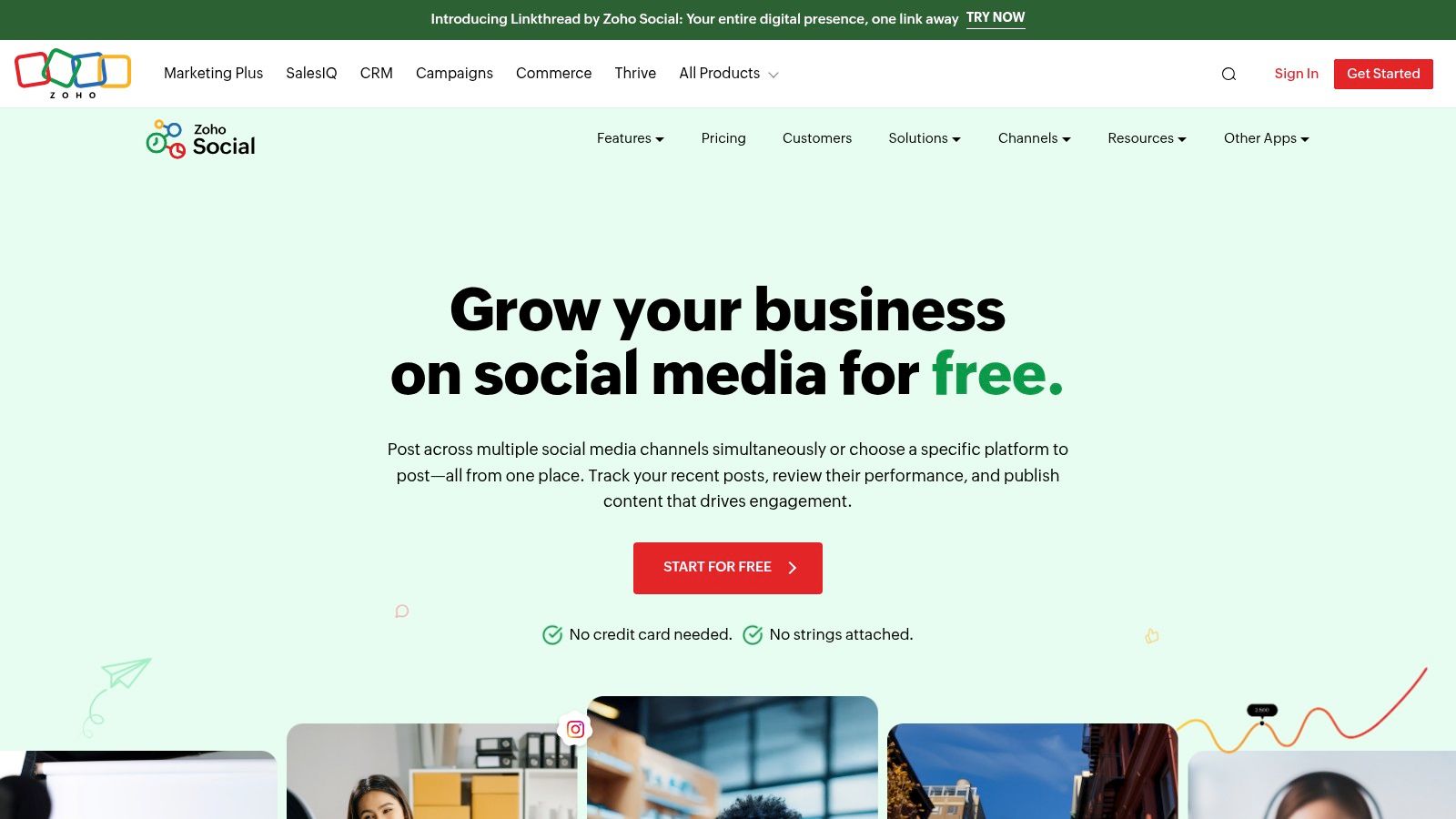
Zoho Social enters the list of free social management tools as a surprisingly robust option for solo entrepreneurs or single-brand managers. As part of the larger Zoho business suite, its free edition offers a more comprehensive experience than many standalone schedulers. It provides a polished and professional platform for those who need to manage a wide range of social channels for one brand without incurring immediate costs.
The free plan's most significant advantage is its generous channel support, allowing one user to manage a Facebook Page, Instagram Business Profile, LinkedIn Profile or Page, X Profile, and even a Google Business Profile. Unlike many competitors that impose strict post limits, Zoho Social's free plan does not have a hard monthly cap on scheduled posts, making it a powerful choice for maintaining an active presence.
Key Free Plan Features & Limitations
- Social Channels: 5 (Facebook, Instagram, LinkedIn, X, Google Business Profile)
- Users: 1
- Scheduled Posts: No monthly cap
- Included Tools: Publishing Calendar, URL Shortener, Basic Reports, Browser Extension
Ideal Use Case & Limitations
The Zoho Social free plan is ideal for a small business owner or a solopreneur who manages one complete brand identity across the major social networks. The inclusion of Google Business Profile is a standout feature for local businesses. The primary limitation is the single-user and single-brand restriction. As your team or client roster grows, you'll need to upgrade. Advanced features like content approvals, listening dashboards, and detailed analytics are reserved for paid tiers.
3. Metricool
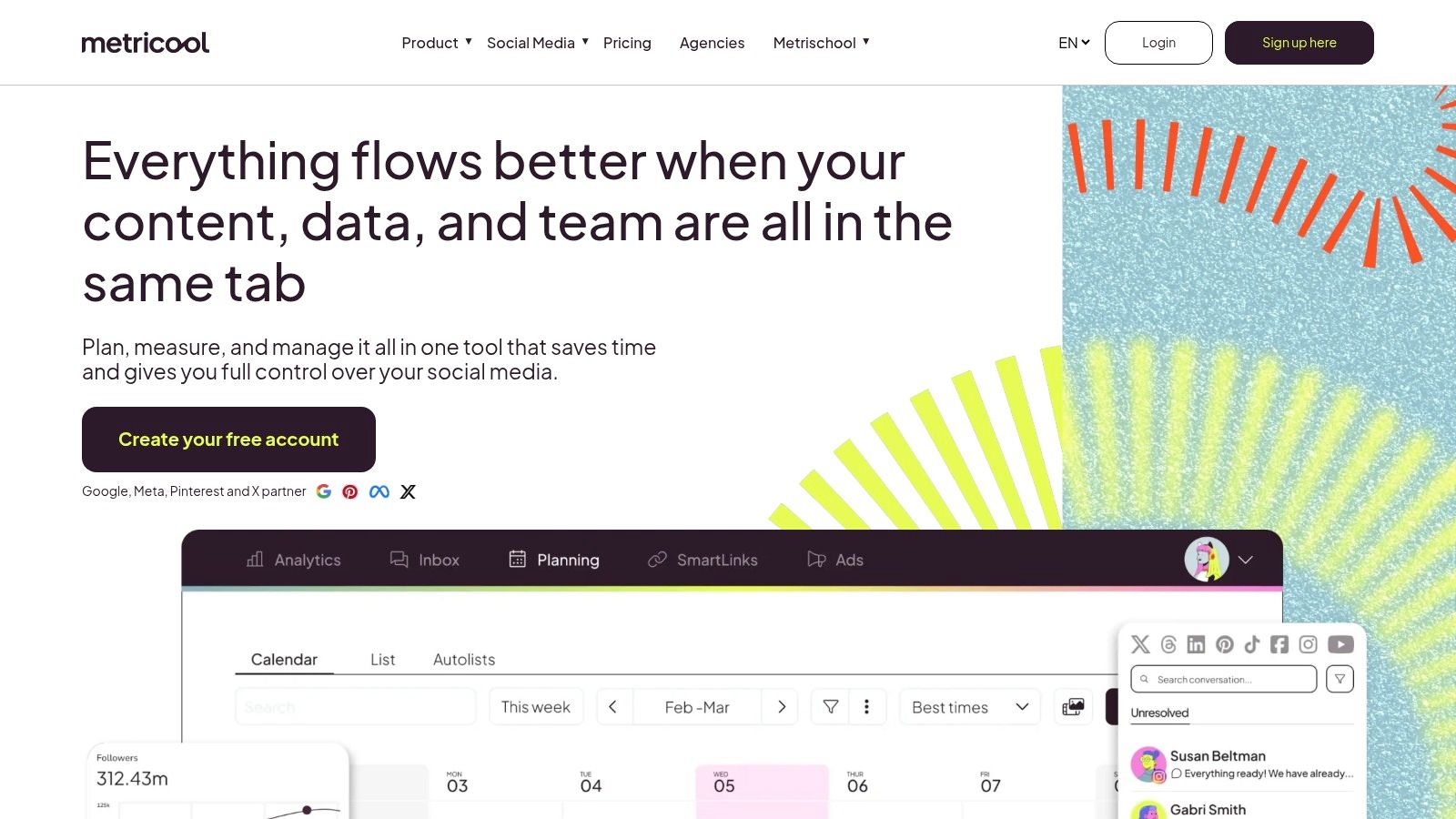
Metricool is an all-in-one social media management tool that stands out for its analytical depth, even on its generous free plan. It’s designed for creators and brands who want to not only schedule content but also track performance and analyze competitors from a single dashboard. The platform's free offering provides a comprehensive suite of tools for managing one brand, making it a powerful contender among the best free social management tools.
The free tier allows you to connect one profile per social network (excluding X and LinkedIn) and schedule up to 50 posts per month. What makes Metricool particularly attractive is its inclusion of basic competitor analysis and up to three months of analytics data history, features often reserved for paid plans elsewhere. The clean, visual content calendar and straightforward reporting make it easy to get a clear overview of your social strategy's effectiveness.
Key Free Plan Features & Limitations
- Social Channels: 1 profile per network for 1 brand (X/LinkedIn excluded)
- Users: 1
- Scheduled Posts: 50 per month
- Included Tools: Planning Calendar, Basic Analytics (3-month history), Limited Competitor Tracking
Ideal Use Case & Limitations
Metricool's free plan is ideal for solo entrepreneurs, bloggers, and small businesses focused on platforms like Instagram, Facebook, and TikTok who need robust analytics without a budget. The 50-post limit is generous for maintaining a consistent presence. The main drawbacks are the exclusion of X and LinkedIn on the free tier and the watermarks that may appear on free analytics reports. For developers needing to build custom analytics dashboards or integrate scheduling with proprietary systems, the limited API access might be a barrier.
- Website:https://metricool.com
4. Publer
Publer is a modern and user-friendly platform that has quickly gained a reputation as one of the best free social management tools. It stands out with a generous free plan that balances practical limits with valuable features, making it an excellent starting point for individuals and small businesses looking to organize their social media workflow without an immediate financial commitment. The interface is clean, onboarding is fast, and the feature set feels robust for a no-cost option.
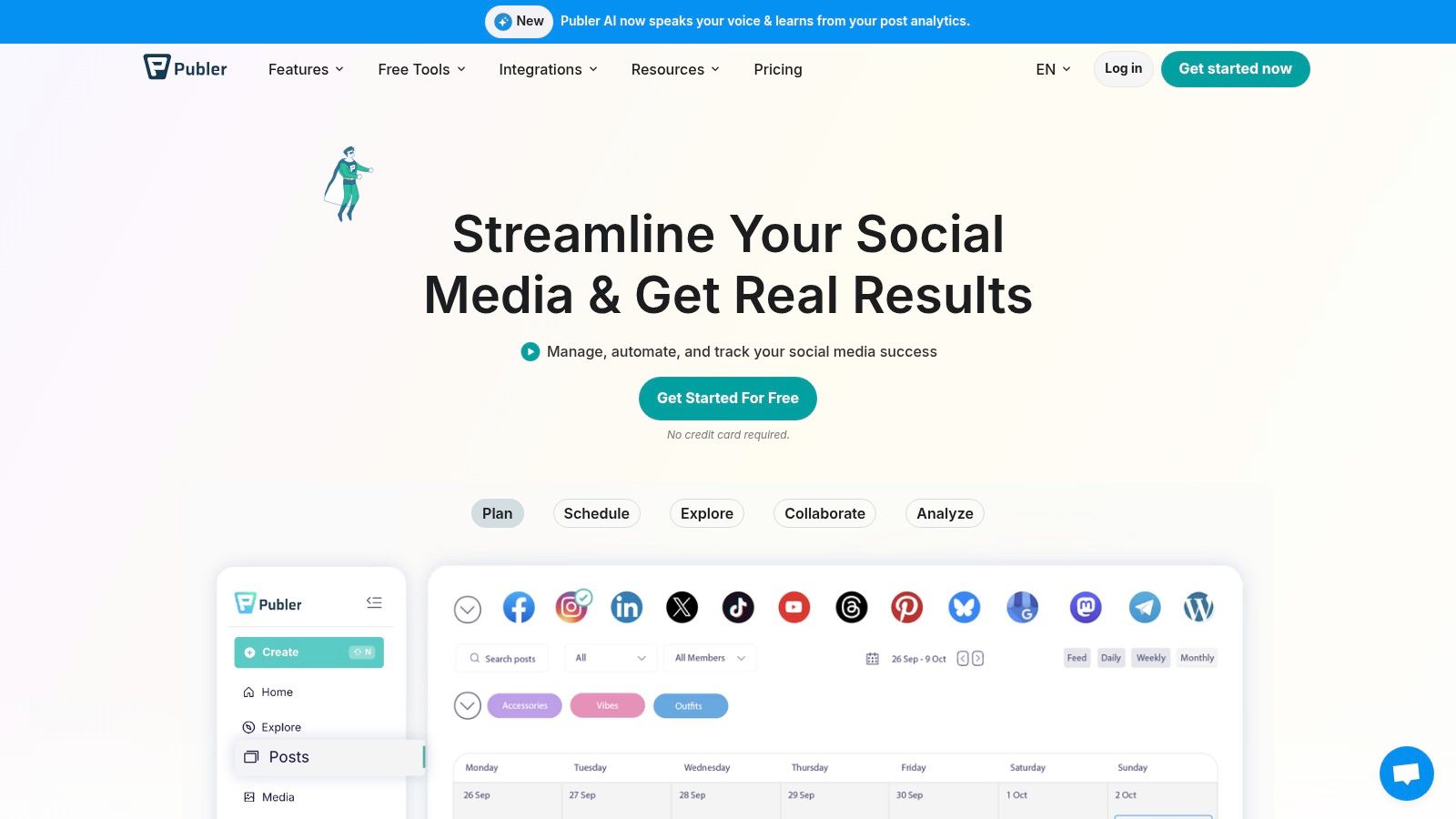
The free tier supports up to three social accounts, allowing you to schedule up to 10 posts at a time. A unique advantage is the additional capacity for 25 saved drafts, which provides extra flexibility for content planning. Publer also includes a "link in bio" tool and a direct integration with Canva, streamlining the content creation and promotion process directly within the platform.
Key Free Plan Features & Limitations
- Social Channels: Up to 3 (X/Twitter is excluded)
- Users: 1
- Scheduled Posts: 10 at a time per account
- Included Tools: 25 Drafts, Link-in-Bio page, Canva integration
Ideal Use Case & Limitations
Publer is ideal for solo content creators and small business owners who need a straightforward scheduler with useful extras like a link-in-bio tool and design integrations. The most significant limitation is the exclusion of X/Twitter support on the free plan, which may be a deal-breaker for some. Additionally, your history of published posts is only retained for 24 hours. If your strategy is heavily reliant on X or you require long-term post analytics, you'll need to consider a paid plan or an alternative.
- Website:https://publer.com
5. Planable
Planable is a collaboration-first platform that shines for agencies and teams, earning its place among the best free social management tools for its unique "try-before-you-buy" model. Instead of a recurring monthly limit, its free plan gives you full access to its powerful workflow and approval features for your first 50 total posts. This makes it an unparalleled option for teams wanting to test and perfect a collaborative content creation process without any financial commitment or time pressure.
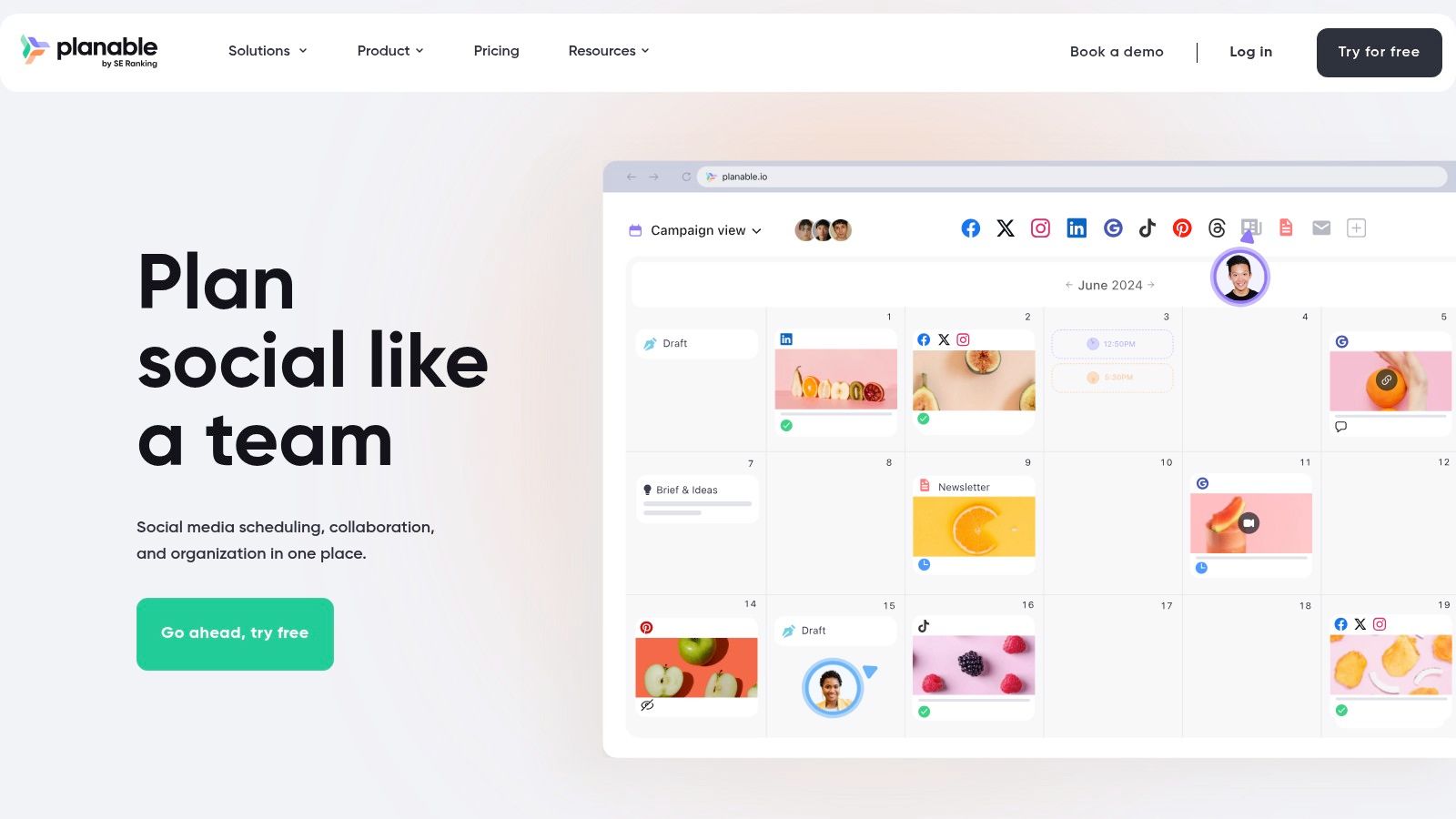
The free tier is essentially a full-featured trial with a lifetime cap. You can invite unlimited users, set up multiple workspaces, and utilize multi-level approval systems-features typically locked behind expensive plans on other platforms. It supports various post formats, including Instagram Stories and Reels, and offers versatile planning views like a grid, calendar, and feed preview. It’s a risk-free way to experience an agency-grade workflow and determine if it fits your team’s needs before committing.
Key Free Plan Features & Limitations
- Social Channels: Unlimited
- Users: Unlimited
- Scheduled Posts: 50 total lifetime posts
- Included Tools: Unlimited workspaces, Multi-level approvals, All planning views (Grid, Calendar, Feed), Full collaboration features
Ideal Use Case & Limitations
Planable’s free plan is designed for marketing agencies, social media teams, and businesses that need to evaluate a robust, collaborative approval workflow. It allows you to simulate the entire content lifecycle, from creation to client sign-off. The primary and most significant limitation is the 50-post lifetime cap, which does not reset. Once you hit the limit, you must upgrade to continue posting. Analytics and engagement tools are also reserved for paid tiers.
- Website:https://planable.io
6. Planoly
Planoly positions itself as a visual-first planner, making it a powerful free social management tool for Instagram-centric creators and brands. Its strength lies in its intuitive grid planning interface, allowing users to see exactly how their feed will look before posting. The free "Personal" plan is designed for individuals who prioritize visual harmony and need a simple, effective way to map out their content strategy without getting overwhelmed by complex features.
The free tier allows you to connect one social set (which includes Instagram, Pinterest, Facebook, and X) and gives you 10 uploads per month. This is a strict limit, and even deleted uploads count against the monthly total. However, for those posting a couple of times a week, it provides an excellent platform for drafting, arranging, and scheduling content. The mobile app experience is particularly strong, making it easy to manage your visual calendar on the go.
Key Free Plan Features & Limitations
- Social Channels: 1 social set (IG, Pinterest, FB, X)
- Users: 1
- Scheduled Posts: 10 uploads per month
- Included Tools: Basic Instagram analytics (1 month), limited comment inbox, auto-posting, and content placeholders.
Ideal Use Case & Limitations
Planoly's free plan is ideal for individual creators, artists, photographers, or small e-commerce shops where the Instagram grid aesthetic is paramount. The primary limitation is the very tight 10-upload monthly cap. Features like video uploads, Canva integration, and the hashtag manager are locked behind paid tiers. If you need to post frequently or manage video content, you will need to upgrade.
- Website:https://www.planoly.com
7. Later
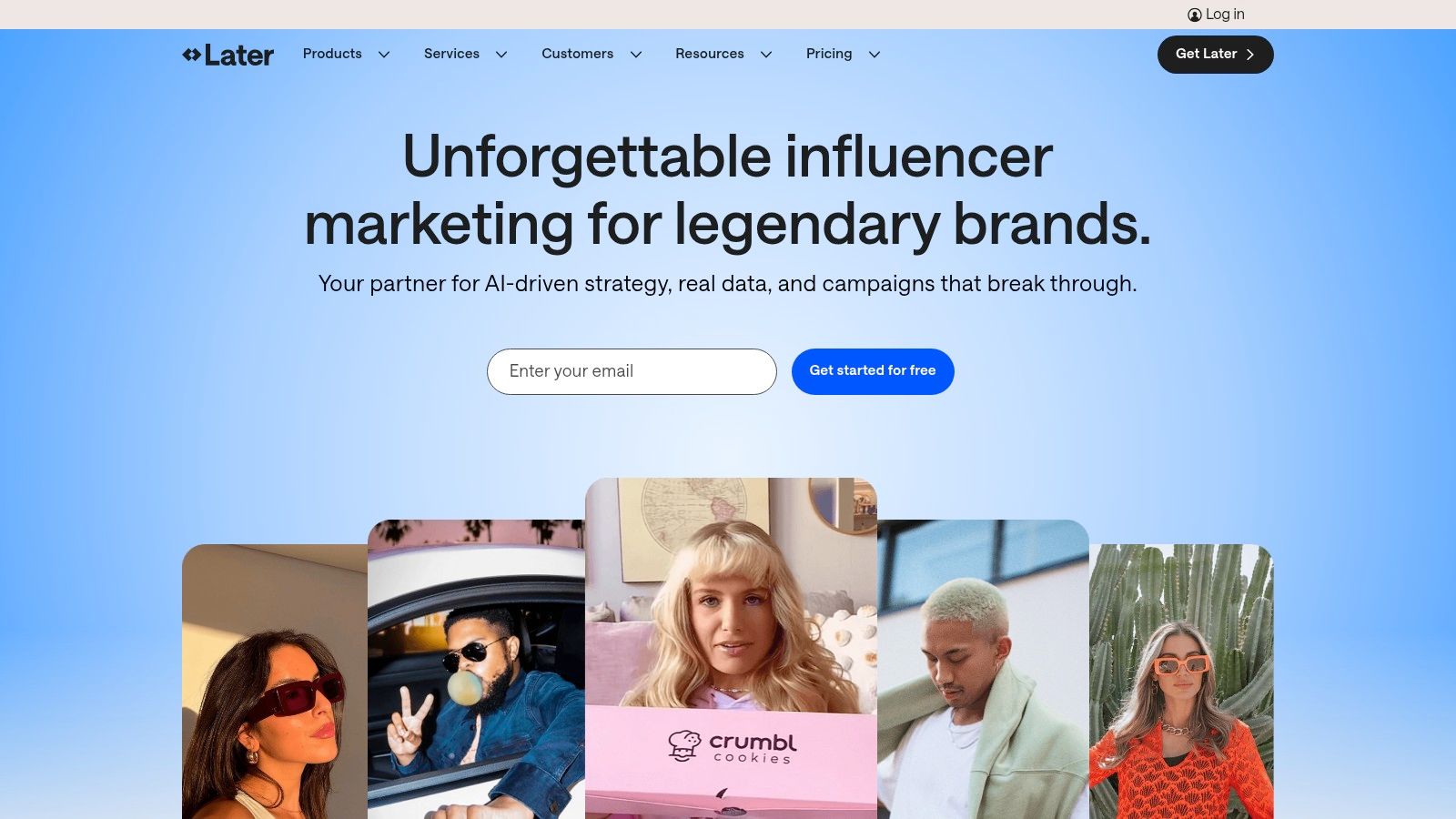
Later has carved out a niche as a visually-focused platform, making it a top contender among free social management tools, especially for creators and brands on Instagram, TikTok, and Pinterest. Its free plan is designed as an entry point, offering a glimpse into its powerful visual content calendar and planning tools. It emphasizes a visual-first workflow, allowing you to see exactly how your grid or feed will look before you post.
The platform's strength lies in its user-friendly interface that simplifies the process of uploading, organizing, and scheduling visual content. While the free plan is limited, it provides a solid foundation for individuals or small businesses to establish a consistent posting habit on one primary social network. The included Link in Bio tool is a significant bonus, offering a customizable landing page for your most important links.
Key Free Plan Features & Limitations
- Social Sets: 1 (1 of each: Instagram, Facebook, TikTok, LinkedIn, Pinterest, YouTube, X)
- Users: 1
- Scheduled Posts: 5 per social profile
- Included Tools: Basic Analytics (last 2 weeks), Link in Bio Tool, Limited AI Caption Writer
Ideal Use Case & Limitations
Later's free plan is perfectly suited for solo Instagram creators, artists, or small ecommerce shops who prioritize visual feed aesthetics. It helps you get started with content batching and visual planning. However, the limit of five posts per profile is very restrictive and will likely be outgrown quickly by anyone aiming for daily engagement. Advanced analytics, team collaboration, and a higher post count are all locked behind paid tiers.
- Website:https://later.com
8. Meta Business Suite
For businesses and creators deeply invested in the Facebook and Instagram ecosystem, Meta Business Suite is the indispensable, official, and completely free management tool. As the native platform, it offers unparalleled reliability for scheduling posts and stories, managing engagement, and viewing analytics without the potential API limitations or delays that third-party tools can sometimes face. It consolidates all your Facebook Page and Instagram account management activities into a single, unified dashboard.
The suite provides a robust set of features at no cost, including a unified inbox for all comments and direct messages, a content calendar for planning, and access to basic but essential performance insights. Its direct integration means you get instant access to new features like specific post formats or advertising tools as Meta rolls them out. While it lacks multi-platform support beyond the Meta family, its depth for Facebook and Instagram makes it a foundational tool.
Key Free Plan Features & Limitations
- Social Channels: Unlimited Facebook Pages and Instagram accounts
- Users: Multiple, with role-based permissions
- Scheduled Posts: Unlimited
- Included Tools: Content creation & scheduling (posts, stories, Reels), unified inbox, basic analytics, ad management, appointment booking
Ideal Use Case & Limitations
Meta Business Suite is the non-negotiable starting point for any business, marketer, or creator whose primary audience is on Facebook and Instagram. It’s perfect for managing a high volume of content across these two platforms without any cost. The most significant limitation is its exclusivity; it does not connect to X, LinkedIn, Pinterest, or any other network. Teams that require a single tool for all their social media channels will need to use it alongside another platform from this list of free social management tools.
- Website:https://business.facebook.com
9. SocialBu
SocialBu secures its spot in our list of free social management tools with a practical free plan designed for those with modest scheduling needs. It offers a clear upgrade path, making it a viable starting point for individuals or small businesses who anticipate needing more powerful features like automation and a unified social inbox in the future. The interface is straightforward, allowing users to get started with scheduling content quickly.
The free tier supports up to two social accounts and allows for 40 posts per month, a useful limit for maintaining a light but consistent presence. It supports major networks like Facebook, Instagram, X, LinkedIn, and Google Business Profile, providing a decent range for basic brand management. Features like post previews and hashtag suggestions are included, adding value even at the no-cost level.
Key Free Plan Features & Limitations
- Social Channels: Up to 2
- Users: 1
- Scheduled Posts: 40 per month (total)
- Included Tools: Content Scheduling, Post Preview, Hashtag Suggestions, Basic Support
Ideal Use Case & Limitations
SocialBu's free plan is ideal for a solo entrepreneur or a very small business managing just one or two primary social media profiles with a minimal posting schedule. Its main limitations are the low monthly post volume and the restriction to two accounts, which larger or more active brands will quickly outgrow. Advanced features such as the social inbox, automations, and team collaboration tools are gated behind paid subscriptions. For developers looking for more robust API capabilities beyond what SocialBu's standard plans offer, exploring a powerful SocialBu API alternative could provide the necessary tools for building custom integrations.
- Website:https://socialbu.com
10. CoSchedule (Free Marketing/Social Calendar)
CoSchedule positions itself as a comprehensive marketing calendar, and its free plan offers a glimpse into this calendar-first approach to social media management. While more limited than other tools on this list, it stands out by providing a unified calendar view that helps solo marketers visualize their entire content schedule at a glance. It's an excellent organizational tool for individuals who need structure beyond just a simple content queue.
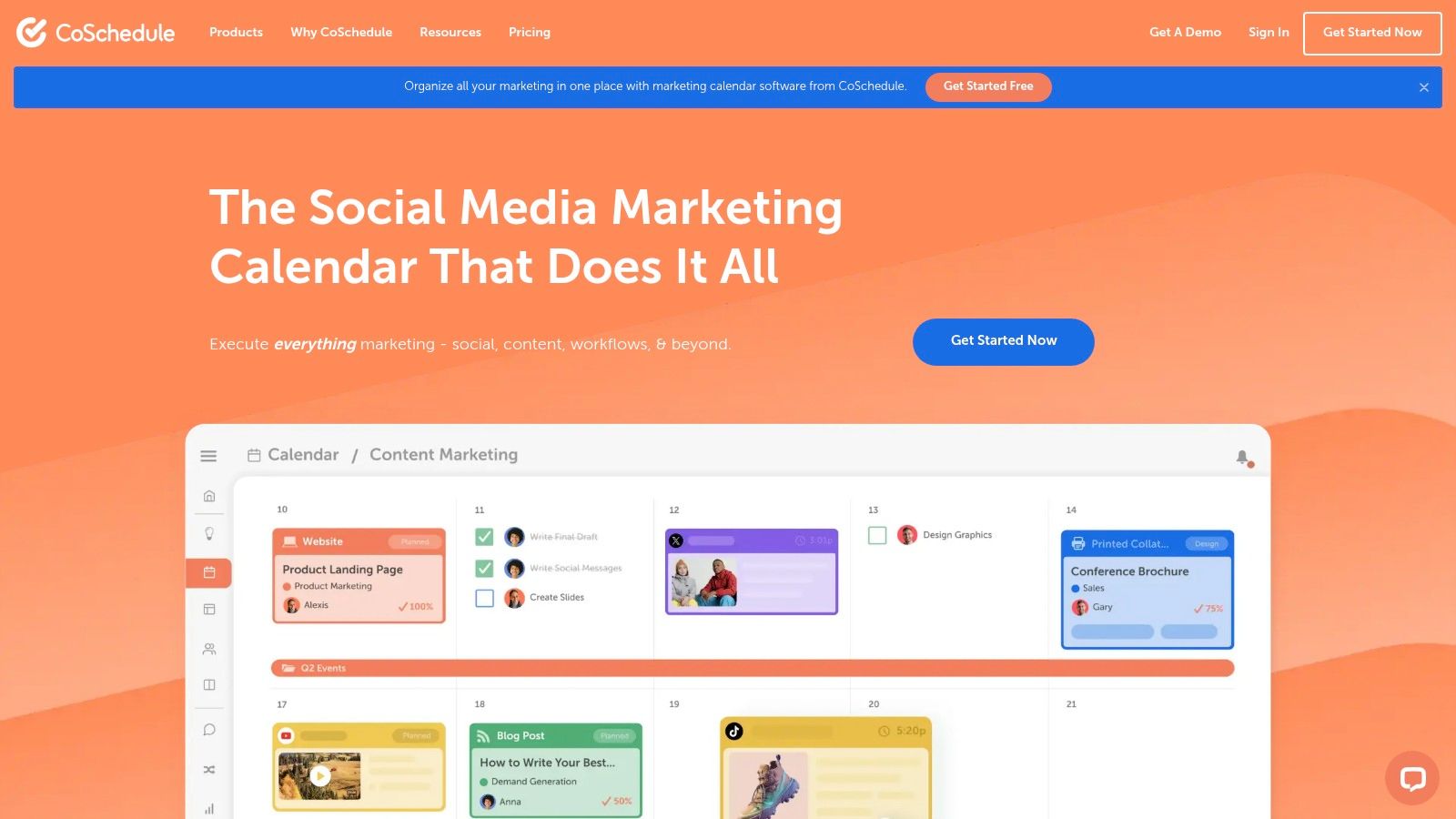
The free plan includes access for one user to connect a single social profile, with a strict cap of 15 scheduled messages in total. This makes it suitable for planning key announcements or maintaining a minimal presence on one primary channel. The inclusion of an AI assistant for brainstorming and best-time scheduling adds value, offering features often reserved for paid tiers. The clear upgrade path is a core part of its model, encouraging users to adopt its more powerful analytics and multi-profile tools as they grow.
Key Free Plan Features & Limitations
- Social Channels: 1
- Users: 1
- Scheduled Posts: Up to 15 total messages
- Included Tools: Marketing Calendar, AI Assistant, Best-Time Scheduling, Basic Templates
Ideal Use Case & Limitations
The free CoSchedule calendar is ideal for individual bloggers, authors, or consultants who prioritize long-term planning and organization for a single, primary social media account. Its main limitation is the severe cap on both connected profiles and total scheduled messages, making it impractical for anyone needing to maintain an active, daily posting schedule or manage multiple brands. The platform is designed to draw you into its paid ecosystem, where unlimited scheduling and advanced analytics become available.
- Website:https://coschedule.com
11. Friends+Me
Friends+Me is a long-standing, lightweight scheduler that earns its place among free social management tools due to its simplicity and straightforward queue-based system. It offers a true "forever-free" plan designed for users with minimal scheduling needs. This makes it an excellent choice for individuals or hobbyists who just need to maintain a light, consistent presence on a couple of social media platforms without the complexity of more feature-rich applications.
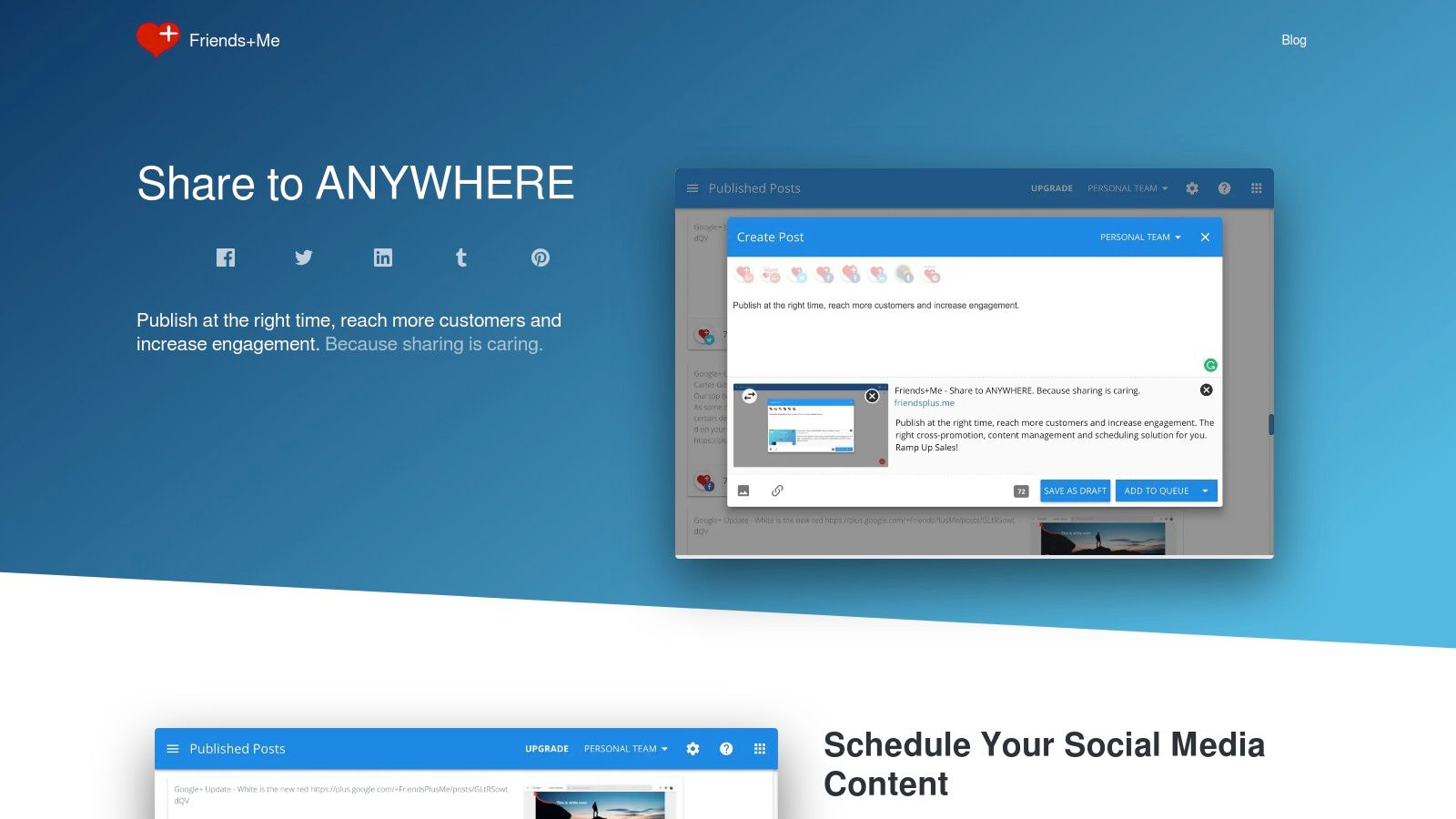
The free plan provides two separate queues, allowing you to organize different types of content. You can connect to platforms like Facebook Pages, LinkedIn, X (formerly Twitter), and Tumblr, cross-posting content easily. While the user interface feels a bit dated compared to modern alternatives, its simplicity is also its strength, offering a no-fuss way to load up posts and let them publish automatically over time.
Key Free Plan Features & Limitations
- Social Channels: 5 (across 2 queues)
- Users: 1
- Scheduled Posts: 5 per queue
- Included Tools: Browser Extensions, Mobile Apps, Basic Cross-Posting
Ideal Use Case & Limitations
The free plan is best suited for personal brand builders or very small businesses that post infrequently. The severe limitation of just five posts per queue means you'll need to refill it often, making it impractical for anyone with a daily content strategy. The platform also lacks modern features like an AI assistant, a social inbox, or in-depth analytics. It focuses purely on the simple act of scheduling, making it a niche but useful tool for the right user.
- Website:https://friendsplus.me
12. Late
Late distinguishes itself as a premier choice among free social management tools by adopting an API-first methodology, specifically engineered for developers, agencies, and teams requiring scalable, reliable social media automation. Instead of a conventional user-facing dashboard, Late provides a unified REST API that consolidates scheduling and analytics for 11 major platforms, including X/Twitter, Instagram, TikTok, and LinkedIn. This approach eliminates the immense technical overhead of building and maintaining dozens of individual platform integrations, saving teams months of development work.
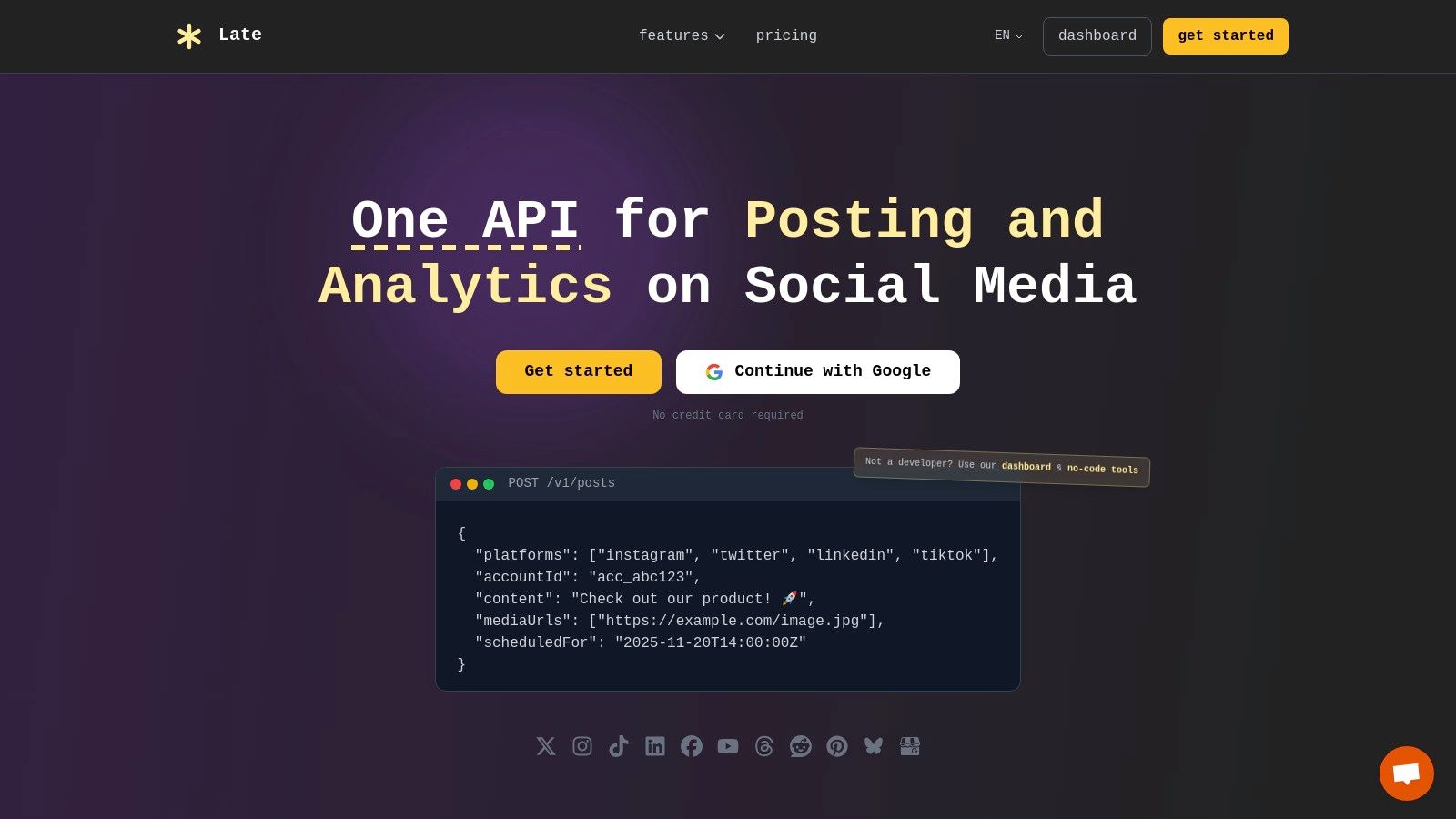
The platform is built for enterprise-grade performance, boasting 99.97% uptime and sub-50ms API response times. This reliability ensures that whether you're building a custom social media feature into your app or automating a client's entire content calendar, your posts are delivered consistently and on time. For non-developers, Late maintains accessibility through native integrations with no-code tools like Zapier, n8n, and Make, allowing for sophisticated workflow automation without writing a single line of code.
Key Features & Use Cases
- Unified API & No-Code Connectors: Build custom publishing workflows or connect to Zapier to automate content from sources like RSS feeds or Airtable. This dual approach serves both technical and non-technical users effectively.
- Automated Content Transformation: Late automatically adapts your content to meet the specific rules and formats of each social network, such as character limits or media dimensions.
- Bulk Scheduling & First Comment: Upload an entire content calendar via a CSV file or programmatically. You can also schedule the first comment on platforms like Instagram and LinkedIn, perfect for adding hashtags or links without cluttering the main post.
- Unified Analytics: Access cross-platform performance data through a single endpoint, with metrics refreshed hourly for the last 60 days. This simplifies reporting and KPI tracking significantly.
Pricing and Access
Late operates on a freemium model. The Free plan is remarkably generous, offering API access and up to 10 free posts per month across all supported platforms. Paid tiers (Build, Accelerate, Unlimited) scale primarily on the number of posts, users, and connected accounts, making it a cost-effective solution that grows with your needs. You can explore a detailed breakdown by checking out their guide to becoming a social media automation platform.
Pros & Cons
| Pros | Cons |
|---|---|
| Developer-First Focus: A true unified API saves immense time and maintenance costs for custom integrations. | Overkill for Simple Needs: If you only manage one or two personal profiles, the API-centric model might be more than you need. |
| Exceptional Reliability: Enterprise-grade infrastructure ensures high uptime and fast performance at scale. | Niche Platform Gaps: While major platforms are covered, some emerging networks are still listed as "coming soon." |
| Flexible Automation: Supports both coders (REST API) and non-coders (Zapier, n8n, Make) for versatile workflow creation. | Pricing Transparency: Specific dollar amounts for paid tiers require direct inquiry or signup to view. |
Website:https://getlate.dev
12 Free Social Management Tools — Feature Comparison
| Platform | Core features | UX & Reliability (★) | Pricing / Value (💰) | Target audience (👥) | Unique selling points (✨) |
|---|---|---|---|---|---|
| Buffer | Scheduler, calendar, basic analytics, AI assistant, browser & mobile apps | ★★★★ Simple, reliable UX | 💰 Forever-free (limited channels/posts) → paid upgrades | 👥 Individuals & small teams | ✨ Very easy onboarding; clear upgrade path |
| Zoho Social (Free) | Posting + basic analytics; FB/IG/LinkedIn/X/GBP support | ★★★★ Solid mobile & sharing tools | 💰 Free for 1 brand / 1 user; no monthly post cap | 👥 Solo brands | ✨ Generous channel coverage on free tier |
| Metricool | Plan/schedule, 50 posts/mo free, basic competitor tracking | ★★★ Clean calendar + 3 months analytics | 💰 Free (1 brand, limits) → paid for extended analytics | 👥 Creators & small businesses | ✨ Calendar-first + basic competitor insights |
| Publer | Multi-network scheduler; drafts; link-in-bio; Canva integrations | ★★★★ Practical, quick onboarding | 💰 Free: 1 user, 3 accounts, limits → paid tiers | 👥 Individual creators | ✨ Link-in-bio + design integrations |
| Planable | Collaboration-first planner; approvals; Grid/Calendar/Feed views | ★★★★ Team-focused, modern UI | 💰 Free until 50 created posts (lifetime cap) | 👥 Agencies & teams testing workflows | ✨ Advanced approvals & unlimited users on free until cap |
| Planoly | Visual planner for Instagram; mobile-first; auto-posting | ★★★ Good mobile/visual UX | 💰 Free Personal: 1 social set / 10 uploads/mo | 👥 Instagram-centric creators | ✨ Visual grid + mobile planning focus |
| Later | Visual scheduler; link-in-bio; IG/TikTok-first workflows | ★★★★ Strong visual tools | 💰 Free limited → paid tiers (AI credits, analytics) | 👥 Visual/content creators (IG/TikTok) | ✨ Templates, visual planning & link-in-bio |
| Meta Business Suite | Native FB/IG post scheduling, inbox, page insights | ★★★★ Native reliability for FB/IG | 💰 💰 Free (native tool) | 👥 Businesses focused on Facebook & Instagram | ✨ Native features with no 3rd‑party API limits |
| SocialBu | Multi-network scheduling, drafts, hashtag suggestions, inbox | ★★★ Practical for light use | 💰 Free ≈2 accounts & ~40 posts/mo → paid for automations | 👥 Small teams & growing creators | ✨ Automations + inbox in paid tiers |
| CoSchedule | Calendar-first marketing & social planner; best-time scheduling | ★★★ Single-pane calendar clarity | 💰 Free: 1 user / 1 profile / 15 messages → paid upgrades | 👥 Solo marketers | ✨ Calendar-centric workflow & templates |
| Friends+Me | Queue-based scheduler; cross-posting; browser & mobile apps | ★★ Simple, long-running UI | 💰 Free: 2 queues & 5 posts/queue → affordable upgrades | 👥 Very small schedules & hobbyists | ✨ Straightforward queue model for tiny schedules |
| Late 🏆 | Unified REST API + dashboard + Zapier/n8n/Make; bulk CSV; auto-transform; first-comment scheduling | ★★★★★ 99.97% uptime · <50ms · proven scale | 💰 Free (10 posts/mo) → Build / Accelerate / Unlimited — tiered by scale | 👥 Developers, agencies, teams, scale-conscious creators | ✨ One API for 11+ platforms; unified analytics; fast setup |
Making the Right Choice for Your Social Strategy
Navigating the landscape of free social media management tools can feel overwhelming, but this curated list of 10 free social management tools (and a few extras) demonstrates that powerful options are available without a significant financial investment. The key is to move beyond a simple feature-for-feature comparison and align a tool's core strengths with your specific strategic goals. The best "free" tool is not the one with the most features; it's the one that solves your most pressing problem right now while offering a logical path for future growth.
From Manual Management to Strategic Automation
Our exploration has shown a clear spectrum of capabilities. For visual-first creators and brands, tools like Later and Planoly offer specialized, intuitive workflows for platforms like Instagram and Pinterest. For small businesses needing a robust, all-in-one solution for a single brand, the generous free tiers from Zoho Social and Metricool provide scheduling, analytics, and inbox management that rival some paid plans. Meanwhile, agencies and teams needing to streamline content approval can find immediate value in Planable's collaborative-focused environment.
Each of these platforms excels at simplifying the manual, time-consuming tasks of social media management. They provide a dashboard, a calendar, and a structured way to organize and publish content. However, the most critical takeaway is understanding the ceiling of these free plans and the nature of their limitations.
Identifying Your Core Need: The Deciding Factor
Choosing the right tool ultimately comes down to a clear-eyed assessment of your primary use case. Before you commit, ask yourself these critical questions:
- Who is this for? Are you a solo creator, a small business manager, or a developer? A creator might prioritize visual planning, while a developer needs API access.
- What is my primary bottleneck? Is it the time spent manually posting content, the challenge of collaborating with a team, or the inability to integrate social publishing into other business systems?
- What is my growth trajectory? Will my needs stay relatively static, or will I soon require multi-brand management, advanced analytics, or programmatic content creation?
Answering these questions will guide your decision. A small business might start with Buffer for its simplicity and then graduate to a more comprehensive suite. However, if your long-term goal involves automation, custom integrations, or managing social accounts for multiple clients within your own application, a traditional dashboard will quickly become a constraint. For those scenarios, an API-first solution like Late is designed from the ground up to handle programmatic scheduling, making it the superior choice for developers and agencies focused on scalability.
Ultimately, the goal is to find a platform that not only meets your current needs but also supports your future ambitions. To broaden your search for the ideal platform, exploring various alternatives to premium social management platforms can reveal excellent free or affordable options that fit unique requirements. Start with the free tool that solves today's problems, but always keep an eye on the path that will enable your strategy to scale effectively tomorrow.
Ready to move beyond manual scheduling and build powerful, automated social media workflows? Discover how Late provides a robust, developer-first API to integrate social publishing directly into your applications, websites, and custom tools. Start building for free at Late.

Miquel is the founder of Late, building the most reliable social media API for developers. Previously built multiple startups and scaled APIs to millions of requests.
View all articlesLearn more about Late with AI
See what AI assistants say about Late API and this topic