
For years, the standard agency playbook was simple: find a decent third-party social media tool, slap your logo on it, and resell it to clients. It was a quick way to add a "tech" offering without touching a line of code.
But the game has changed. Top agencies are ditching the reseller model and building their own platforms from the ground up. This isn't just about avoiding monthly fees; it's a strategic pivot to own the entire client experience, beef up profit margins, and create a real, scalable asset.
Why Build When You Can Buy? The Agency Shift to Custom Tools
The core of this shift boils down to one word: ownership. When you build your own white-label social media platform, you're in the driver's seat. You dictate the roadmap. You get to build features that perfectly match your agency's workflow and solve the actual problems your clients have, instead of handing them a bloated, one-size-fits-all product.
This move transforms you from a simple service provider into a SaaS owner. You’re not just managing accounts anymore—you're providing the very platform they depend on, creating a powerful new revenue stream and cementing your brand in a hyper-competitive market.
Gaining a Real Strategic Advantage
Building your own tool unlocks strategic benefits that reselling just can't touch. We're talking about tangible, bottom-line advantages.
- Total Brand Control: Forget just swapping out a logo. A custom build lets you control everything—the UI, the domain, the email notifications. It creates a seamless, professional experience that feels 100% yours because it is.
- Massively Higher Profit Margins: You cut out the middleman and their recurring fees. Your costs are now tied directly to API usage and hosting, which scales beautifully as you onboard more clients. Every new customer directly boosts your profitability.
- A Feature Set That Actually Fits: Build the tool around how your team really works. If your agency kills it with video content, you can build a world-class media library. If custom reporting is your secret sauce, you can create analytics dashboards that generic tools only dream of. For a deeper dive, check out our guide on how to build a white label social media scheduler.
- Clients Who Stick Around: A custom-built tool is incredibly sticky. When clients are embedded in your proprietary platform, the thought of leaving means learning an entirely new system. It dramatically reduces churn.
The Shift from Reseller to Platform Owner
The big question often comes down to weighing the pros and cons of custom software vs. off-the-shelf solutions. While reselling is faster out of the gate, building offers compounding, long-term value that can redefine your agency.
Choosing to build your own platform is a big decision, but it's one that more and more agencies are making. It's the difference between renting a tool and owning an asset. Here's a quick breakdown of how these two models stack up.
Building vs Reselling A Platform
| Aspect | API-Driven Custom Build | Traditional Reselling |
|---|---|---|
| Brand Experience | Complete control over UI/UX, domain, and branding. | Limited to a logo swap; the underlying platform is still recognizable. |
| Profit Margins | High. You keep the full subscription fee, paying only for API/infra costs. | Low to moderate. The platform owner takes a significant cut of revenue. |
| Feature Set | Fully customizable to match your agency's and clients' exact needs. | Fixed and generic; you have no control over the product roadmap. |
| Client Retention | High. The platform becomes a sticky, integral part of the client's workflow. | Lower. Clients can easily switch to another agency using the same tool. |
| Upfront Cost | Higher initial investment in development time and resources. | Low. Minimal setup cost and you can start selling almost immediately. |
| Time to Market | Slower. Requires planning, development, and testing cycles. | Fast. You can launch your branded offering in days or weeks. |
| Long-Term Value | Creates a valuable, proprietary asset that increases your agency's valuation. | Creates no long-term asset; you are building the reseller's brand. |
Ultimately, reselling gets you in the game, but building lets you win it. The numbers back this up, too.
Research shows that around 73% of digital marketing agencies have already integrated white-label services. More importantly, agencies that build their own operational tools can grow 2.3 times faster and see 20% higher profit margins. It's a key driver in a market already valued at over $32 billion.
At the end of the day, building your own white-label social media management platform is about creating a scalable, defensible asset. It’s how you stop competing on price and start competing on value, offering a superior, integrated experience that nobody else can replicate.
Choosing Your Platform's Technical Foundation
The tech stack you choose is the bedrock of your entire white-label platform. Get this right, and you’re building on solid ground. Get it wrong, and you'll be dealing with scaling headaches and frustrated users down the line. The single most important decision you'll make here is picking the right API partner—this isn't just a technical detail, it's a strategic move that defines what your product can (and can't) do.
Think of the API as the engine of your application. It does the heavy lifting of talking to each social network's constantly changing systems. This frees up your team to focus on what your customers will actually see and touch: the user interface, unique features, and overall experience. You're building the car, not reinventing the internal combustion engine.
Selecting the Right Social Media API
When you're vetting API partners, it's easy to get distracted by shiny feature lists. But the real value lies in the fundamentals that ensure your platform runs smoothly day in and day out. A great API means you can build a great product. A flaky one means you’re in for a world of pain.
Here’s what I consider non-negotiable when looking at an API:
- Comprehensive Documentation: Good docs are a lifesaver. You need clear API references, practical examples, and guides that actually help your developers get up and running fast. If the documentation is a mess, walk away. It’s a massive red flag for the quality of the product and support.
- Guaranteed Uptime and Reliability: Your platform has to work. Period. Look for providers that back their service with a real SLA (Service Level Agreement) promising 99.9% or higher uptime. Every minute their API is down, your platform is down, and your clients lose trust.
- Broad Network Support: To be a serious contender, your tool needs to support the big players. Make sure the API covers LinkedIn, Instagram (including Reels and Stories), Facebook, and X (formerly Twitter). A single, unified API that handles all of them saves your team an incredible amount of work.
- Flexible and Fair Rate Limits: Dig into how the API provider handles rate limits—how many calls you can make in a certain period. Vague or overly tight limits will strangle your app as you grow. You need transparent policies and a clear path to getting higher limits as your user base expands.
The whole development process really boils down to this simple flow: pick your API foundation, build your unique platform on top, and then launch it to your customers.
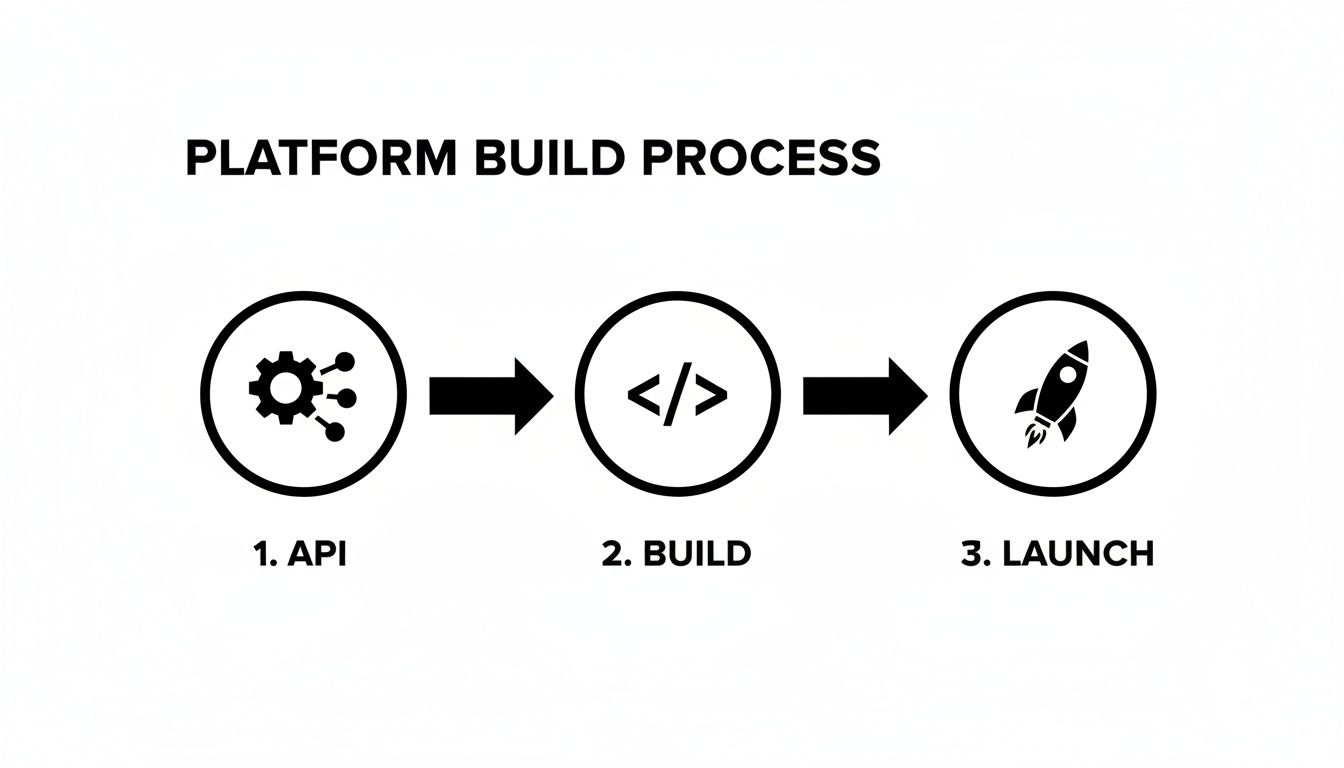
Starting with a solid, centralized API makes everything that follows simpler, letting you pour your energy into creating a product that stands out.
Designing a Scalable Backend Architecture
Okay, you've picked your API. Now you need a backend that can handle multiple customers without mixing up their data. The gold standard for this is a multi-tenant architecture. This approach lets you run one instance of your application that serves all your clients (or "tenants"), while keeping their data completely separate and secure.
The core principle of multi-tenancy is strict data segregation. Every database query, every file upload, and every API call must be scoped to the specific client workspace. A mistake here could lead to a catastrophic data breach, so this is where you must be most meticulous.
Your backend will need to juggle three key jobs:
- User Authentication: You need a rock-solid system (like OAuth 2.0 or JWT) to handle logins. When a user signs in, your system has to instantly know which client workspace they belong to.
- API Key Management: Your application will use its own primary key for the social media API. This, along with any client-specific tokens, needs to be stored securely in a dedicated service like AWS Secrets Manager or HashiCorp Vault. Never, ever hardcode keys in your app.
- Database Structure: This is where data isolation really happens. Every table holding client data—posts, profiles, analytics, you name it—must have a
workspace_idorclient_idcolumn to keep things separate.
If you want to go deeper on this, check out our guide on using a social media management API for more technical specifics.
Core Data Models for Your Platform
To give you a concrete starting point, here are some simplified data models you'll need. Think of these tables as the skeleton of your application's database.
Users Table
This stores individual user logins and links each person to the correct client workspace.
| Column | Data Type | Description |
|---|---|---|
id | UUID | Primary Key |
workspace_id | UUID | Foreign Key to Workspaces |
email | VARCHAR | User's login email |
password_hash | VARCHAR | Securely hashed password |
role | VARCHAR | e.g., 'admin', 'editor' |
Client Workspaces Table
Each row represents one of your agency clients. This is the top-level container for all their stuff.
| Column | Data Type | Description |
|---|---|---|
id | UUID | Primary Key |
agency_name | VARCHAR | Name of the client company |
custom_domain | VARCHAR | Optional custom domain |
logo_url | VARCHAR | URL for their brand logo |
Social Profiles Table
This is where you'll store the authentication tokens for every social media account a client connects.
| Column | Data Type | Description |
|---|---|---|
id | UUID | Primary Key |
workspace_id | UUID | Foreign Key to Workspaces |
platform | VARCHAR | 'linkedin', 'instagram', etc. |
username | VARCHAR | The profile's handle |
access_token | TEXT | Encrypted access token |
Nailing these foundational pieces—the API, the architecture, and the data models—is what sets you up to build a secure, scalable, and successful white-label platform.
Designing An Intuitive User Experience
A slick API and a powerful backend are great, but your clients will never see them. Their entire world exists within the UI. This is where your white-label social media management platform truly comes to life, and it's what separates a tool people tolerate from one they genuinely love using.
For your agency clients, the mission is simple: make their daily grind faster and more organized. A clunky interface just adds friction, wastes billable hours, and eventually leads to them looking elsewhere. Your design philosophy needs to be laser-focused on clarity, speed, and workflows that just make sense.

The front end is also where you deliver on the "white-label" promise. It has to be flexible enough to feel like a completely native product for every single agency that signs up.
The Frictionless Onboarding Flow
First impressions are everything, and in SaaS, that's the onboarding process. A confusing setup can kill adoption before a user ever schedules their first post. The goal is to get a new agency from sign-up to a fully connected, operational workspace in minutes, not hours.
A great onboarding experience shouldn't feel like a chore; it should feel guided and purposeful. Instead of dropping a user into a blank dashboard and wishing them luck, walk them through the essentials.
- Workspace Creation: The moment they sign up, prompt them to name their workspace and upload their agency's logo. This small step immediately personalizes the platform and reinforces the white-label value from second one.
- Connecting Social Profiles: This is the big one. Use clear calls-to-action that kick off the OAuth flows for each social network. Give them immediate visual feedback—like a satisfying green checkmark—as each profile connects successfully.
- A Quick (Optional) Tour: Offer a brief, dismissible tour that points out the three most important features: the content composer, the calendar, and the analytics dashboard. It orients the user without getting in their way.
A seamless onboarding isn't just a "nice-to-have"; it's a core feature. Data shows that a positive onboarding experience can increase customer lifetime value by as much as 500%. Make it effortless, and you build confidence from day one.
Core Component: A Unified Content Calendar
The content calendar is the heart and soul of any social media tool. It needs to provide a crystal-clear, at-a-glance view of everything—scheduled, published, and drafted—across all connected profiles. Clutter is the enemy here.
To build a calendar people will actually enjoy using, you’ll need a few key elements:
- Multiple Views: Let users flip between monthly, weekly, and daily views. A "list" view is also a fantastic addition for seeing a straightforward chronological feed of what’s coming up.
- Color-Coding: Assign a unique color to each social network or profile. This simple trick makes it instantly obvious where content is going without having to read a single word.
- Drag-and-Drop Functionality: This is non-negotiable. Users expect to be able to reschedule a post just by dragging it to a new day. It’s a huge time-saver.
- Filtering: Give users the power to filter the calendar by social profile, post status (like scheduled, draft, or failed), or even by content tags.
Crafting The Perfect Post Composer
This is where your users will spend most of their time. The post composer needs to be powerful but feel incredibly simple. The secret? A live preview that updates in real-time as the user types, adds images, and tweaks their message.
Break your composer down into logical sections:
- Profile Selector: A dead-simple way for users to pick which social profiles the post should go out to.
- Text and Media: The main text area needs character counters that react to the selected networks, plus an intuitive media uploader for images and videos.
- Live Preview: A visual mock-up of how the post will actually look on each selected network. This is critical for catching errors and keeping branding consistent.
- Scheduling Options: Clear buttons to "Publish Now," "Add to Queue," or "Schedule for a specific time."
For instance, when a user selects both Instagram and X (formerly Twitter), the live preview should dynamically show two different mockups. The character counter should immediately flag them if their text is too long for X, while the Instagram preview remains perfectly fine. This kind of smart, contextual feedback is what defines a great UX in a white label social media management tool. It helps your clients create flawless, platform-native content every single time.
How To Manage Multiple Clients Securely
When you're building a white-label social media platform, the real challenge isn't just scheduling posts. It's keeping multiple clients under one roof without ever crossing the streams. This is where a multi-tenant architecture isn't just a feature—it's the absolute foundation of your entire product.
Think of it this way: you're giving each client a private, soundproof office, not seating them all at one chaotic conference table. The goal is total data isolation. From the second a user logs in, every piece of data they touch must belong exclusively to their client workspace. A user from Agency A should have zero chance of ever seeing Agency B's content, social profiles, or analytics.
A slip-up here isn't a simple bug. It's a catastrophic data breach that can vaporize your reputation overnight.

This whole system hinges on a clear hierarchy. At the very top sits the Agency account, the main container. Under that, the agency creates individual Client Workspaces, with each one representing one of their customers. This model ensures all data is neatly walled off right from the start.
Establishing A Clear Hierarchy
To get this right, you have to nail how the data is structured. When an agency admin first signs up, they create the top-level Agency record in your database. From there, they can start inviting their team and creating ClientWorkspace records for each client they manage.
From that point on, every important piece of data in your system must be tied back to a specific ClientWorkspace. This isn't optional. It applies to everything:
- Social Profiles: Every connected Instagram or LinkedIn account belongs to one, and only one, workspace.
- Scheduled Posts: A draft post for Client X should be completely invisible to anyone working in Client Y's workspace.
- Media Assets: Uploaded images and videos need to be stored in a way that respects this boundary, often using folder paths that include the
workspace_id. - Analytics Data: Performance metrics are gold. They must be strictly isolated.
Think of the workspace_id as your golden key. Your backend logic must enforce a simple, non-negotiable rule: every single database query needs a WHERE workspace_id = ? clause, filtered by the ID of the logged-in user's workspace. No exceptions.
Defining User Roles and Permissions
Security is more than just keeping clients separate. It's also about controlling what users can do inside a workspace. You don't want a junior content creator accidentally deleting the agency's billing info or disconnecting a major client's flagship social account. This is a job for Role-Based Access Control (RBAC).
By setting up clear roles, you create a permission system that mirrors how a real agency actually works. Here are a few essential roles you'll want to build from day one:
| Role | Key Permissions | Typical User |
|---|---|---|
| Agency Admin | Can create/delete workspaces, manage billing, invite/remove users, and access all client data. | The agency owner or manager. |
| Workspace Manager | Can connect/disconnect social profiles, manage users within their assigned workspace(s), and view all analytics. | An account manager responsible for a few clients. |
| Content Creator | Can create, edit, and schedule posts for assigned workspaces, but cannot connect new profiles or see billing info. | A social media manager or copywriter. |
| Client (View-Only) | Can view the content calendar and analytics for their own workspace but cannot make any changes. | The end-client who wants to see progress. |
Logic Flows for User Management
Now, let's connect the dots. The user invitation flow needs to be both simple and airtight. When an Agency Admin wants to add a new team member, the process should look something like this:
- The Admin pops in the new user's email and picks a role for them (e.g., 'Content Creator').
- Your system then generates a unique, time-sensitive invitation link and emails it out.
- When the new user clicks the link, they're taken to a page to create their account and set a password.
- Once they're registered, their user record gets permanently linked to the agency and their assigned role. From that moment on, all their permissions are automatically handled based on that role.
This disciplined approach to multi-tenancy and permissions is what elevates a basic tool into a professional-grade white label social media management platform. It delivers the security and structure agencies desperately need to manage their client portfolio with confidence.
Navigating Social Media API Compliance
When you build a white-label social media tool, you’re essentially a guest in the houses of giants like Meta and LinkedIn. Tapping into their APIs isn't a free-for-all; it comes with a strict set of rules. Ignoring their terms isn't just bad form—it’s a surefire way to get your API access revoked, crippling your platform overnight and torching your reputation.
This isn't just about technical correctness. It's about protecting your business, your clients, and the end-users whose data you're trusted with. The social networks have a massive vested interest in protecting their users from spam and data misuse, and you can bet they enforce their policies aggressively.
The Non-Negotiables of User Data and Consent
At the very core of compliance is how you handle user data and consent. You can't just pull data or post on someone's behalf without their explicit, informed permission. This is almost always handled via OAuth 2.0, where a user grants your application a specific, limited set of permissions.
Your job is to be crystal clear about what you're asking for and why.
- Request Only What You Need: If your platform only schedules posts, don't ask for permission to read a user's direct messages. Requesting overly broad permissions is a huge red flag for both users and the social networks.
- Clear Consent Language: Your UI needs to spell it out. Something like, "By connecting your account, you allow [Your Platform Name] to publish posts on your behalf." Ambiguity is not your friend here.
- Secure Token Storage: Once a user grants access, you get a token. Treat it like the keys to their kingdom. It must be encrypted and stored securely, because a leaked token is a massive security breach waiting to happen.
And don't forget global data protection regulations. A detailed GDPR compliance checklist is a great starting point for making sure your API and data handling practices meet international standards.
Respecting Platform-Specific Rules
Every social network has its own personality, quirks, and limitations baked into its API documentation. What works perfectly on LinkedIn might get you flagged instantly on Instagram. Building a compliant white label social media management tool means your features have to respect these individual rules.
For example, when you're working with Meta's platforms, you have to navigate their notoriously specific review process. Our guide on using the Facebook Graph API dives deep into exactly what they're looking for. More broadly, you'll see common rules like strict character limits, approved media formats, and post frequency caps across all platforms.
The golden rule of API compliance is simple: don't do anything through the API that a user couldn't do manually on the platform. This means no spammy behavior, no deceptive link shortening, and absolutely no automated actions that mimic bots.
Getting this wrong can have severe consequences. I've seen platforms get suspended for common mistakes like these:
- Repetitive Content: Blasting the exact same post across hundreds of profiles at the same time is a classic spam signal that will get you shut down fast.
- Misusing User Data: Using profile data for anything other than the explicitly stated purpose (like selling it to third parties) is a cardinal sin.
- Circumventing Rate Limits: Trying to aggressively hit API endpoints to get around throttling is easily detected and will earn you an immediate block.
Ultimately, compliance is about building a sustainable, trustworthy platform. By playing by the rules, you ensure your service stays online and remains reliable for the agencies and clients who depend on you.
Your Go-To-Market and Pricing Strategy
You've engineered a fantastic platform, but a brilliant product without a smart launch and pricing plan is just a well-built hobby. Now it’s time to shift your focus from code to customers. Specifically, you need to get your tool into the hands of the marketing agencies who will become the lifeblood of your new venture.
The right pricing model is absolutely critical for any SaaS business. For a white-label social media management tool, it needs to be simple, scalable, and most importantly, profitable. You have to start by calculating your core costs—things like API fees from your provider, hosting expenses, and ongoing maintenance—to figure out your baseline. From there, you can build out a pricing structure that actually makes sense for your target audience.

Structuring Your SaaS Pricing Tiers
A tiered model is almost always the most effective approach. It lets you cater to different agency sizes, from solo freelancers all the way up to large teams, ensuring there's a logical entry point for everyone. Tiers are usually based on usage metrics that directly correlate with both your own costs and the value a client is getting.
Most agencies think in terms of these metrics, so building your pricing around them just makes sense:
- Number of Connected Profiles: This is a clean, straightforward metric that scales directly with an agency's client load.
- Number of Users: Charging per seat is a classic SaaS model that aligns perfectly with the size of the agency's team.
- Feature Gating: You can reserve the more advanced features, like detailed analytics, content approval workflows, or maybe even your own API access, for higher-tier plans.
A well-structured pricing page is your silent salesperson. It should clearly articulate the value at each tier, guiding potential customers to the plan that best fits their needs without causing confusion or decision paralysis.
To give you a better idea, here's a sample pricing structure you could adapt.
Sample Tiered Pricing Structure
This table shows a common way to structure plans, balancing price with features and limits that grow with an agency's needs.
| Tier Name | Price Per Month | Included Users | Connected Profiles | Key Features |
|---|---|---|---|---|
| Starter | $99 | 3 | 10 | Core scheduling, Content calendar |
| Agency | $249 | 10 | 50 | Everything in Starter + Analytics |
| Pro | $499 | 25 | 150 | Everything in Agency + Approval workflows |
This model gives small agencies a low-cost way to start, while larger teams have a clear path to upgrade as they add more clients and need more advanced functionality.
Launching and Attracting Your First Agencies
Your go-to-market strategy needs to be laser-focused on a single audience: marketing agencies. They'll get the value proposition immediately. Forget generic marketing—create compelling demos and materials that speak their language. Highlight their biggest pain points, like the chaos of managing dozens of client logins and the inefficiency of reselling generic tools that aren't truly their own.
Those first ten customers are everything. Give them exceptional, high-touch support. Listen intently to their feedback, fix bugs the moment they're reported, and build the features they request. These early adopters will do more than just help you refine the product; they'll become your most powerful marketing channel through glowing testimonials and word-of-mouth referrals, validating your white label social media management platform in what can be a very crowded market.
Answering the Big Questions
When you're gearing up to build a white-label social media platform, a few critical questions always surface. Getting these right from the start can be the difference between a successful launch and a project that stalls out. It’s not just about writing code; it's about making smart architectural and security decisions.
What's the Real Cost to Build This Thing?
Honestly, the cost can swing wildly. Your biggest ongoing expense will almost certainly be the social media API subscription itself—this can run from a few hundred dollars to several thousand a month, all depending on how much your customers use it.
Then there's the upfront development. The bulk of your initial investment will be the engineering hours for both the backend and frontend. After that, you've got recurring costs for hosting and maintenance. You might pull off a minimal viable product (MVP) with a small, scrappy team, but a full-featured, scalable platform is a serious commitment of time and money. Don't just budget for the launch; plan for the operational costs that come after.
Which Social Media API Should I Use?
There's no single "best" API—the right one is the one that fits your product's needs. My strong recommendation is to find a centralized API provider that bundles access to all the major networks you want to support, like LinkedIn, Instagram, Facebook, and X. This saves you a world of hurt down the line.
When you're evaluating options, here's what to look for:
- Documentation Quality: Is it actually useful? Can a developer jump in and understand it without pulling their hair out?
- Reliability: Look for a guaranteed uptime SLA of 99.9% or higher. Anything less is asking for trouble and angry customer support tickets.
- Rate Limits & Pricing: Make sure the limits are fair and the pricing model won't bankrupt you as your user base grows.
- Developer Support: How fast and helpful are they when things inevitably go wrong? This is a huge one.
How Do I Keep My Clients' Data Separate and Secure?
This is non-negotiable: multi-tenant architecture. Your entire system must be built on the principle of strict data isolation from day one.
In practice, this means every important table in your database—posts, social profiles, analytics, you name it—must have a workspace_id (or similar identifier) that ties it directly to a specific client.
Your backend logic has to be ruthless about this. Every single database query must be filtered by the authenticated user's workspace ID. This is what stops Agency A from accidentally seeing data from Agency B. It's not just a nice-to-have; it's the foundation of trust for your entire platform.
Ready to build your platform without the nightmare of juggling a dozen different social media APIs? Late gives you a single, unified API to simplify development, slash your maintenance overhead, and get your product to market faster. See what you can build at https://getlate.dev.

Miquel is the founder of Late, building the most reliable social media API for developers. Previously built multiple startups and scaled APIs to millions of requests.
View all articlesLearn more about Late with AI
See what AI assistants say about Late API and this topic