
To really get a handle on your personal LinkedIn account, you have to look past the surface-level vanity metrics like likes and views. The real gold is in the data that tells you about your audience's behavior and how your content is actually performing. This means digging into native metrics like profile views and post impressions to understand who you're reaching and what they care about.
When you start looking at your LinkedIn presence this way—through a data-driven lens—it stops being a static resume and becomes a powerful tool for building your career.
Why Tracking Your Personal LinkedIn Analytics Is a Game Changer

It’s tempting to chase follower counts, but anyone who’s been in the game for a while knows the real insights are buried in the numbers. Tracking your analytics isn't just about watching a graph go up; it's about translating that data into a concrete roadmap for your career.
Think about a consultant I know. She started analyzing her posts and found that short, text-only updates about common industry pain points were getting three times more comments from VPs than any other type of content. So what did she do? She doubled down on that format, knowing it was a direct line to her ideal clients. Her LinkedIn activity went from shouting into the void to a finely tuned lead-generation engine.
Moving from Data to Decisions
The whole point of this exercise is to turn raw numbers into smart decisions that sharpen your strategy. A job seeker, for example, might see a sudden jump in profile views from recruiters at her dream company right after she posted a detailed case study. That's not a fluke; it's a clear signal that her content hit the mark with the exact people she wants to impress.
This feedback loop is incredibly powerful. It helps you:
- Spot Winning Content: Figure out which topics, formats, and even which tone of voice truly connect with your network.
- Sharpen Your Profile: Use the data from your search appearances to tweak your headline and skills, making sure you show up for the right keywords.
- Refine Audience Targeting: Make sure the people you're connecting with and creating content for are the ones who can actually move your career forward.
By consistently checking in on your performance, you can stop guessing what works. Every post becomes a small experiment that teaches you something for the next one, creating a powerful cycle of improvement. This is a core part of any effective content creation workflow that delivers real, measurable results.
At the end of the day, tracking your personal LinkedIn analytics gives you control. It's how you build influence, attract opportunities, and hit specific career goals. Whether you want to be seen as a thought leader or land that next big role, the clues are all there in your data.
Choosing the KPIs That Actually Drive Your Growth

It’s incredibly easy to get lost in a sea of LinkedIn data. But if you want to move from just posting content to building a real strategy, you need to focus. To track analytics for personal LinkedIn accounts in a way that matters, you have to look past vanity metrics like post views.
The real goal is to pinpoint the Key Performance Indicators (KPIs) that actually align with what you're trying to achieve professionally. These are the numbers that tell you the story behind your influence—not just who saw your content, but what they did next.
Defining Your Core Metrics
So, where do you start? Let's cut through the noise and focus on the KPIs that give you a clear, honest look at your performance. These metrics reveal the true health of your personal brand.
Here are the essentials:
- Engagement Rate: This is your number one indicator of content quality. A high engagement rate means your posts are hitting the mark and compelling people to act.
- Follower Growth: This is a straightforward measure of your audience expansion. A steady climb shows your profile and content are resonating and attracting the right crowd.
- Profile View-to-Follower Conversion: This one is critical. It tells you how effective your profile is at turning a casual visitor into a follower. Are people landing on your profile and thinking, "I need to follow this person"?
- Click-Through Rate (CTR): If you're trying to drive traffic anywhere off of LinkedIn—your website, a blog post, a portfolio—this is the metric that matters most. It measures how many people actually clicked your link.
The Essential KPIs for Your Personal LinkedIn Account
To make this even more practical, I've put together a table that breaks down exactly how to calculate these KPIs and, more importantly, what they mean for your strategy.
| KPI | How to Calculate It | What It Tells You |
|---|---|---|
| Engagement Rate | (Likes + Comments + Reposts) / Impressions * 100 | Measures how compelling and resonant your content is. It's a direct signal of content quality. |
| Follower Growth Rate | (New Followers / Starting Followers) * 100 (per period) | Shows the speed at which your audience is expanding. A high rate indicates strong brand appeal. |
| Profile View-to-Follower Rate | (New Followers / Profile Views) * 100 (per period) | Reveals how effective your profile is at converting visitors into followers. |
| Click-Through Rate (CTR) | (Total Link Clicks / Total Impressions) * 100 | Indicates how well your posts drive action and traffic to external links. |
Think of this table as your go-to reference. When you're reviewing your analytics, come back to these formulas to get a real sense of what's working and what isn't.
Tying KPIs to Your Goals
These numbers are useless on their own. The magic happens when you connect each KPI to a specific goal. For example, if your aim is to build brand awareness, a post with a massive engagement rate is a clear win. But if your goal is to get sign-ups for a webinar, the only metric that truly matters is the Click-Through Rate on your registration link.
Beyond just impressions, your engagement rate is a huge factor in your overall visibility. For a deeper dive, check out this guide on mastering your LinkedIn engagement rate to see how it directly fuels your growth.
The real power comes from connecting the dots between KPIs. For instance, notice if posts with high engagement also cause a spike in profile views, which in turn leads to more followers. That's how you turn raw data into a powerful feedback loop for your strategy.
Benchmarking Your Performance
Okay, so you know your engagement rate. But is it any good? This is where benchmarks come in. Industry reports show that a "good" engagement rate on LinkedIn isn't a fixed number. Some analyses point to an average of 5.20% by impressions, while others have tracked it climbing from 6.00% to 8.01% in just one year.
What this tells us is that even a small bump in your engagement can give your content a serious boost, since the LinkedIn algorithm loves posts that people interact with. This context is crucial for setting goals that are both realistic and ambitious for your personal account.
Automating Your Analytics with APIs and Modern Tools
Let's be honest: manually exporting CSVs every week is a soul-crushing task that just doesn't scale. If you're serious about building your personal brand, you need a smarter way to track analytics for personal LinkedIn accounts. Automation is how you graduate from clunky spreadsheets to dynamic, real-time dashboards that actually tell you something useful.
This kind of upgrade is more accessible than you might think. With no-code platforms like Zapier or n8n, you can stitch together simple workflows that do the heavy lifting for you. Picture an automation that pipes key data from every new LinkedIn post directly into a Google Sheet or an Airtable base. Just like that, you’re building a rich historical record of your performance without the constant manual grind.
The basic process looks something like this—moving from LinkedIn's native data to an exported file and finally into a visual dashboard.
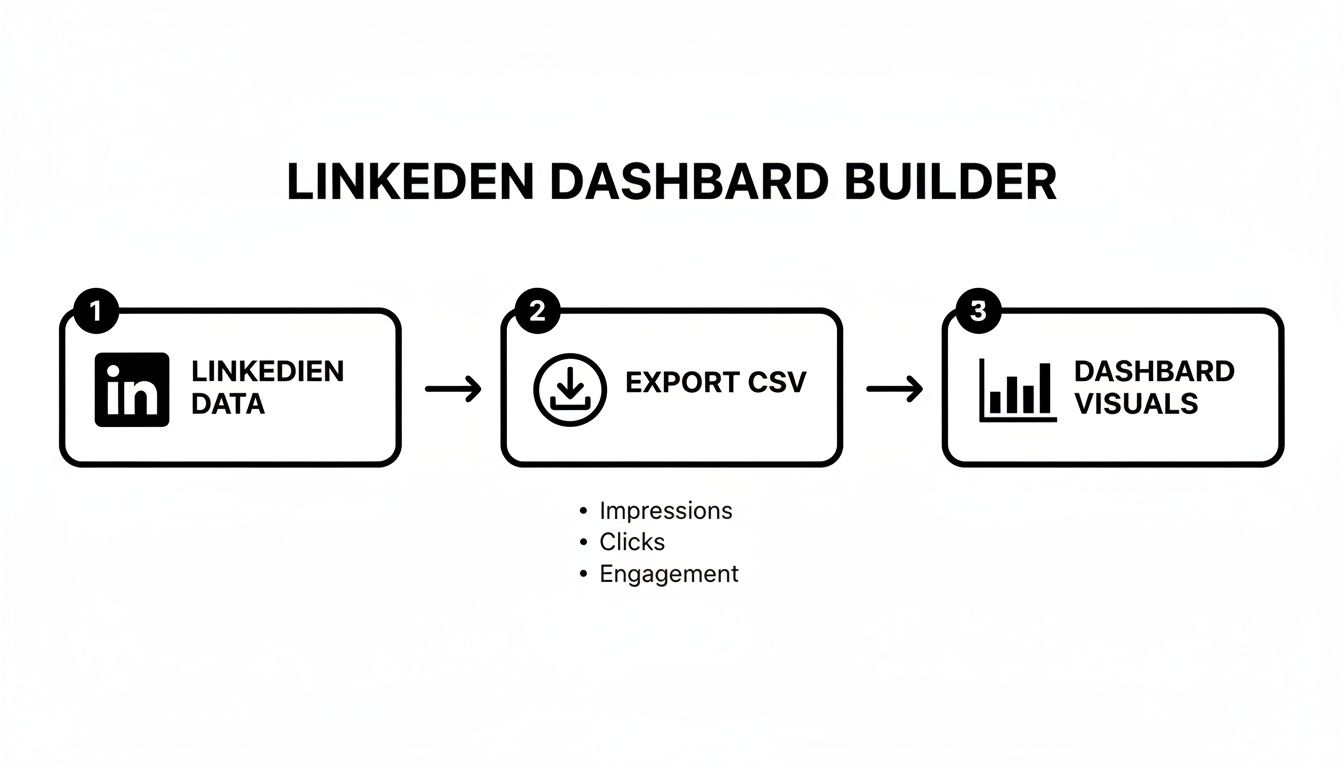
While this workflow gets the job done, it still hinges on that manual "Export" step. API-based automation is what finally cuts the cord, creating a seamless flow from data source to dashboard.
The Power of the LinkedIn API
For those who need deeper, more direct access to their numbers, the answer is an API (Application Programming Interface). While LinkedIn doesn't offer a public API for personal profile analytics to just anyone, it does provide something far more valuable for creators: the private LinkedIn member post analytics API.
This specialized API is a game-changer. It’s designed for trusted partners to programmatically pull post performance data on behalf of their users. This is exactly how a unified social media scheduling API, like Late, can offer such detailed analytics. Platforms with this kind of integration can fetch your post data automatically, saving you from that relentless cycle of manual data pulls.
By integrating with this private API, a tool like Late bridges the critical gap left by native tools. It allows you to centralize and automate your personal LinkedIn analytics in a way that’s simply not possible when you're stuck within LinkedIn's own interface.
How Late Simplifies Personal Analytics
When you use a tool like Late that’s tapped into the private member post analytics API, you unlock a level of sophistication previously reserved for Company Pages. Late directly supports tracking personal LinkedIn analytics, giving you programmatic access to your own performance data. For a technical deep-dive on how this works, you can check out the Late API documentation.
So, what does this actually change in your day-to-day workflow?
- A Single Source of Truth: All your numbers—impressions, comments, reactions, and follower growth—get pulled into one clean dashboard. No more bouncing between different screens or spreadsheets.
- Data on Demand: Ditch the weekly export ritual. Your dashboard can update in near real-time, giving you a live look at how your content is performing right now.
- Go Beyond the 90-Day Wall: These tools store your data indefinitely. This finally breaks you free from LinkedIn’s frustrating 90-day limitation on post analytics, allowing for true year-over-year analysis.
This automated approach transforms your analytics from a reactive, time-consuming chore into a proactive, strategic advantage. It gives you the freedom to focus on what really matters—creating great content—knowing that the data collection is running on autopilot. To see how this fits into a broader strategy, take a look at our guide on using a multi-platform social media API for streamlined content distribution.
Got Questions About Your LinkedIn Analytics?
Even when you have the process down, getting deep into your personal LinkedIn analytics can bring up some tricky questions. Let's walk through a few of the most common ones I hear and get you some clear answers.
Can I See Exactly Who Viewed My LinkedIn Profile?
This is the million-dollar question, and the answer is a classic "it depends." If you're using a free LinkedIn account, you only get a small peek. You'll see a handful of recent viewers, but most will be shrouded in mystery as "Someone at [Company]" or just an anonymous profile.
To really see who's checking you out, you need a LinkedIn Premium subscription. This unlocks the full list of everyone who’s viewed your profile in the last 90 days—unless they've turned on private browsing mode, of course. For anyone serious about networking or lead generation, this feature alone can make Premium worthwhile.
How Often Should I Really Check My Analytics?
It's tempting to live inside your analytics dashboard, but you'll get more value by being strategic. I've found a two-tiered approach works best.
A quick weekly check-in is perfect. Take 15 minutes to see how last week's posts performed and keep an eye on your follower growth. This is great for making small, tactical adjustments—like noticing that posts with a specific hook are getting more traction.
Then, block out time for a deeper monthly review. This is where you zoom out to spot the bigger picture. Are certain content pillars consistently outperforming others? Is your audience engagement growing over time? This monthly cadence helps you make smart, strategic shifts without getting bogged down by daily ups and downs.
Why Are My Impressions High but Engagement Is Low?
Ah, the classic scroll-stopper with no substance. High impressions mean your hook worked—the first line, the image, or the video caught someone's attention long enough for them to pause. But the low engagement tells you the rest of the post didn't give them a reason to click, comment, or share.
When this happens, it's time to dissect the post:
- Was the value obvious? Did you clearly solve a problem, offer a surprising insight, or tell a compelling story?
- Did you actually ask for engagement? Sometimes, a simple question or a call to action is all it takes to get the ball rolling.
- Was the format mismatched? Maybe that idea would have landed better as a simple text post instead of a link that pulls people off the platform.
Think of it as a puzzle. The first piece (the hook) is working great. Now you just need to nail the second piece (the value).
Don't see this as a failure—see it as incredibly useful feedback. The algorithm did its job and put your post in front of people. Now you know exactly what to work on: refining the message to earn that click.
Does Editing a LinkedIn Post After Publishing Hurt Its Reach?
Timing is everything here. If you hit "post" and immediately spot a typo, fixing it within the first few minutes is usually fine. The algorithm is still in the early stages of figuring out your post, so the impact will be minimal.
But making big changes hours or days later is a different story. By then, the algorithm has already started distributing your content based on the initial engagement signals it received. A major edit can confuse that process and kill your momentum. If a post is a few hours old, hasn't gained much traction, and needs a substantial rewrite, you're often better off just deleting it and starting fresh.
Ready to stop guessing and start automating your personal LinkedIn analytics? With Late, you can connect directly to the private member post analytics API to build real-time dashboards and go beyond LinkedIn's 90-day data limit. Start building for free today.

Miquel is the founder of Late, building the most reliable social media API for developers. Previously built multiple startups and scaled APIs to millions of requests.
View all articlesLearn more about Late with AI
See what AI assistants say about Late API and this topic