
Social media integration is fast becoming an essential feature in modern SaaS applications. Whether it is used for authentication (social login) or for enabling users to share milestones and achievements with a single click, integrating social platforms enhances user engagement and product visibility.
But how do you ensure that this integration is seamless and easy to maintain?
In this tutorial, you will learn:
- Why social media integration matters for SaaS applications.
- How and when to build a custom integration from scratch or use a unified social media API.
- A comparison between DIY and unified integration approaches (with code examples).
- A real-world example of social media integration in action.
Why Social Media Integration Is Essential for SaaS Apps
In today's competitive SaaS ecosystem, standalone applications are rapidly losing relevance. Modern users expect seamless connectivity between platforms, enabling them to authenticate and share content without friction.
Social media integration allows SaaS apps to offer features such as social login, one-click content sharing, and automated publishing. These capabilities not only improve user experience but also increase product visibility, customer acquisition, and engagement rates.
Social media integration has become a strategic growth lever for SaaS businesses aiming to scale efficiently. Below are some benefits of integrating social media platforms into your SaaS application:
Reduced Onboarding Friction (Social Auth)
One of the biggest growth challenges for any SaaS app is user onboarding friction. Requiring users to create a new username and password increases sign-up drop-off rates and negatively impacts conversion.
By implementing social login through OAuth authentication (such as Login with Google, LinkedIn, or GitHub), users can create an account and access your platform in just a few clicks, reducing bounce rates, improving user acquisition, and enhancing the overall onboarding experience.
In addition to increasing conversion rates, OAuth-based social authentication also reduces password-related support tickets and strengthens account security through trusted identity providers.
Viral Loops and Organic Growth
Social media integration enables SaaS platforms to turn user achievements into organic marketing opportunities. For instance, when users complete milestones such as finishing a project, reaching a fitness goal, generating a report, or maintaining a usage streak, built-in social sharing features allow them to publish these achievements directly to platforms like LinkedIn or X (formerly Twitter).
This type of social media sharing creates a viral growth loop. Each shared milestone exposes your SaaS product to new audiences, generating referral traffic and increasing brand awareness without paid advertising. Over time, this network effect supports product-led growth by transforming existing users into brand advocates and organic acquisition channels.
Data Enrichment and Personalisation
Social media integrations provide access to rich user metadata that would otherwise take months to collect via forms. With user authorisation, you can learn about what your users really want by pulling their professional details or interests to personalise the dashboard or recommend specific features. As a result, this improves user engagement and increases retention rates.
Interoperability with CRMs and CMS Platforms
For many B2B users, social media platforms are an integral part of their workflow. CRMs that do not sync with LinkedIn, marketing tools that cannot post directly to Instagram, or content management systems (CMS) without social sharing functionality feel incomplete.
Integrating social media directly into your SaaS application enables users to manage their professional and social presence without leaving your platform. By eliminating context switching, that is, constantly moving between tabs or apps, you create a seamless user experience that keeps your users engaged and satisfied.
Social media integration across CRMs, marketing tools, and CMS platforms ensures that your SaaS product becomes a central hub for professional workflows, increasing long-term retention.
Social Media Integration: DIY vs Unified API for SaaS Apps
When integrating social media into your SaaS application, you have two main approaches:
Build it Yourself (DIY Integration) - This process involves using the platform's official API and developer documentation directly to implement social authentication and content sharing. It gives you full control over your integration, but processes such as handling multiple endpoints and their rate limits, API updates, and ensuring security compliance will need to be managed by you.
Use a Unified API - Alternatively, you can leverage unified APIs, such as the Late API, to manage these processes for you and even enable you to integrate and interact with multiple social media platforms through a single, consistent interface. A unified API eliminates the need to manage multiple endpoints individually.
Choosing between DIY and unified API integration depends on your team's technical resources, time-to-market goals, and the level of customisation required.
Late is an all-in-one social media scheduling platform that allows you to connect multiple social media accounts and publish posts across them. With its API, you can schedule and publish social media content, including images or videos, across 13 platforms.
The Hidden Costs of DIY Social Media Integration
While a DIY integration may seem cost-effective for small teams or single-platform projects, it often hides substantial long-term engineering costs. These costs arise from constantly adapting to volatile API changes, managing OAuth security at scale, and handling platform-specific requirements and rate limits.
Integrating directly with each native social media API forces your development team to shift focus from building core product features to managing integration overhead. Hidden costs include:
- Volatile API Environments: Major platform updates, such as the Facebook v18 and Twitter v1.1 deprecation, can break your integration and force you to rebuild.
- Security Scaling: Managing OAuth tokens, encryption, and secrets for thousands of users grows exponentially complex as your app scales.
- Infrastructure Overhead: Custom logic is required to handle rate limiting, retries, and error recovery to prevent data loss.
- Media Fragmentation: Each platform has unique requirements for images, videos, and file formats, requiring custom processing per network.
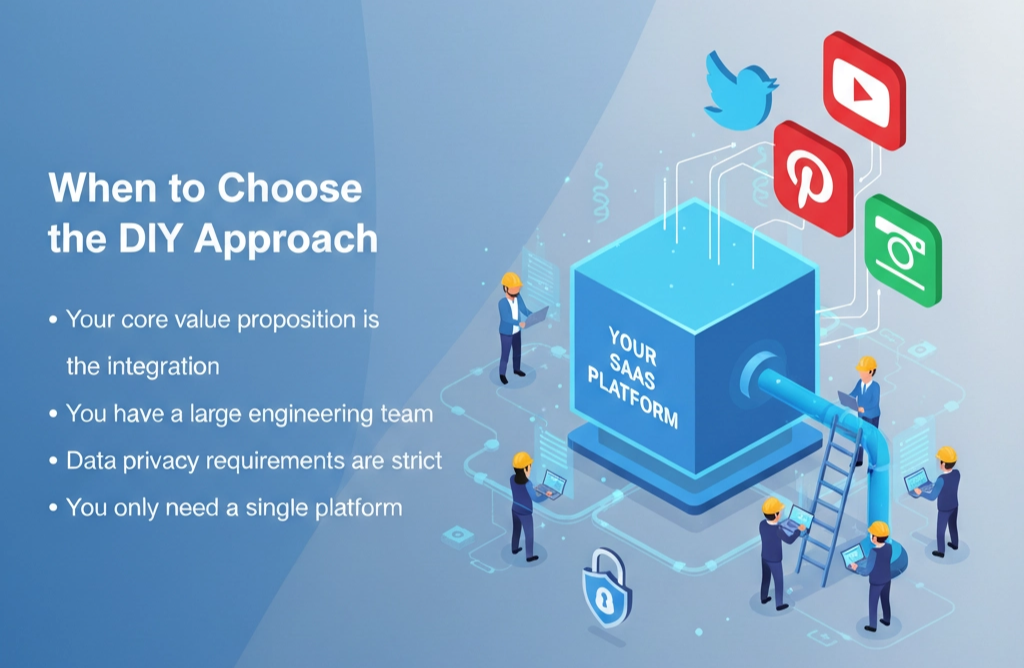
When to Choose the DIY Approach
- Your core value proposition is the integration: Tools that rely on full platform-specific features, like a LinkedIn-only automation product, require all the platform's API capabilities.
- You have a large engineering team: Teams can dedicate engineers specifically to integrations and ongoing maintenance.
- Data privacy requirements are strict: Legal or compliance rules may prevent third-party APIs from handling sensitive tokens.
- You only need a single platform: For one-off integrations, the complexity of a unified API may outweigh its benefits.
Using a Unified Social Media API (The Modern Approach)
Modern SaaS applications often rely on multiple social media platforms, making DIY integration complex, time-consuming, and maintenance-heavy. A Unified Social Media API abstracts the fragmented APIs of individual platforms into a single, standardised interface, simplifying multi-platform integration.
This approach is particularly beneficial for SaaS products that prioritise rapid time-to-market, as it removes the burden of managing multiple OAuth flows, disparate data schemas, and platform-specific quirks, enabling you to focus on building your core product features.
Some of its advantages include:
- Middleware for All Platforms: Unified APIs translate your app's single request into the specific language of each connected social network.
- Multi-Platform Efficiency: Ideal for applications that require connectivity across several platforms, reducing maintenance overhead and accelerating deployment.
- Complexity Abstraction: Data from TikTok, LinkedIn, Instagram, and other platforms is normalised into a consistent JSON structure, so your application code remains unchanged.
- Single Endpoint Architecture: Connect to dozens of platforms through one integration, dramatically reducing codebase size and development complexity.
- Hands-Off OAuth Management: The provider handles authentication, token refresh cycles, and user sessions, ensuring seamless access without manual intervention.
When to Choose a Unified API
- You are a Lean Startup: You prioritise speed or need to launch your MVP in days instead of months.
- Multi-Platform Support is Critical: Ideal for social media schedulers or influencer marketing tools that connect to multiple social media platforms.
- Focus on Core Product Features: When you prioritise unique product functionality and core features rather than maintaining individual API integrations.
Comparison Table: DIY vs. Unified API
When developing a SaaS application, choosing between building integrations from scratch or using a unified API is a classic Build vs Buy dilemma. Below is a detailed comparison to help you decide which path fits your product roadmap.
| Feature | DIY Approach (Native APIs) | Unified API Approach (Middleware) |
|---|---|---|
| Initial Dev Time | High. Weeks/months spent reading documentation for each platform (Meta, LinkedIn, X). | Low. Days spent integrating a single, standardised schema. |
| Maintenance | Extreme. You must fix breaks every time a platform updates its API or documentation. | None. The provider handles all upstream API changes and versioning. |
| Feature Depth | Full. Access to every niche endpoint and beta feature the platform offers. | Standardised. Limited to the features supported by the middleware. |
| Authentication | Complex. You must manage OAuth flows, token refreshes, and secrets for every app. | Simplified. Usually provides pre-built UI component for all platforms. |
| Scalability | Linear Effort. Adding subsequent platforms takes as much work as the first. | Instant. Adding a new platform usually requires just one line of code change. |
| Data Consistency | Variable. Every platform returns data in different formats (JSON structures vary wildly). | Normalised. Data is cleaned and mapped to a consistent format regardless of the source. |
| Rate Limiting | Direct. You deal directly with the platform's limits and headers. | Aggregated. The provider often manages queuing and throttling for you. |
Social Media Integration for SaaS Apps (Code Examples)
In this section, you will learn how to authenticate users via LinkedIn, using its API (DIY approach) and a unified API (Late API).
DIY Approach: The LinkedIn Developer Portal
The LinkedIn Developer Portal is where you create and manage applications that can securely access LinkedIn APIs, enabling you to configure authentication, request permissions, and manage access to LinkedIn resources.
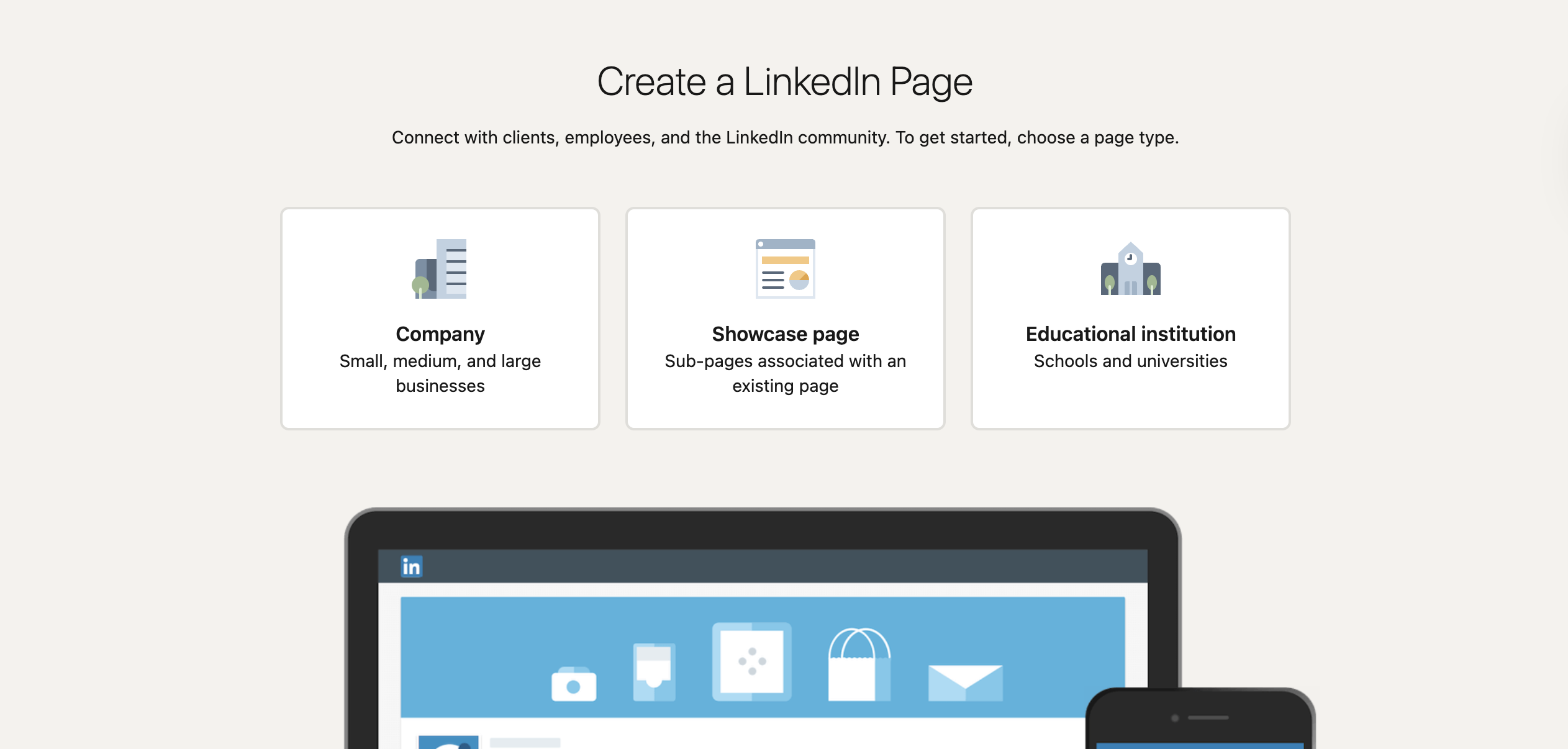
To get started, you must create a LinkedIn page that will be linked with the application.
Then, navigate to the LinkedIn Developer Portal to create the application.
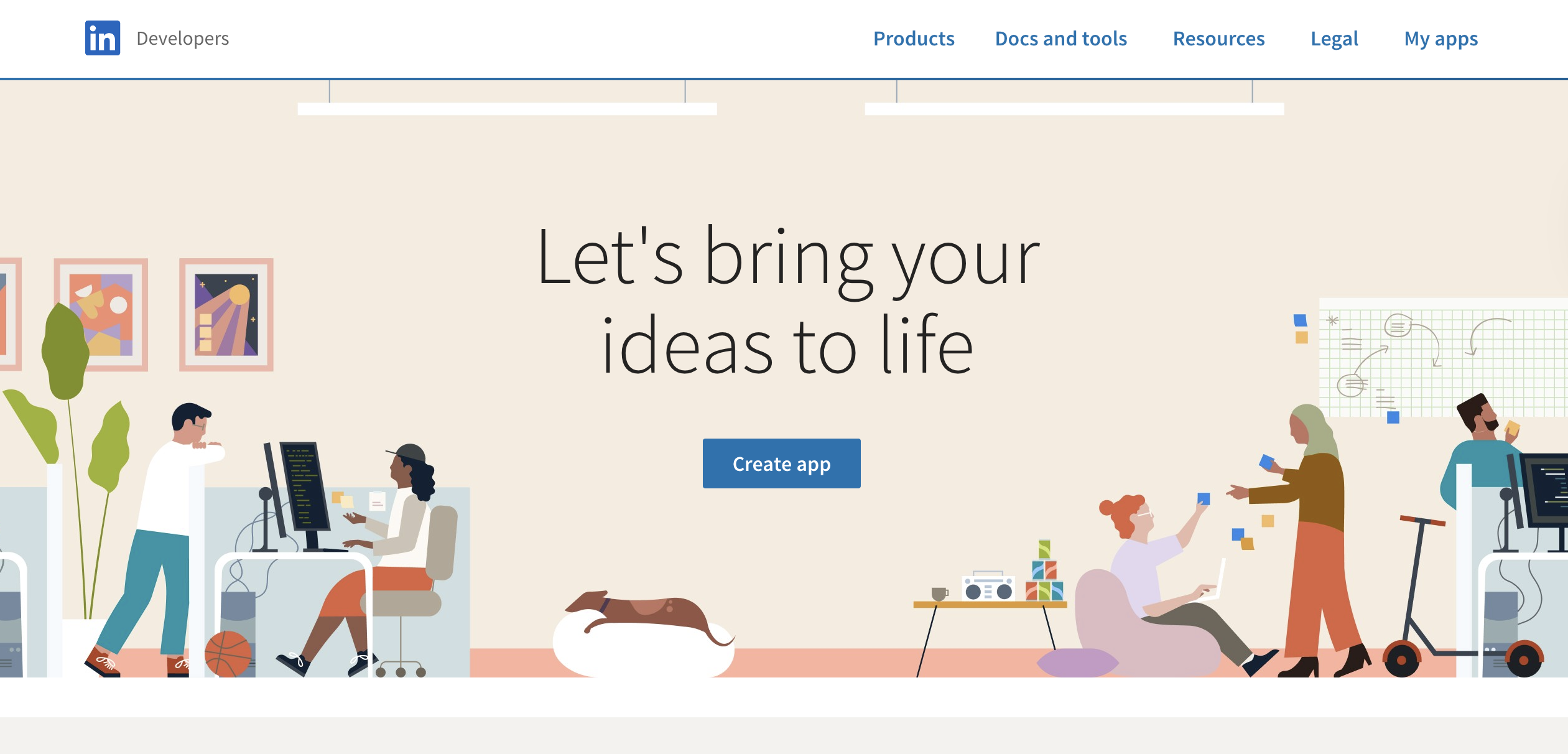
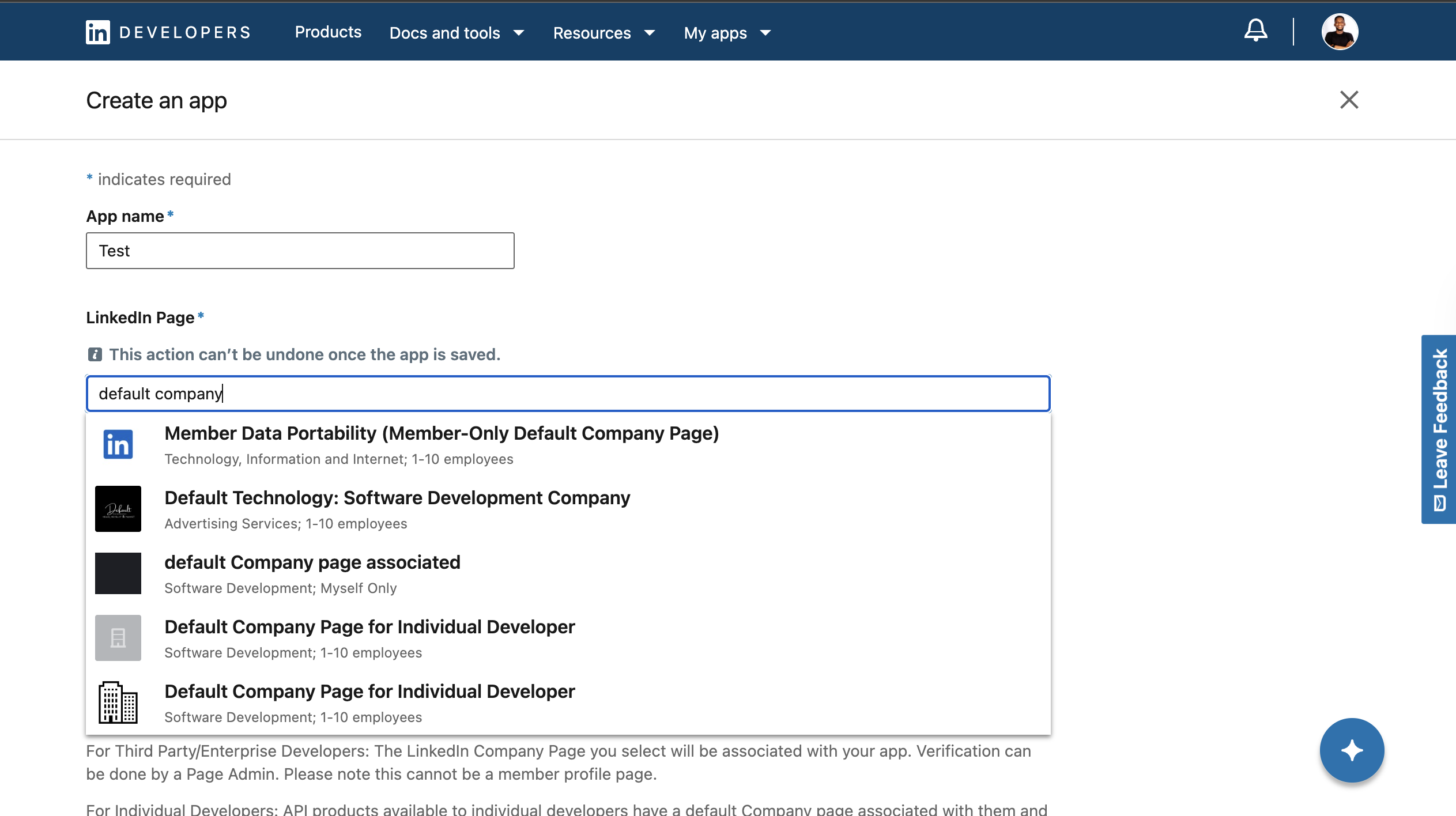
Provide your App name, upload the logo, and select your newly created page from the drop-down list to create the app.
Next, verify the LinkedIn page to ensure you authorised linking it with the app.
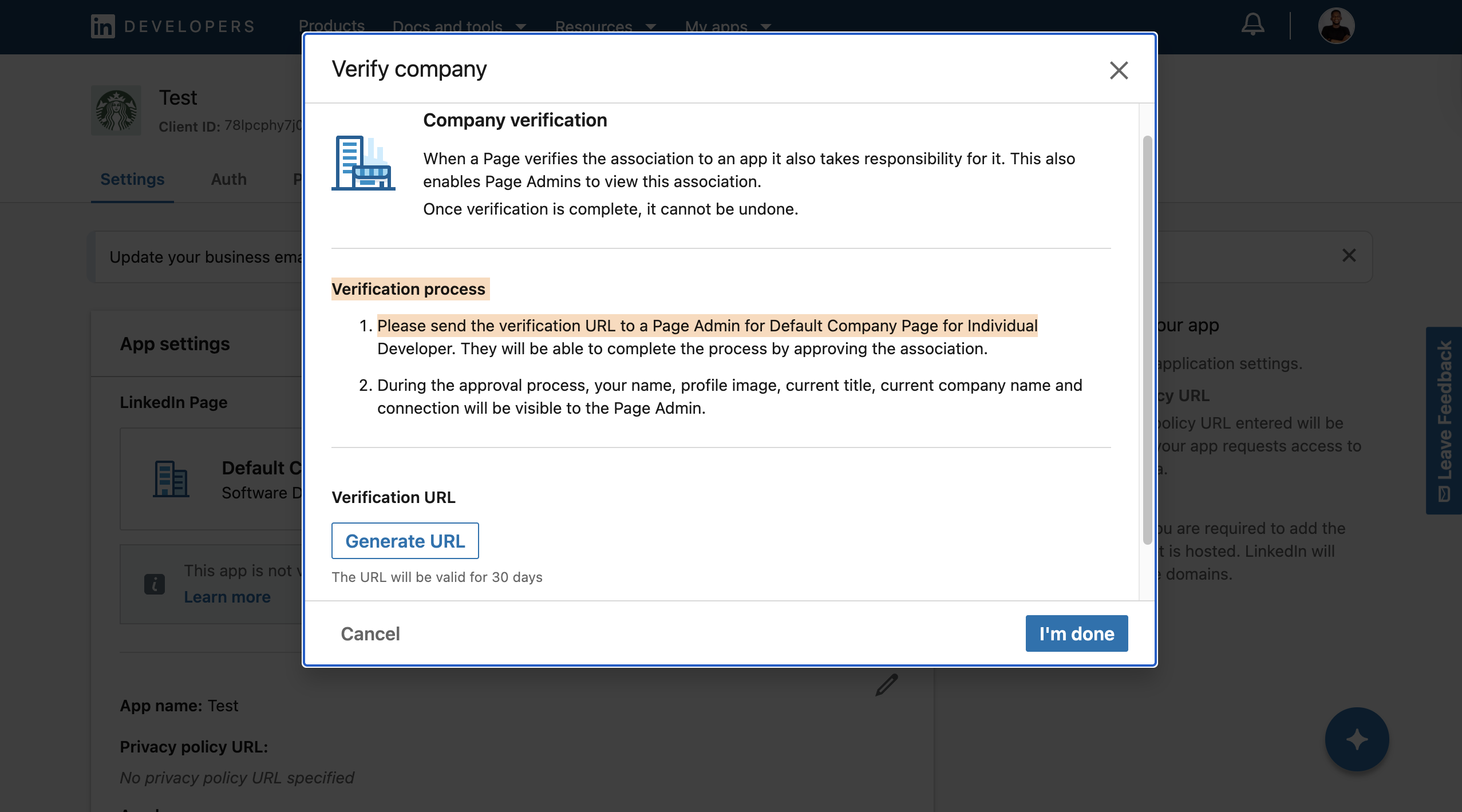
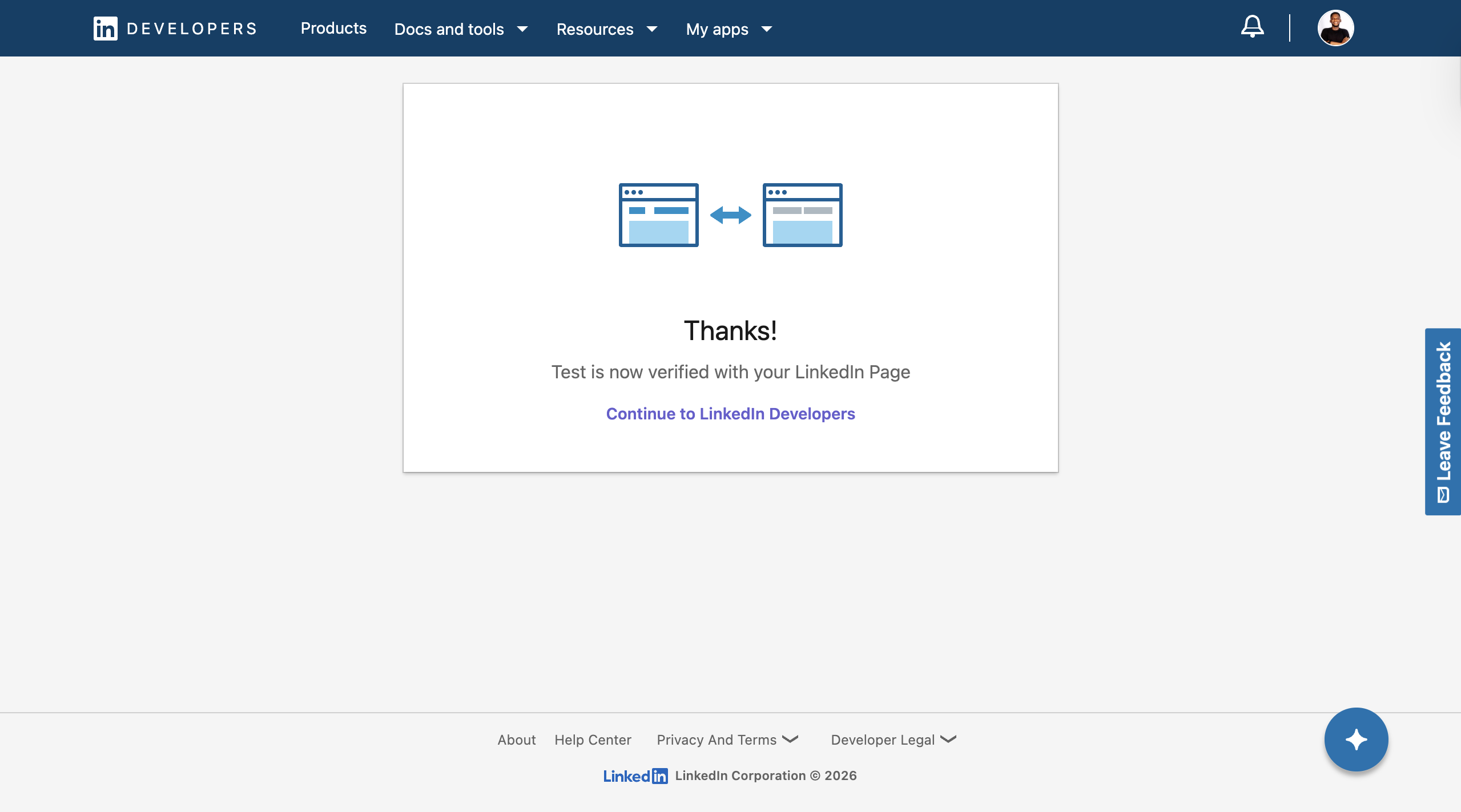
It will display a dialogue box that asks you to generate the verification URL. Generate it and open the link in your browser to verify the page.
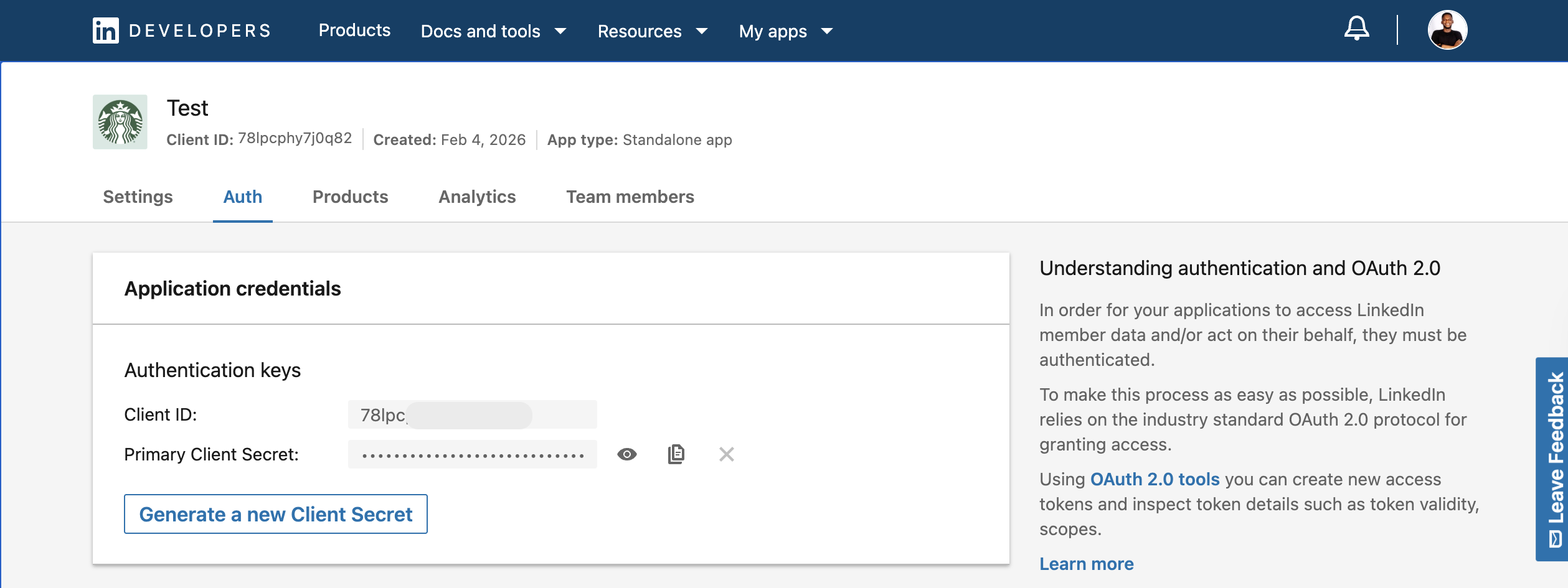
After successfully creating the application, a client ID and primary client secret have been issued for your app's authentication and authorisation. Copy and save them for later.
Finally, click the Products tab and request access to user authentication and sharing of posts on LinkedIn.
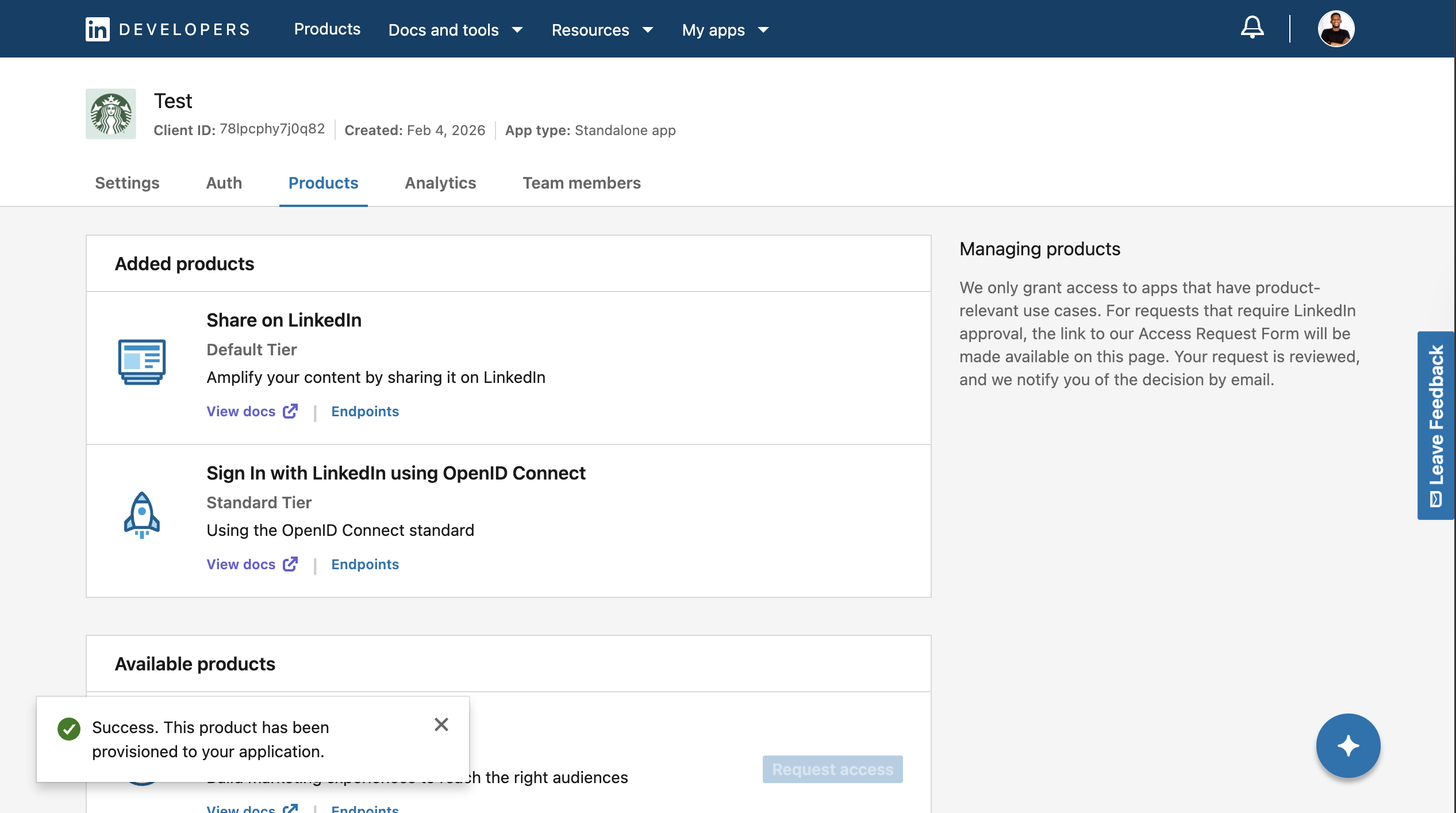
Congratulations! You can start authenticating users and creating posts via the LinkedIn API.
LinkedIn API Authentication Workflow
In this section, you will implement the LinkedIn API 3-legged OAuth flow, which involves requesting an authorisation code from LinkedIn, exchanging it for an access token, and using that token to access member data.
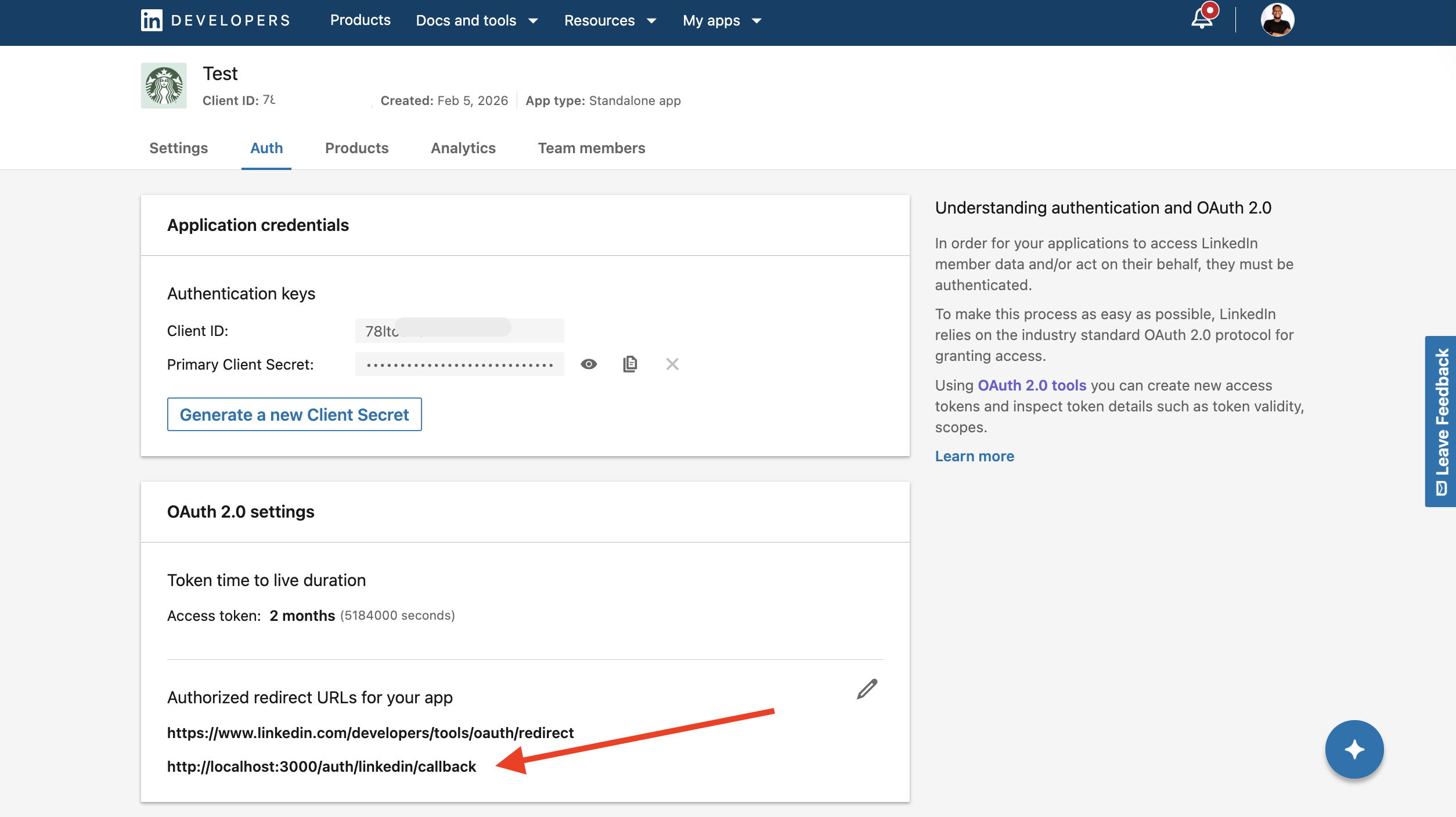
Before we proceed, add the following redirect URL to the list of Redirect URLs in your LinkedIn developer dashboard. LinkedIn will send the authorisation code to this URL during this development phase.
http://localhost:3000/auth/linkedin/callback
The examples in this guide are written in JavaScript. Therefore, install the following tools to ensure you can execute the code on your computer:
- Node.js - a JavaScript runtime used to run the example code locally. You can download it from the official Node.js website and verify your installation by running
node -vin your terminal. - Code editor - any modern code editor will work. This tutorial uses Visual Studio Code, but you can use your preferred editor.
DIY Social Media Integration: LinkedIn API Code Walkthrough
Create a new folder for the project and install a package.json file using the code snippet below:
mkdir linkedin-api-guide
cd linkedin-api-guide
npm init -y
Run the following code snippet in the terminal to install the project dependencies:
npm install axios dotenv express
Add an index.js and .env file to the project directory:
cd linkedin-api-guide
touch index.js .env
Declare the following variables within the .env file and fill it with your credentials:
ACCESS_TOKEN=
CLIENT_ID=<your_LinkedIn_client_ID>
CLIENT_SECRET=<your_LinkedIn_client_secret>
URI=http://localhost:3000/auth/linkedin/callback
Now let's implement the member authorisation (3-legged) workflow.
Copy the following code snippet into the index.js file to import the packages and environment variables:
// Package imports
require("dotenv").config();
const express = require("express");
const axios = require("axios");
const app = express();

// Environment variables
const CLIENT_ID = process.env.CLIENT_ID;
const CLIENT_SECRET = process.env.CLIENT_SECRET;
const REDIRECT_URI = process.env.URI;
The dotenv package loads environment variables from a .env file into your application, keeping sensitive credentials out of your source code. Express provides a lightweight web server for handling OAuth redirects and API routes, while Axios is used to send HTTP requests to LinkedIn's API endpoints.
Add the following code snippet into the index.js file:
app.get("/auth/linkedin", (req, res) => {
  const scope = "openid profile email w_member_social"; // Modern OIDC scopes
  const state = "foobar"; // Use for CSRF protection

  const callbackUrl = `https://www.linkedin.com/oauth/v2/authorization?response_type=code&client_id=${CLIENT_ID}&redirect_uri=${encodeURIComponent(REDIRECT_URI)}&state=${state}&scope=${encodeURIComponent(scope)}`;

  res.redirect(callbackUrl);
});
The code above defines the LinkedIn OAuth authorisation URL, required permission scopes and a state parameter for CSRF protection, then redirects the user to LinkedIn's authorisation page. If the user approves access, LinkedIn redirects them back to your callback URL with an authorisation code.
Next, declare another API route that fetches the user's access token using the auth code and retrieves the user's profile:
app.get("/auth/linkedin/callback", async (req, res) => {
  // 1. Get the code from the URL query parameters
  const code = req.query.code;

  if (!code) {
    return res.status(400).send("Authorization failed: No code provided.");
  }

  try {
    // 2. Exchange the code for an Access Token
    // LinkedIn requires 'application/x-www-form-urlencoded'
    const response = await axios.post(
      "https://www.linkedin.com/oauth/v2/accessToken",
      null,
      {
        params: {
          grant_type: "authorization_code",
          code: code,
          client_id: CLIENT_ID,
          client_secret: CLIENT_SECRET,
          redirect_uri: REDIRECT_URI,
        },
        headers: {
          "Content-Type": "application/x-www-form-urlencoded",
        },
      },
    );

    const accessToken = response.data.access_token;
    console.log("Access Token:", accessToken);

    // 3. Use the token to get the user's name/email
    const userProfile = await axios.get(
      "https://api.linkedin.com/v2/userinfo",
      {
        headers: { Authorization: `Bearer ${accessToken}` },
      },
    );

    res.json({
      message: "Success!",
      token: accessToken,
      profile: userProfile.data,
    });
  } catch (error) {
    console.error(
      "Error exchanging code:",
      error.response?.data || error.message,
    );
    res.status(500).json(error.response?.data || "Internal Server Error");
  }
});
The authorisation code from LinkedIn is exchanged for an access token, which your application uses to access the user's data.
Finally, add the following code snippet to the file to start the server and run it using node index.js:
// Start the server
app.listen(3000, () =>
  console.log("Server: http://localhost:3000/auth/linkedin"),
);
Here is a sample of the data returned from the authorisation API:
{
  "message": "Success!",
  "token": "AQXs_b_gXF9pXBdwdvmOWEL4TQXKiHWAjnRvP-WNe4nxaIq",
  "profile": {
    "sub": "xzorpyHada",
    "email_verified": true,
    "name": "Jane Doe",
    "locale": {
      "country": "US",
      "language": "en"
    },
    "given_name": "Jane",
    "family_name": "Doe",
    "email": "janedoe@gmail.com",
    "picture": "https://media.licdn.com/dms/image/v2/<image_id>"
  }
}
Note: The code example logs the access token to the console. In a real application, you should store the token securely (for example, in a database or a secure environment variable) rather than saving it directly in your
.envfile.
Using Late for Social Authentication and Cross-Platform Content Publishing
Late is an all-in-one social media scheduling platform that allows you to connect your social media accounts and publish posts across multiple platforms. In this section, you'll learn how to configure Late to schedule and publish social media posts across multiple platforms.
To get started, create a Late account and sign in.
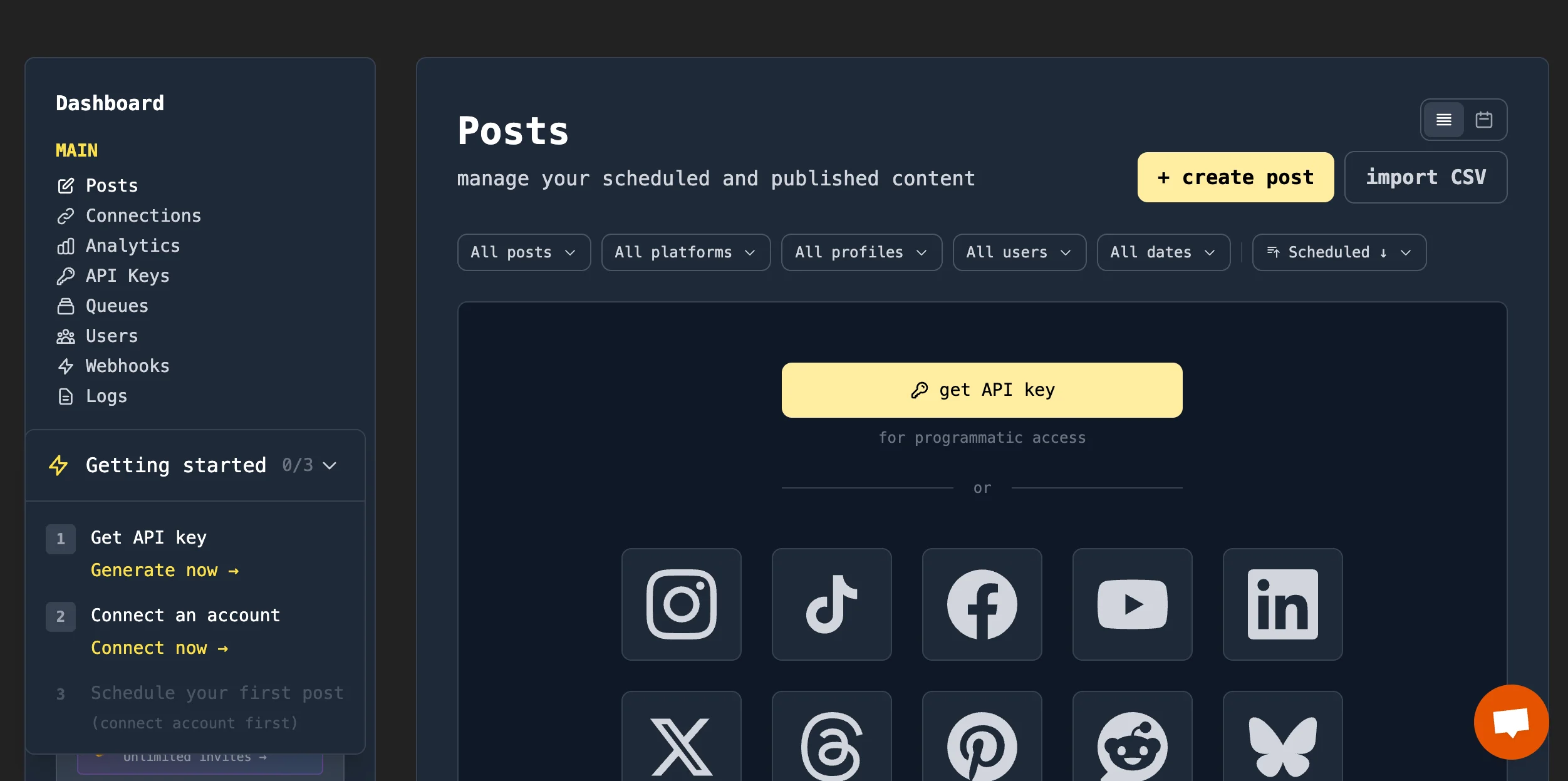
Create an API key and save it somewhere on your computer.
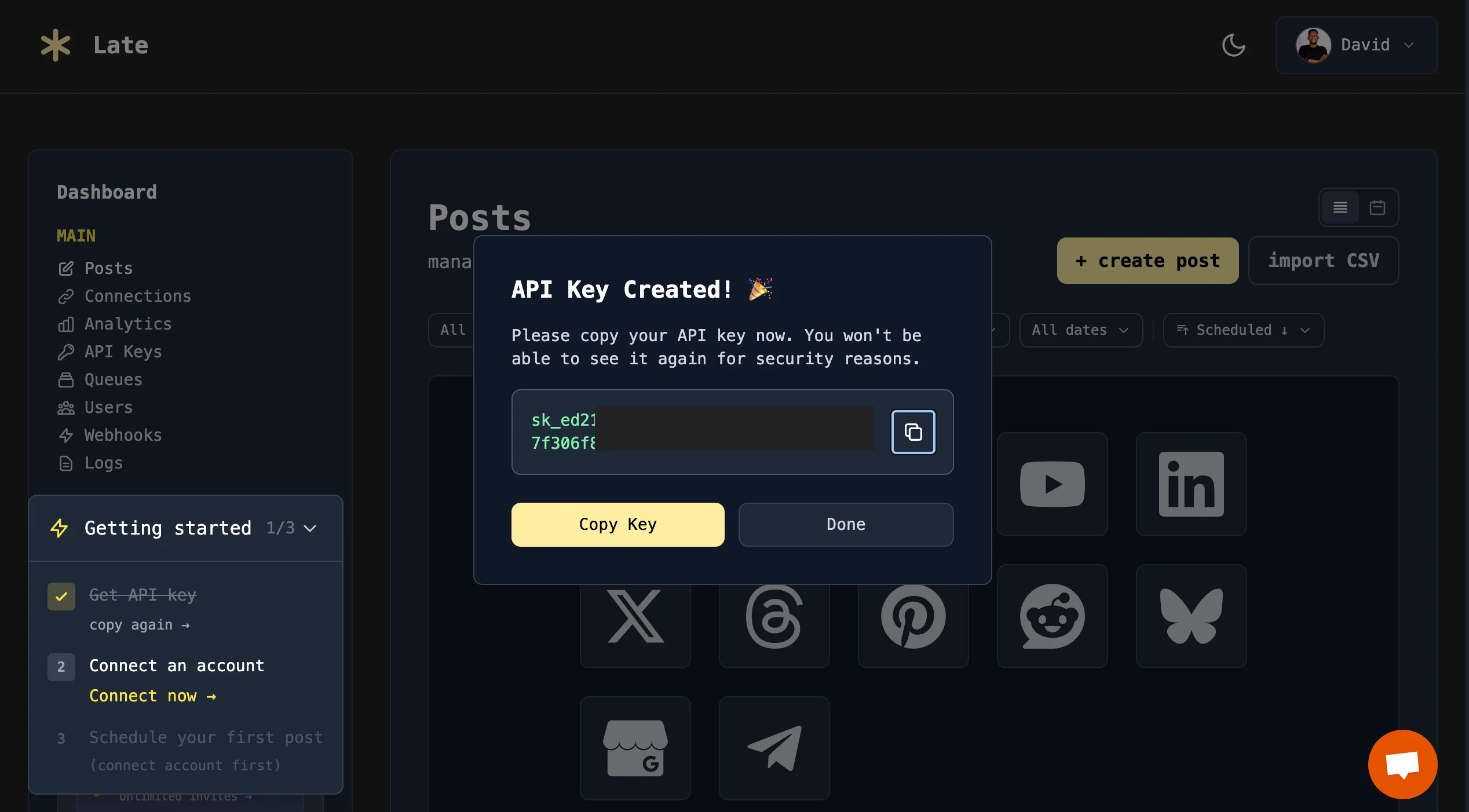
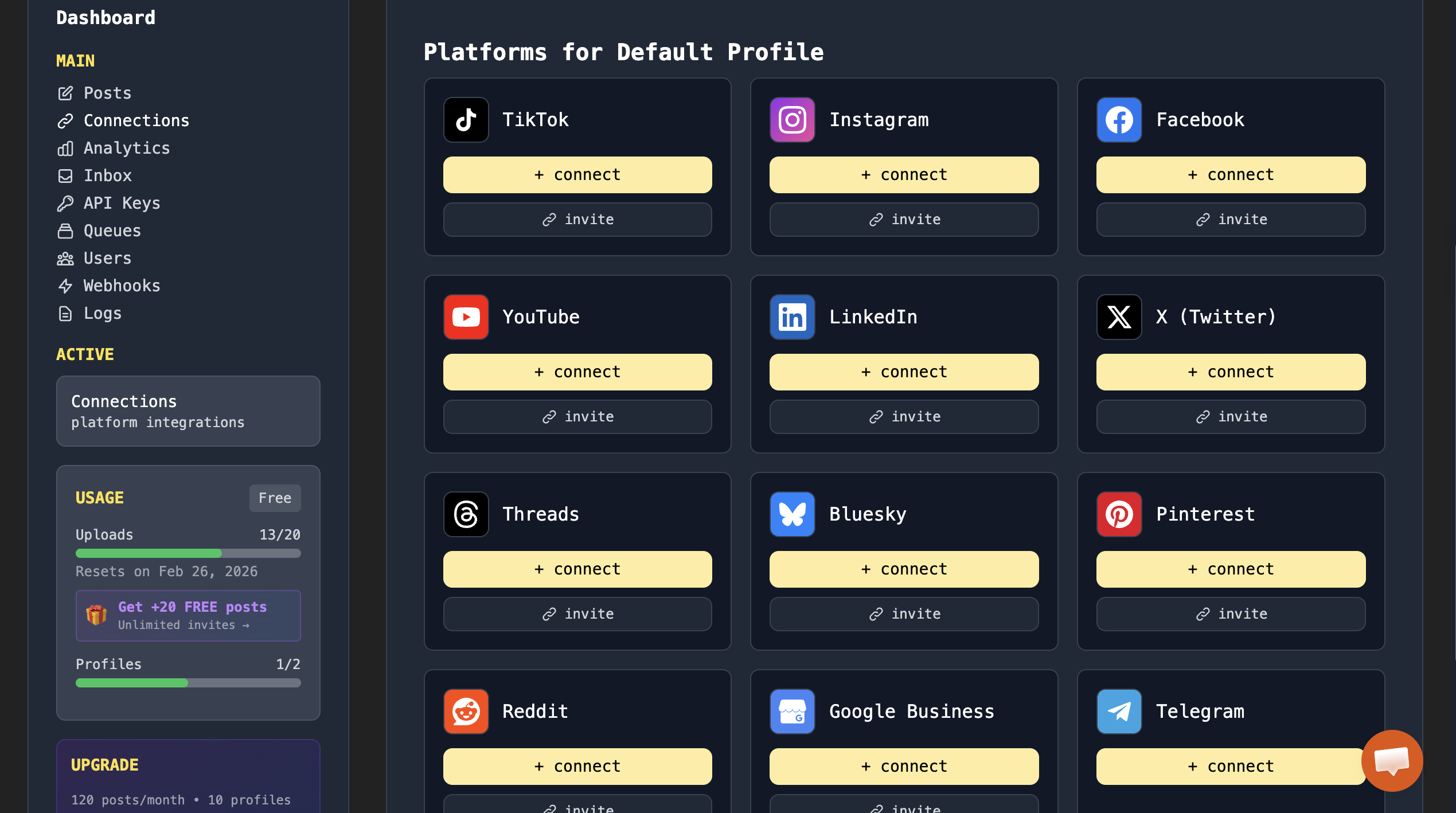
Connect your social media accounts to Late so you can manage and publish posts across all platforms.
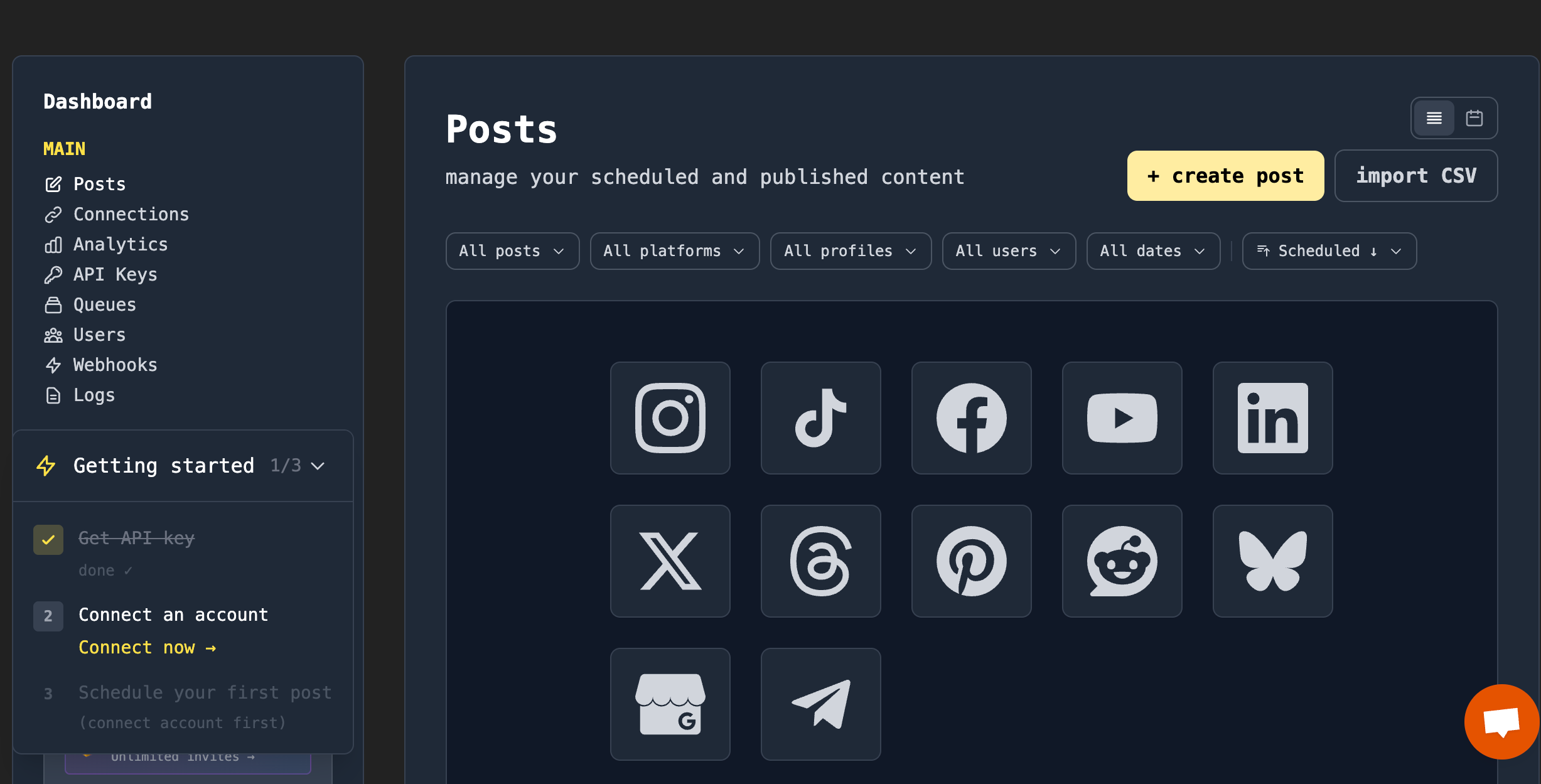
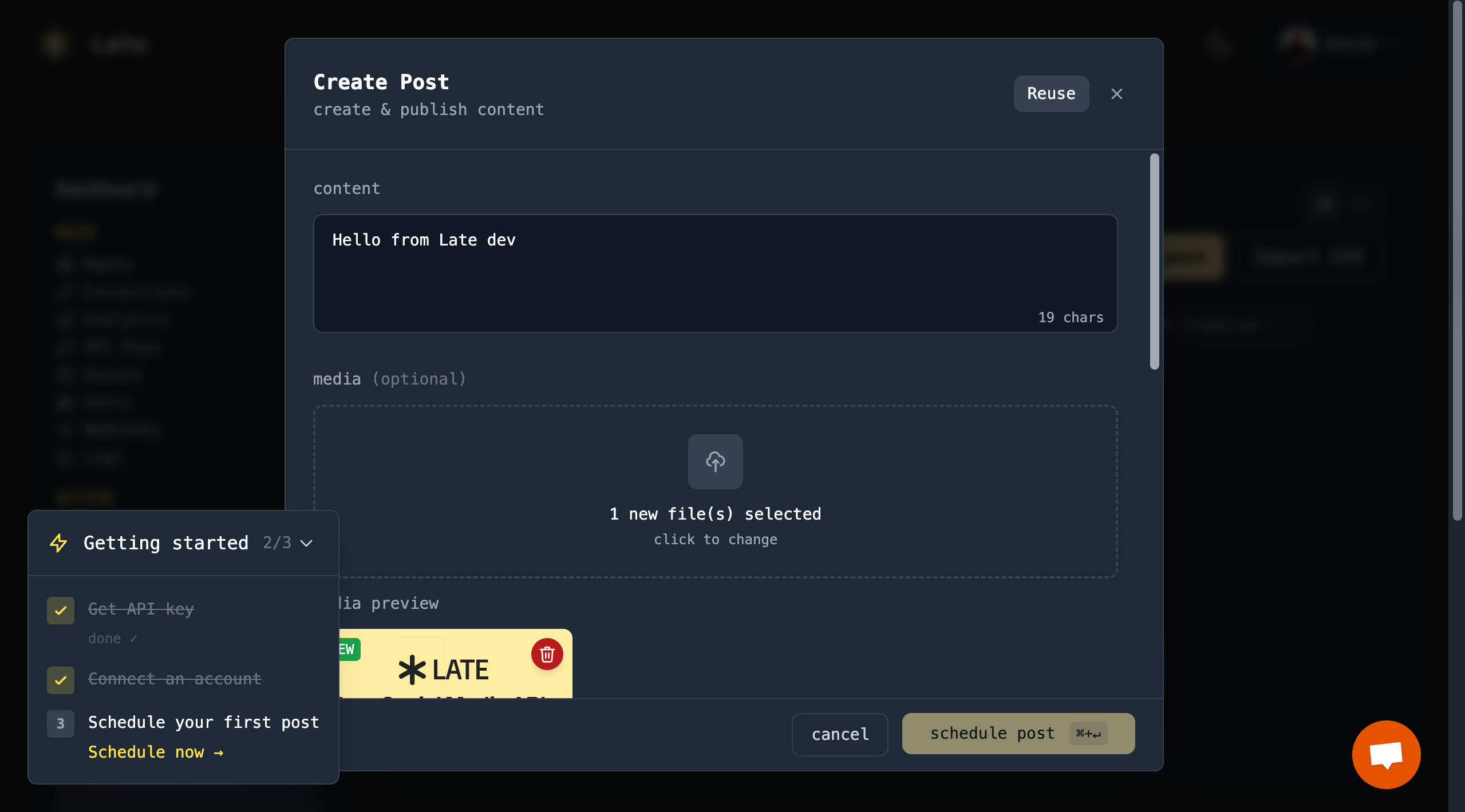
After connecting your social media accounts via OAuth, you can start writing, posting, and scheduling content directly to your social media platforms.
Late lets you write your post content and attach media files directly from the dashboard.
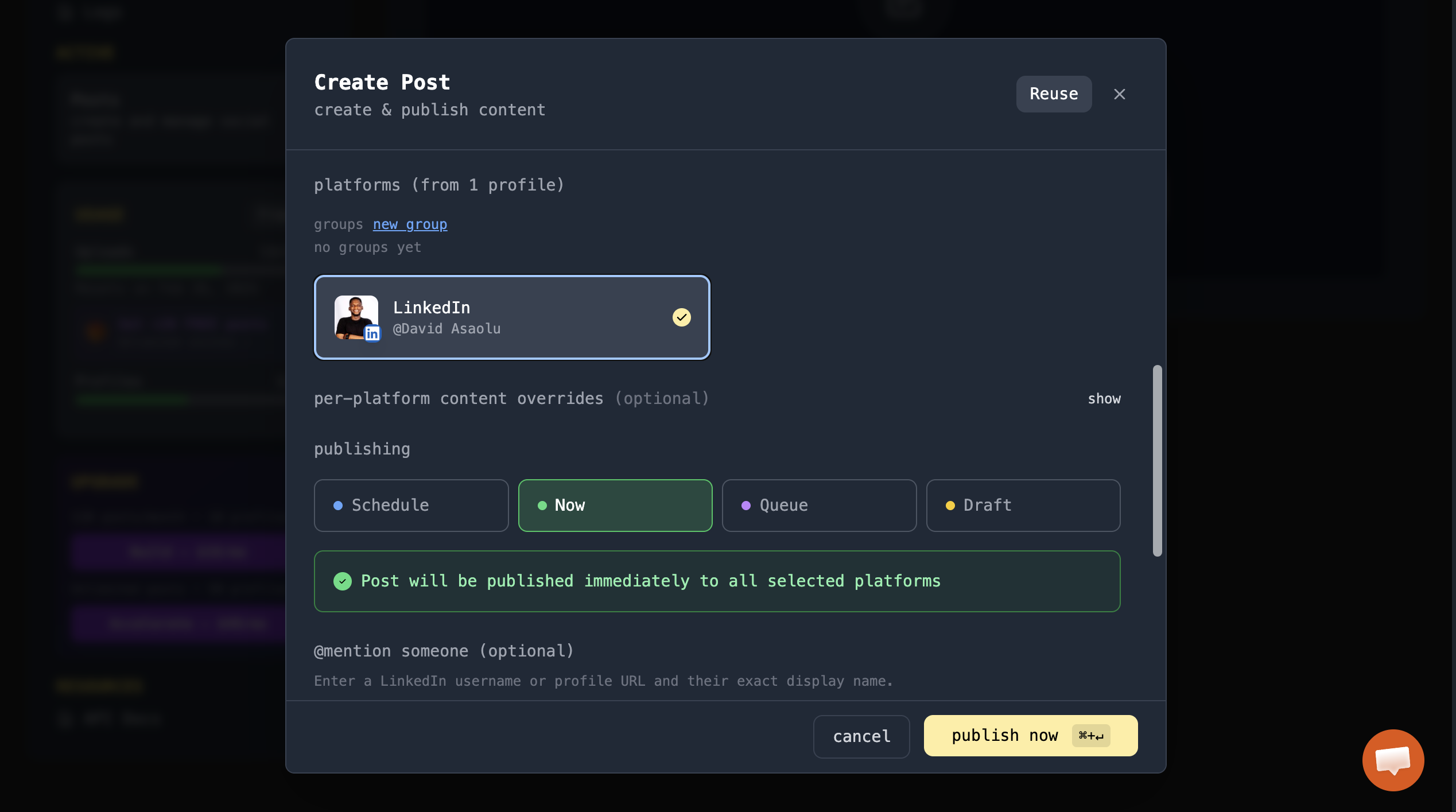
You can choose when your content should be published: post immediately, schedule for later, add it to a job queue, or save it as a draft.
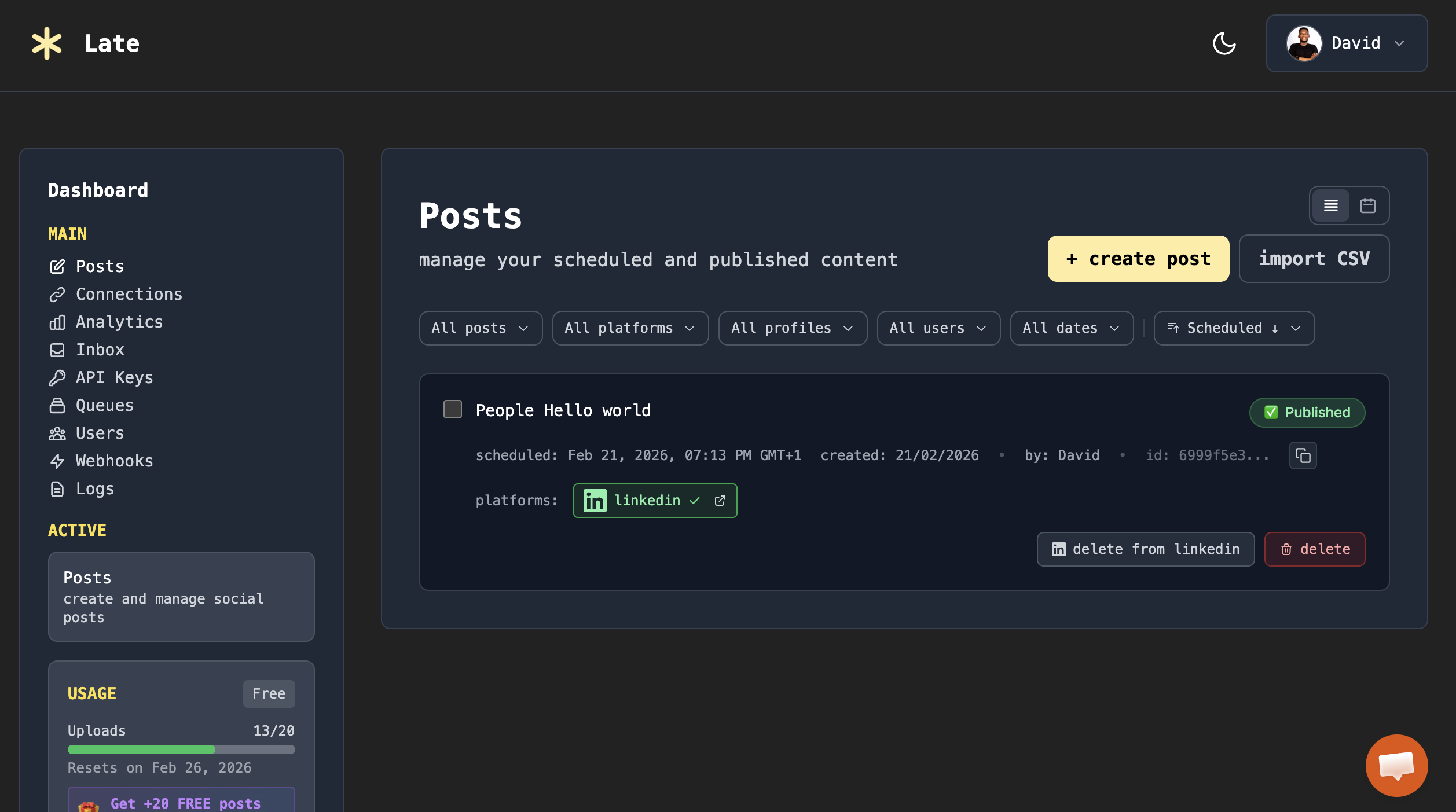
Once a post is published, you can view its status and preview it directly in the dashboard using the post link.
Late API Integration with SaaS Applications
The Late API enables you to integrate social media functionality into your applications via HTTP requests or using its official SDKs. This unified API simplifies cross-platform social media integration, including authentication, content creation, sharing, and scheduling.
The Late API SDK is available in multiple programming languages, making it easy to send HTTP requests to supported endpoints:
npm install @getlatedev/node  # Node.js SDK

pip install late-sdk           # Python SDK
With these SDKs, your SaaS application can connect multiple social media accounts, manage posts, and schedule content across all supported platforms without building individual integrations for each social network.
For detailed instructions and advanced use cases, visit the official documentation.
Real-World Example: How an LMS Added Multi-Platform Social Posting
Consider a learning management system (LMS) and digital e-commerce platform that enables users to create and sell online courses. Their core product is education technology, not social media management. However, course creators need to promote their content across multiple social media platforms to reach learners and maximise revenue.
Using the Late API, the LMS was able to implement cross-platform posting without diverting engineering resources from its core features.
Here is why it worked for them:
- Speed to Market: Multi-platform social posting was added in weeks, rather than the 6-12 months a DIY integration would have required.
- Focused Resource Allocation: Engineers continued enhancing core features like the course player and quiz functionality, rather than troubleshooting platform-specific API changes.
- Maintenance-Free: When X (formerly Twitter) changed its API pricing and structure, Late API handled the updates, keeping the LMS service uninterrupted.
- Tangible Result: The platform now offers social promotion as a feature, adding significant value to creators without incurring massive engineering overhead.
Common Social Media Integration Patterns in SaaS
To deliver a seamless user experience, SaaS applications typically adopt one or more proven integration patterns based on their users' workflows. Here are the common patterns that modern SaaS platforms use to implement social media connectivity:
- User-Initiated Posting: Users can click a "Share Now" button to publish content to multiple social networks. For instance, users can share their newly earned certificate, a published blog post, or a milestone achievement.
- Scheduled and Queued Posting: Users can prepare content in advance and set a future publication date and time. The SaaS backend uses Late API to manage a task queue that posts content at the designated time.
- Multi-Account Management: B2B and agency-focused SaaS platforms allow a single user to manage multiple social media profiles for different brands or clients. This pattern requires handling multiple OAuth tokens and platform-specific permissions under a centralised account.
- Webhook-Driven Workflows: Automated event-triggers can send a message to the social API when an action occurs in the SaaS app (e.g., a new sale, video upload, or milestone), eliminating manual intervention and creating an intelligent user experience.
- Batch Posting (Cross-Platform Distribution): A "write-once, publish-everywhere" pattern lets users push a single piece of content to multiple platforms simultaneously. The integration layer handles platform-specific requirements, such as image resizing or caption formatting, ensuring native appearance on each network.
All of these patterns are fully supported by Late API, making it easy for SaaS developers to implement scalable, multi-platform social media integrations without managing separate endpoints for each platform.
Next Steps
As you have learnt, the decision between a DIY build and a Unified API is a choice between maintenance and innovation. If your SaaS is built entirely around a single social network and requires deep, niche functionality, the DIY approach provides the granular control you need.
However, for most modern SaaS companies where social media integration is a growth lever or a supplementary feature, the Unified API approach is the best. It transforms a months-long engineering project into a plug-and-play utility, allowing you and your team to stay focused on your core product.
With Late API, you can manage 50+ client accounts from a centralised dashboard, implement white-label posting pipelines, and automate reporting and performance tracking.
Sign up and get your free API key to start building modern SaaS apps with powerful, multi-platform social media integration.

Miquel is the founder of Late, building the most reliable social media API for developers. Previously built multiple startups and scaled APIs to millions of requests.
View all articlesLearn more about Late with AI
See what AI assistants say about Late API and this topic