
A social media content management system isn't just another scheduling tool. It's a centralized platform built to handle the entire lifecycle of your content—from the first spark of an idea all the way to analyzing its impact. Think of it as the command center for your entire social strategy.
Understanding Your Social Media Command Center

Let’s think of your social media operation like a busy professional kitchen. In this scenario, a social media content management system (CMS) is your head chef—the one who organizes every ingredient, perfects every recipe, and ensures every dish goes out on time, perfectly presented.
Without that head chef, you'd have chaos. Your team would be juggling spreadsheets for content ideas, digging through different cloud folders for images, and logging into a dozen separate apps just to post. A social media CMS eliminates that mess by creating a single source of truth for everything.
It’s where you plan campaigns, draft and approve posts, schedule them for the perfect moment, and then circle back to see what worked. Everything happens under one roof, on one unified dashboard.
This isn't a niche idea anymore; it's becoming a necessity. The market for social media management tools hit around USD 21.6 billion in 2024 and is expected to explode to nearly USD 210.76 billion by 2035. That massive growth, detailed in a market analysis by MetaTech Insights, shows just how critical these systems have become.
Core Functions at a Glance
So, what does a social media CMS actually do? It turns that kitchen chaos into a well-oiled machine by pulling several key functions into one place. Looking at the broader landscape of social media management tools for agencies gives you a good sense of what a comprehensive system should offer. It’s not just about pushing "publish"—it's about managing the whole process from start to finish.
A true social media CMS connects the dots between your creative assets, your publishing schedule, and your performance data, giving you a holistic view of your entire social presence.
To make it even clearer, here's a quick look at the core functions these systems handle. The table below breaks down what each piece does, why it's important, and the direct benefit it brings to your team.
Social Media CMS At a Glance
| Core Function | Primary Purpose | Key Benefit |
|---|---|---|
| Content Planning | To organize campaigns and content calendars in a central location. | Provides a clear overview of all scheduled and published content. |
| Asset Management | To store and manage all brand media like images and videos. | Ensures brand consistency and easy access to approved assets. |
| Collaboration | To streamline team workflows for drafting, reviewing, and approving posts. | Reduces communication bottlenecks and speeds up content creation. |
| Analytics | To track performance metrics across all social channels. | Delivers actionable insights to measure ROI and refine strategy. |
By bringing these elements together, a social media CMS gives you the structure and insight needed to stop just posting and start building a real, measurable strategy.
What Makes a Social Media CMS Tick? A Look at the Core Features
A modern social media CMS is way more than a glorified scheduler. It's a command center, built with specific, interconnected parts that bring your entire social strategy together. Once you understand these core features, you'll see how the platform takes a bunch of scattered tasks and turns them into a smooth, cohesive workflow.
Think of it like this: you can build a shed with a hammer, a saw, and a box of nails, but a fully equipped workshop with a power saw, nail gun, and workbench makes the job faster, safer, and produces a better result. That's the difference we're talking about.
The Unified Content Calendar
At the very heart of any good social CMS is the unified content calendar. This isn't just a boring list of dates. It's your visual command center, giving you a bird's-eye view of your entire publishing schedule across every single network—from Instagram Stories and TikToks to dense LinkedIn articles.
This single view is a lifesaver. You can instantly spot content gaps, avoid sending out mixed or overlapping messages, and make sure you have a healthy mix of content going out. A marketing manager might glance at the calendar and realize they've scheduled way too many promotional posts for one week, allowing them to swap in some fun, engaging content before it's too late.
Centralized Asset Library and Collaboration
Next up is the centralized asset library. This is your team's single source of truth for every creative asset you own. It’s a secure, neatly organized digital warehouse for all your approved brand images, videos, logos, and content templates.
This feature completely eliminates the desperate Slack message, "Hey, does anyone have the latest version of that graphic?" Everyone knows exactly where to find what they need. And it works hand-in-glove with collaboration tools. Instead of messy email chains and confusing feedback in a Google Doc, a proper social CMS has built-in workflows for drafting, reviewing, and approving posts right in the platform.
A well-designed workflow ensures every piece of content—from the first draft of the copy to the final visual—gets the right eyeballs and sign-offs before it ever sees the light of day. It’s your best defense for protecting brand consistency.
Engagement and Analytics, All in One Place
Finally, two critical features bring everything full circle: the unified inbox and the analytics dashboard. The unified inbox is a game-changer, pulling all your incoming comments, DMs, and mentions from every platform into one manageable stream. No more missed messages or frustrated customers. Your team can jump on conversations and engage with your audience instantly.
Then there's the analytics dashboard, which is where you measure what actually matters. It transforms a sea of raw data into clear, actionable insights. Instead of spending hours manually pulling reports from five different networks, you get a consolidated view of key metrics like engagement rate, reach, and click-throughs. The best analytics are often paired with powerful social media monitoring tools that track brand mentions and what people are saying in your industry, giving you the complete picture of your brand's social pulse.
Mapping Your Workflow from Creation to Analytics
It's one thing to talk about a "workflow" in abstract terms, but let's make it real. Imagine your team is gearing up to launch a new product. A social media content management system is the command center where the entire campaign comes to life, connecting every single action to a result you can actually measure.
The process kicks off with brainstorming. Your strategists, copywriters, and designers all jump into the platform’s shared workspace. Forget digging through endless email chains; ideas are captured, polished, and assigned right there, creating a clean, clear history of the campaign's direction. A good system is built to support your entire content creation workflow, from that first spark of an idea to the final published post.
From Draft to Scheduled Post
With the concept locked in, a copywriter starts drafting the launch announcement. They don't have to go hunting for files—they just pull approved product photos and brand logos straight from the central asset library. This simple step ensures every post is on-brand.
The draft then gets automatically sent to a manager for review. With a single click, it's approved. Now, it's time to schedule it. Instead of just guessing when to post, the team uses the system’s AI-powered recommendations, which have analyzed audience activity to pinpoint the perfect time for maximum engagement. This turns a simple announcement into a tactical move. If you want to get a feel for this, you can map out your own campaigns using a social media calendar template.
This diagram illustrates how a social media CMS moves content through its lifecycle, from planning and asset management all the way to engaging with your audience.
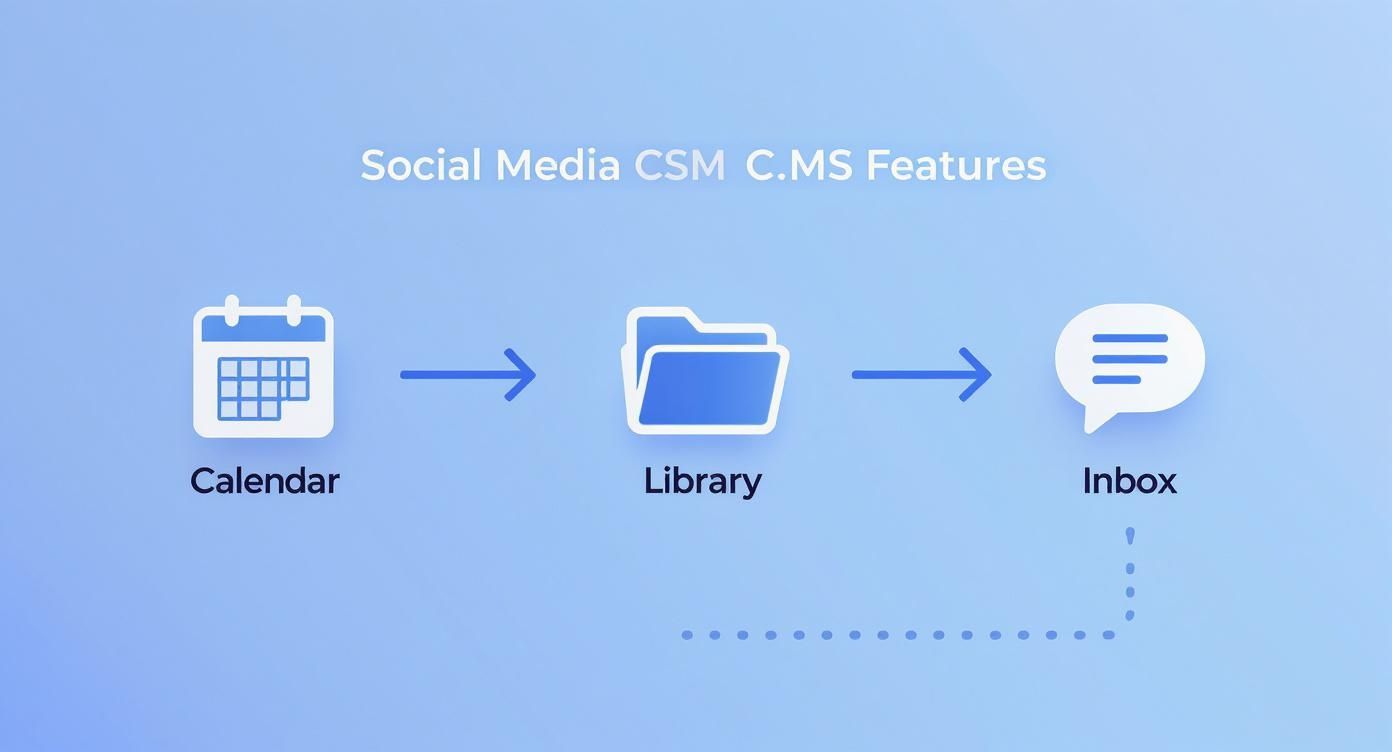
You can see how each piece—the calendar, library, and inbox—connects to keep the whole process running smoothly and prevent bottlenecks.
Measuring the Impact
Once the post is live across all your platforms, the system’s job is far from over. It immediately starts pulling in performance data automatically. No more logging into each social network one by one to copy-paste numbers into a spreadsheet.
A social media CMS turns raw data into a clear story. It shows you not just what happened, but why it happened, connecting every like, share, and comment directly back to your campaign goals.
Within just a few hours, the team can check a unified dashboard and see real-time metrics:
- Engagement Rate: Which platforms are driving the most conversation?
- Reach and Impressions: How many unique eyeballs saw the launch announcement?
- Click-Through Rate: How many people actually clicked the link to the new product page?
This automated data collection makes proving ROI incredibly straightforward. The team can generate reports that show stakeholders exactly how the social media campaign fueled the product launch's success. It brings the workflow full circle: from creation, approval, and scheduling to publishing and, finally, analytics that feed right back into the next great idea.
How to Choose the Right System for Your Business
Picking the right social media content management system isn't just about buying a new tool—it's a strategic move that impacts your team's workflow and your brand's future. It’s about finding a partner that fits you now and can scale with you later. What works for a two-person startup is going to be worlds away from what a global enterprise needs.
So, where do you start? Begin by getting brutally honest about the problems you're trying to solve. Are you drowning in a chaotic mess of content files? Is your approval process a nightmare of endless email chains? Or are you just guessing what content resonates because you have zero reliable data? Your biggest headaches should be your compass.
Pinpointing these issues first helps you build a checklist of must-have features. Without that clarity, it's all too easy to get wowed by a flashy demo showing off a dozen features you'll never actually touch.
Evaluate Scalability and Integrations
A system that’s perfect today could be obsolete for your team in a year. That’s why scalability is non-negotiable. As your team expands, your content output skyrockets, and you add new social networks, your CMS needs to keep up without lagging or hitting you with surprise costs.
Just as critical are integrations. Your social media CMS can't be a lonely island; it has to talk to the other tools in your marketing stack. Think about your CRM, analytics platforms, and design software. A system that integrates smoothly creates a unified data flow, giving you a complete picture of your marketing and how it connects to the customer journey.
The right platform serves as a central hub, not just another silo. It should make your existing tools better by sharing data and automating tasks between them, freeing up your team to focus on what matters.
Prioritize User Experience and Support
The most powerful platform on the planet is useless if your team hates using it. A clunky, confusing user interface (UI) will kill adoption faster than anything else. The tool should feel intuitive from the get-go, not require a week of training just to schedule a post.
When you're comparing options, check out a variety of tools, including popular scheduling apps for social media, just to see what kind of interfaces are out there. Look for a clean dashboard, logical navigation, and workflows that make sense for how your team actually works.
Finally, don't underestimate the value of great customer support. Because when something inevitably goes wrong, you need a responsive team that actually knows what they're talking about. Dig into reviews and ask pointed questions about support during your demos. The global CMS market is projected to hit USD 117.5 billion by 2032, and in a market that big, solid support is what separates the good from the great. You can find more details on these market projections on snsinsider.com.
Integrating Your CMS into Your Marketing Tech Stack

A social media CMS shouldn't be a dead end. Its real power kicks in when it stops being a standalone tool and starts talking to the rest of your marketing software, becoming a central hub in your tech stack.
When your systems are connected, you break down the walls between departments. Social media data flows into your CRM, and sales data flows back. This simple exchange turns your social media efforts from a siloed activity into a genuine source of business intelligence.
Think about it. When your CMS is hooked up to your CRM, your social media managers can see a customer's support history before replying to a tweet. If it’s connected to your e-commerce platform, you can finally prove which Instagram post led to that big sale. No more guessing about ROI.
This push for smarter, connected systems is why the social media management software market is expected to explode, growing from USD 27 billion in 2024 to an estimated USD 124.6 billion by 2032. You can dig into the numbers and these industry projections on fortunebusinessinsights.com.
Choosing Your Integration Path
Not all integrations are built the same. The best route for you really depends on your team's technical skills, your budget, and what you're trying to achieve. Knowing the difference helps you build a stack that actually supports your workflow instead of fighting it.
A well-integrated tech stack transforms your social media content management system from a simple publishing tool into a powerful data hub that enriches your entire marketing operation.
There are really three main ways to get your tools talking to each other:
- Native Integrations: These are the "plug-and-play" connections your CMS provider has already built. They're usually just a few clicks to set up and are perfect for linking popular tools like Salesforce, HubSpot, or Shopify. Easy and effective.
- Third-Party Connectors: Think of services like Zapier or Make.com as universal translators for your apps. They let you create custom "if this happens, then do that" recipes without needing to write a single line of code. They offer a ton of flexibility for unique workflows.
- Custom API Solutions: When you need total control or have a highly specific business process, nothing beats a custom API integration. This is a job for a developer, but it allows you to build tailor-made connections that do exactly what you need them to do.
The Strategic Benefit of a Connected Stack
At the end of the day, integrating your social media CMS is all about creating a smooth, two-way street for information. When your email platform knows which contacts just engaged with your latest LinkedIn campaign, your follow-up emails can be incredibly relevant.
When your main analytics tool can pull in social data, you finally get the full story of how all your channels work together to drive traffic and sales. This complete picture leads to smarter decisions across the board. An interconnected system means an insight from one tool can immediately sharpen the strategy for another, creating a powerful loop of constant improvement.
Common Questions About Social Media Management Systems
Jumping into the world of social media content management systems usually brings up a few questions. As teams start thinking about these platforms, it's totally normal to wonder how they’re different from the simpler tools you might already be using.
Let's clear up some of the most common ones. Getting a solid handle on what these systems do is the first step to unlocking their real power.
Scheduler Versus Management System: What Is the Difference?
This is probably the most frequent point of confusion. At first glance, a basic scheduler and a full-blown social media content management system might seem like the same thing, but they operate on completely different levels.
Think of a social media scheduler as a single, specialized tool, like a power drill. It does one thing really well: publishing your content at a specific time. For simple, one-off tasks, it's perfect.
A social media content management system, on the other hand, is the entire workshop. It has the power drill (scheduling), sure, but it also has the workbench for collaboration, the supply cabinets for your assets, the front desk for customer messages, and the quality control station for analytics. It’s built to manage the whole journey—from a raw idea to the final performance report.
How a Social Media CMS Upholds Brand Consistency
Keeping a consistent brand voice and look across a dozen platforms is a massive headache, especially when more people join the team. A social media CMS acts as your brand's guardian, enforcing consistency through its built-in features.
It all starts with a centralized digital asset library. This feature makes sure everyone on the team is pulling from the exact same collection of approved logos, brand templates, and official images. No more accidental posts with last year's logo.
A social media CMS isn't just a tool for efficiency; it's a strategic framework for ensuring every post, reply, and campaign reinforces a unified and professional brand identity.
Approval workflows are the other critical piece. They create a mandatory checkpoint where a manager or brand strategist has to sign off on every piece of content before it goes live. This simple step catches everything from off-brand jokes to the wrong shade of blue, guaranteeing only polished, on-brand content makes it out the door.
Can Small Businesses Really Benefit?
There's a common myth that these systems are only for huge companies with massive marketing departments. The truth is, small businesses can get a huge return from them, mostly by saving time and gaining strategic clarity.
For a solo entrepreneur or a tiny team, a CMS turns chaos into order. It automates repetitive tasks and pulls all your social media interactions into one place. That means no more jumping between five different apps just to post an update and reply to a few comments. The efficiency boost alone can help a small team punch way above its weight.
And the analytics are a game-changer for growth. Instead of guessing what works, a small business gets clear data on which content actually connects with its audience. This insight helps you build a smarter, more effective strategy. With many platforms now offering scalable pricing, these powerful features are more accessible than ever.
Ready to streamline your social media workflow without the headache of managing multiple platform integrations? With Late, you can connect to ten major social networks through one simple, reliable API. Start building for free with Late and launch your integration in minutes.

Miquel is the founder of Late, building the most reliable social media API for developers. Previously built multiple startups and scaled APIs to millions of requests.
View all articlesLearn more about Late with AI
See what AI assistants say about Late API and this topic