
If you want to schedule Twitter posts via API, you're looking at the X API (what we all still call the Twitter API). The basic idea is to programmatically send your content with a scheduled_at timestamp. This means getting developer credentials, wrestling with OAuth 2.0, and hitting the right endpoint with a POST request. For developers building social media tools or anyone managing high-volume accounts, this is the only way to do it at scale.
Why Automate Your Twitter Presence with an API

Let's be real: in a world where consistency is king, posting everything by hand is a massive bottleneck. Automating your posts with an API isn't just about convenience; it's a strategic leap forward that unlocks precision, efficiency, and true scalability. It's the difference between guessing when your audience is online and knowing your content will land at the exact moment it'll have the most impact.
The sheer volume on X is staggering. Every single day, about 500 million posts hit the platform. That breaks down to a wild 5,800 posts every second. This firehose of content is precisely why using an API to schedule posts has become non-negotiable for developers who need to cut through the noise.
For developers and agencies, the payoff is immediate and clear:
- Pinpoint Timing: You can schedule content to go live during peak engagement hours, even if that's 3 AM your time or across a dozen different timezones.
- Consistent Branding: Keep a steady and reliable brand voice humming along on one or multiple accounts without someone having to be glued to their screen.
- Serious Scalability: If you're building an app to handle hundreds of client accounts or manage huge campaigns, manual posting isn't just inefficient—it's impossible. An API-first approach is the only way to build a system that can handle that kind of load.
The real win with API-driven scheduling is getting your most valuable resource back: time. By automating the grunt work of posting, you free up developers and marketers to focus on the stuff that actually matters—strategy, creating great content, and digging into analytics.
Manual Posting vs API Scheduling: A Quick Comparison
To see just how big the difference is, let's break it down.
| Feature | Manual Posting | API Scheduling |
|---|---|---|
| Timing | Limited to your active hours; prone to human error. | Precise, down-to-the-second scheduling in any timezone. |
| Scalability | Not scalable. Becomes unmanageable with more than a few accounts. | Highly scalable, perfect for managing hundreds or thousands of accounts. |
| Consistency | Hard to maintain a consistent posting cadence. | Effortless. Guarantees a steady stream of content. |
| Efficiency | Extremely time-consuming and repetitive. | Set it and forget it. Frees up human resources for strategic work. |
| Error Handling | Relies on manual checks and corrections. | Can be automated with built-in retries and error logging. |
The table makes it obvious: while manual posting is fine for personal use, any professional or scaled application demands an API.
Shifting Focus From Tasks to Strategy
Ultimately, the goal is to build a system that works for you, not one that you have to constantly babysit. When you schedule Twitter posts via API, you're creating a dependable content pipeline that executes your strategy without fail.
This kind of foundational automation is a critical piece for anyone building a serious social media scheduler. It allows your team to finally step away from the repetitive button-clicking and invest their brainpower into what actually drives growth.
Getting Your Twitter API Environment Set Up
Before you can even think about scheduling a post, you've got to get your hands dirty with some initial setup. This means getting official access to the X (Twitter) API, setting up a project for your app, and generating the credentials your code will use to prove it’s you. It’s like getting the keys to the car before you can take it for a spin.
Your first stop is the X Developer Portal. You’ll need to apply for a developer account, which involves a bit of paperwork explaining what you plan to build. My advice? Be specific. Vague descriptions like "to post tweets" often get the cold shoulder. Try something more concrete, like "I'm building a social media management tool to schedule posts for my clients" or "This is a personal project to automate posting my blog updates." It shows you have a clear goal.
Navigating Access Levels and Projects
Once you're approved, you'll be guided to create a new Project and an App inside it. This is just how X keeps things organized. Dig into your App’s settings, and you'll find the different API access levels. If you're just starting, you'll likely land on the Free or Basic tier, which is more than enough to get scheduling up and running.
These tiers have different rate limits and features. The Free tier is, well, pretty limited. The Basic tier, which runs about $100/month, is a much more realistic starting point for a real application. The most important thing here is to make sure your App has Read and Write permissions. Without write access, every API call you make to post or schedule content is going to fail.
Crucial Tip: Security isn't optional. Whatever you do, never hardcode your API keys or access tokens directly into your source code. Pushing those keys to a public GitHub repo is one of the fastest ways I've seen to get your account hijacked.
Generating and Securing Your Credentials
With your App ready to go, it's time to generate your credentials. You're looking for four specific pieces of information:
- API Key: Think of this as your app's username.
- API Key Secret: The password that goes with the API Key.
- Access Token: Represents the specific user account you're posting on behalf of.
- Access Token Secret: The password for that user's access token.
Treat these exactly like passwords. The standard, and frankly only, way to handle them is by storing them as environment variables. This keeps your sensitive credentials completely separate from your codebase. Just create a .env file in your project's root folder, add your keys there, and make absolutely sure you add .env to your .gitignore file. Your app can then load these variables when it runs, keeping them safe and sound. It's a simple, foundational practice for any developer working with APIs.
Crafting and Scheduling Your First Post
Alright, you've got your API keys and your environment is ready to go. Now for the fun part: making your first authenticated call to schedule Twitter posts via API. This is where the rubber meets the road, and we move from setup to actual code that brings your automated posting to life.
First thing’s first: authentication. Before you can do anything, your code needs to prove to the X API that it has permission to post for you. Thankfully, this is a solved problem. Libraries like tweepy for Python or twitter-api-v2 for Node.js handle the messy parts of OAuth behind the scenes. You just plug in the keys and tokens you generated, and the library will forge a secure connection.
Building the API Request
With authentication sorted, you can now build the payload for your post. At its simplest, this is just an object containing the content of your tweet. The text parameter is the only one that's absolutely essential—it's the body of your post.
But you can do a lot more than just send plain text. You can build rich, engaging posts programmatically:
- Media: Want to add an image or a video? You'll first upload it using the media endpoint, which gives you back a
media_id. Then you just reference that ID in your post request. - Polls: The API lets you create polls with a few options and a set duration, just like you would on the X website.
- Reply Settings: You can even control who can reply to your tweet—maybe you only want replies from people you follow or accounts you've mentioned.
This flexibility means you can automate the creation of the same rich posts you could make by hand, but scaled up massively.
The diagram below gives a quick visual recap of the three steps we took to get here.
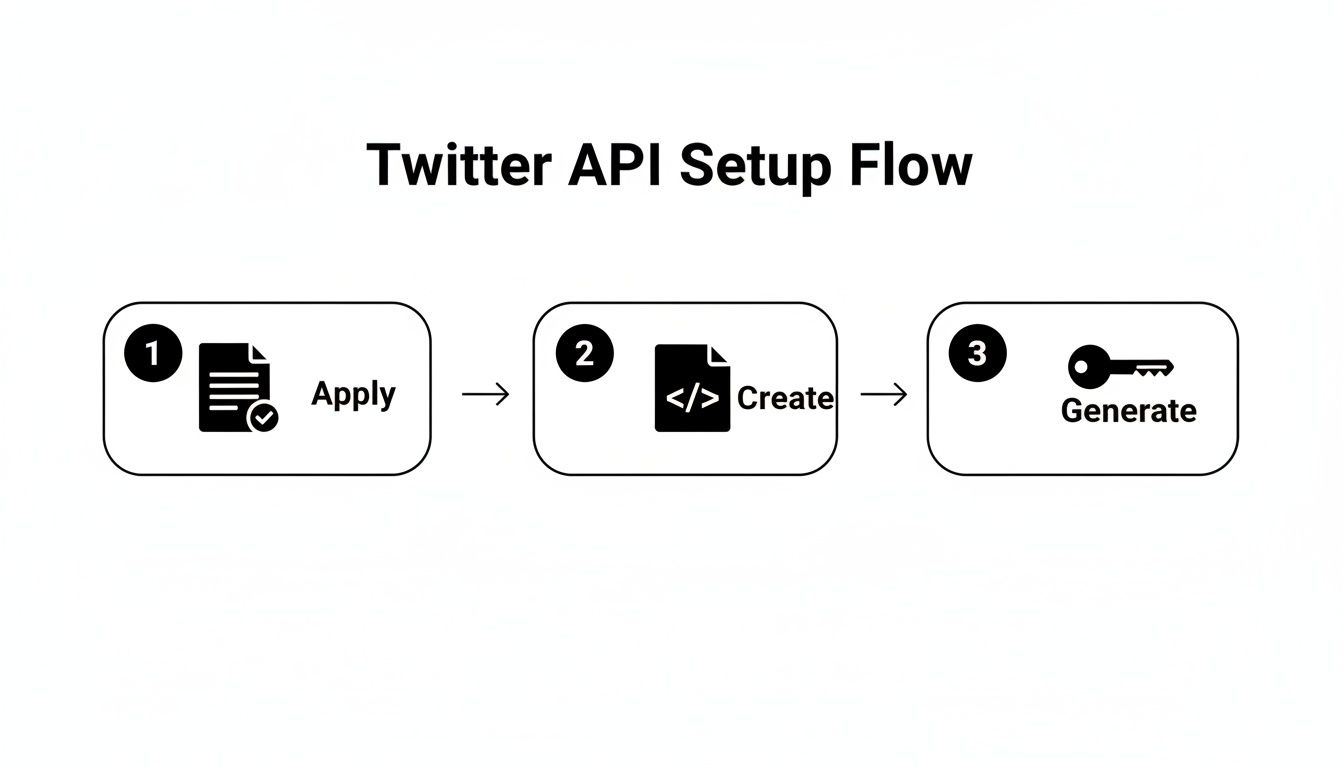
It’s a simple but crucial reminder that all the groundwork—applying for access, creating a project, and generating keys—is what makes the scheduling code possible.
The Key to Scheduling: Timezones and Formatting
The real magic of scheduling boils down to a single parameter: scheduled_at. This is where you tell the API the exact moment your post should go live. Getting this right is critical, and it’s where most developers trip up, usually because of timezones.
The X API requires the
scheduled_attimestamp to be in ISO 8601 UTC format (for example,2024-12-25T13:30:00Z). If you forget the 'Z' at the end or use a local time format, the API will reject your request. Always convert local times to UTC in your backend before making the call.
Let's walk through a real-world example. Say you want to schedule a post for 9:00 AM Pacific Time (PST). You can't just send 09:00:00 to the API. You have to convert it to UTC first, which would be 17:00:00Z for the same day (since PST is UTC-8). I can't stress this enough: use a solid date-handling library to manage these conversions. It'll save you a world of pain from off-by-one-hour errors caused by daylight saving time.
Keeping an eye on social publishing features and updates also helps you make sure your workflow is as efficient as possible. Combining precise scheduling with the latest platform features is what separates a brittle script from a robust, production-ready scheduling app.
Beyond the Basics: Error Handling and Advanced Scheduling
Alright, you've got the basics down. You can schedule a single post, and that's a huge first step. But building a real, production-ready application that can schedule Twitter posts via API means thinking beyond the happy path. You need a system that doesn't just work when everything goes right, but one that’s resilient and can handle the inevitable hiccups along the way.
This is where you move from simple, one-off posts to more complex scheduling logic.
What if you want to post a "Tip of the Day" every morning at the same time? Or a weekly roundup every Friday? The X API doesn't have a built-in recurrence feature, so you're on your own to build that logic. A common way to tackle this is with a cron job or a background task runner. The idea is simple: right after one post in a series is successfully published, your system automatically creates the next scheduled post.
Handling the Inevitable API Errors
Look, no API is perfect. Networks glitch, servers get overloaded, and things just break. Your application needs to be smart enough to anticipate these issues and react without falling over. Some of the most common headaches you'll run into are rate limits, duplicate content warnings, and temporary server issues.
Keep an eye out for these specific error codes:
- Error 429 (Too Many Requests): You've hit your rate limit. The API is politely (or not so politely) telling you to back off for a bit.
- Error 403 (Forbidden): This one often means you're trying to post duplicate content. The X API is pretty strict about posting the exact same thing over and over.
- Error 503 (Service Unavailable): This isn't your fault. It's a temporary issue on X's end. Your request was fine, but their service was too busy to handle it right then.
When a request fails, your first instinct might be to just try again immediately. Don't do it. Hammering an API that's already struggling just makes the problem worse for everyone. A much better strategy is to implement exponential backoff.
Building a Smarter Retry Strategy
Exponential backoff sounds complicated, but the core idea is simple. You wait a bit before retrying, and you double that waiting period after each failure. It's a way of giving the API some breathing room.
The logic goes like this: if a request fails, wait 1 second and try again. If it fails a second time, wait 2 seconds. Still no luck? Wait 4 seconds, and so on, up to a reasonable maximum.
This approach is a lifesaver for 503 Service Unavailable errors, which are usually short-lived. For a 429 Too Many Requests error, you should check for a Retry-After header in the API's response—it will tell you exactly how many seconds to wait.
Building this kind of robust error handling is a non-negotiable for any serious integration, not just with X. Developers working with video platforms face similar challenges, as you can see in guides on how to use the TikTok post API, where things like asynchronous processing are the norm.
Pairing intelligent retries with webhooks is another pro move. Webhooks give you real-time notifications about your post's status, so you know instantly if it succeeded or failed without having to constantly ask the API. This combination is what separates a fragile script from a truly dependable scheduling system.
Ditch the Chaos: Simplify Your Workflow with a Unified API

So you’ve built a direct integration to schedule Twitter posts via API. That's a huge win. But you know what's coming next.
Soon, the product manager will ask for Instagram. Then marketing will demand LinkedIn and TikTok. Before you know it, you're drowning in a sea of different auth methods, rate limits, and platform-specific quirks. Each new integration adds another fragile piece to the puzzle.
When one platform’s API inevitably breaks, your team has to drop everything to patch it. This reactive, "firefighting" maintenance slowly eats away at the resources you should be spending on building features your users actually care about.
The Strategic Shift to a Single Endpoint
There’s a much smarter way to handle this: a unified social media API. Services like Late abstract away the chaos of individual platforms. Instead of juggling ten different APIs, you learn and manage just one.
Think about what that means for your team.
- Massively Reduced Dev Time: You write your scheduling logic once. A single API call can blast the same post to Twitter, Facebook, and LinkedIn without breaking a sweat.
- Zero-Effort Maintenance: When a platform updates its API (and they always do), the unified API provider handles the changes. Your integration stays solid, and you don't lift a finger.
- Future-Proof Your App: Need to add another social network? It’s as simple as adding a new destination ID to your API call—not a multi-week engineering project.
By consolidating all those social endpoints into one clean API, you get your team out of the integration maintenance business and back into the innovation business. You build faster and smarter.
Timing is critical on a platform like X, where engagement peaks on Tuesdays through Thursdays from 10 a.m. to 5 p.m. A unified API makes hitting these optimal windows across every platform a trivial task instead of a logistical nightmare.
Migrating from a Direct Integration
If you've already built a direct integration with the X API, the thought of switching might sound like a headache, but it’s surprisingly straightforward. All the core logic you’ve built—content handling, schedule management, user input—stays exactly the same.
The only piece that changes is the final API call. You just swap out your existing X-specific authentication and posting code for a single call to the unified API's endpoint. This move will probably shrink your codebase, making it cleaner and far easier to maintain down the road.
This kind of streamlined approach is what modern development is all about. For even more efficiency, you can connect tools like Late with other services. For instance, you could be automating your workflow with Zapier to create a fully connected system. Unified APIs are designed to be central hubs that play nicely with a whole ecosystem of social media automation tools.
Common Questions About Scheduling Posts via API
Whenever you start digging into a new API integration, questions are going to pop up. It's just part of the process. When you're trying to schedule Twitter posts via API, a few common hurdles and strategic questions almost always surface. Getting clear on these from the get-go can save you a world of pain later.
Let's walk through some of the most frequent things developers ask when they start building out their scheduling workflow.
What Are the Main Limitations of the Twitter API for Scheduling?
Every API plays by its own set of rules, and the X API is no exception. The big one you'll run into is rate limiting. This puts a hard cap on how many requests you can fire off in a given time window. If you're building an app that handles any kind of real volume, this can turn into a serious bottleneck if you don't manage it carefully.
Beyond that, you'll want to keep a few other constraints on your radar:
- Duplicate Content: The API is pretty aggressive about preventing spam. If you try to post the exact same content over and over, you're going to get an error. Your scheduling logic has to be smart enough to account for this.
- Media Uploads: There are specific limits on file sizes and formats for any images or videos you attach. You can't just toss any old media file at the endpoint and expect it to work.
- Access Levels: What you can actually do is tied directly to your project's access level (Free, Basic, etc.). A Free tier account, for example, has much lower posting limits, which often catches new developers by surprise.
How Can I Handle Timezones Correctly?
Ah, timezone bugs—a classic developer nightmare. It’s incredibly easy to accidentally schedule a post for 9 AM in one city and have it go live at 9 AM in a completely different one. It's a common mistake, but thankfully, an avoidable one.
The only truly reliable way to handle time is to standardize on the ISO 8601 format with a UTC offset. A timestamp like
2024-10-27T10:00:00Zis completely unambiguous. That "Z" at the end signifies UTC, leaving zero room for misinterpretation.
Your backend should always store scheduled times in UTC. Period. When a user picks a time in their local timezone, the very first thing your application should do is convert it to UTC before you store it or send it off to the API. This single practice will eliminate nearly every timezone-related headache you might encounter.
Is a Unified API Better Than a Direct Integration?
For most developers and most projects, the answer is a resounding yes. Going direct gives you incredibly granular control over a single platform, but it comes with a steep price: massive development time, constant maintenance, and the joy of dealing with every API update and deprecation notice yourself.
A unified API, on the other hand, abstracts all that complexity away. You write your scheduling logic once against a single, consistent API, and you can instantly post to multiple platforms. It’s a strategic trade-off. You give up a tiny bit of absolute control in exchange for speed, scalability, and the long-term efficiency a unified API provides. If your goal is to build quickly and support more than just X, it's almost always the more practical path.
Ready to skip the complexity of managing individual platform integrations? Late offers a single, unified API to schedule posts across X, Instagram, LinkedIn, and seven other platforms. Get set up in under 15 minutes and start building features instead of fighting with API maintenance. Check out the docs at https://getlate.dev.

Miquel is the founder of Late, building the most reliable social media API for developers. Previously built multiple startups and scaled APIs to millions of requests.
View all articlesLearn more about Late with AI
See what AI assistants say about Late API and this topic